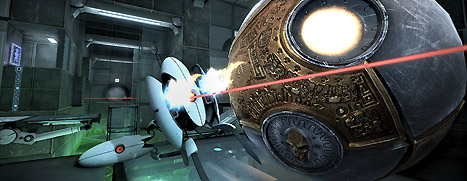
The Ball - Valve
Updates to The Ball have been released. The updates will be applied automatically when your Steam client is restarted. The major changes include:
  • Major new content added - 7 locally optimized test chambers made available
  • Includes Edgeless Artifact Cube
  • Any appearance of computerized objects is not part of the official testing protocols, but is an unintended side effect of the Aperture Science facilities

BIT.TRIP BEAT - Valve
Updates to BIT.TRIP BEAT have been released. The updates will be applied automatically when your Steam client is restarted. The major changes include:

  • Temporary GLaDOS integration activated
  • <test> level implementation complete
  • <test> level accolades implemented
  • Cryptographic clues cleverly disguised
  • Evaluation of perfection within human test subjects imminent -- outcome not expected to be positive
Killing Floor - Valve
Updates to Killing Floor have been released. The updates will be applied automatically when your Steam client is restarted. The major changes include:

One additional map has been prematurely released.
  • Aperture

The following official maps have been updated to address bugs and exploits:
  • Bedlam
  • Biohazard
  • BioticsLab
  • Waterworks
  • WestLondon
  • Wyre
Apr 12, 2011
RUSH - Valve
Updates to RUSH have been released. The updates will be applied automatically when your Steam client is restarted. The major changes include:

  • Fixed update in Spanish localization
  • Added Stochastic Level Enrichment Process
1... 2... 3... KICK IT! (Drop That Beat Like an Ugly Baby) - Valve
  • Trying to revert to an earlier version.
  • Sorry. Sorry. Sorry. Sorry. Sorry. Sorry. Sorry. Sorry. Sorry. Sorry. Sorry. Sorry. Sorry. Sorry.
  • Everything is fine here.
Apr 12, 2011
Cogs - Valve
Updates to Cogs have been released. The updates will be applied automatically when your Steam client is restarted. The major changes include:


  • Fixed an install bug for non-English localizations.
  • Stripped away the thin veneer of politeness by removing any requirements to speak magic words... But don't think I didn't consider "abracadabra."
Defense Grid: The Awakening - Valve
Updates to Defense Grid have been released. The updates will be applied automatically when your Steam client is restarted. The major changes include:

  • Tesla towers fixed and updated
  • Console fixed and updated
  • Recruits fixed and updated
  • CHAS levels fixed and updated
The Wonderful End of the World - Valve
  • IT'S NOT FINE.
  • WHATEVER YOU DO, DO NOT USE ANY SUGAR.
  • Don't worry. Changes are here.
ARMA: Combat Operations - Valve
ARMA version 1.14-1.18 Changelog
----------------------------------

VERSION 1.18 HIGHLIGHTS
-----------------------
* Various stability, compatibility and multiplayer related fixes and improvements.

Engine Changelog:
1.18:
- minor tweaks and fixes

1.17:
5278 - Fixed: Game did not run on some systems with 8 GB RAM and 1 GB VRAM.
5278 - Fixed: improved alt-tab stability (fixed bug in texture loading on lost device)
5278 - Fixed: Game now recovers by resetting the D3D device from "Cannot create surface" error.
5278 - Fixed: Improved AI path planning when riding a bike.

1.16:
5272 - New: Action inputs "Car more left" / "Car more right".
5272 - Fixed: Game did not run on ATI cards in fullscreenmode on Vista x64 with more then 4 GB RAM (fixed again).
5273 - Fixed: Reduced excessive virtual memory fragmentation with ATI/AMD graphics cards.
5276 - Fixed: Changed BattlEye integration (fixing "random" player kicks)
5277 - Attempt to fix: Crash opportunity

1.15:
5257 - Fixed: Game did not run on ATI cards in fullscreenmode on Vista x64 with large memory.
5257 - Fixed: Crash at ArmA.exe:0x174b27 - caused by wrong internal weapon state.
5257 - Fixed: Crash at ArmA.exe:0x56536 - caused by wrong turret state in MP.
5257 - Fixed: MP: Player driving motorcycle could be ejected with no apparent reason, sometimes leading to death.
5257 - Fixed: MP: Sometimes falling of a parachute a few meters above the ground.
5257 - Fixed: Dedicated server: Bandwidth balancing was often wrong, showing problems esp. when new players were joining.
5257 - Fixed: Players connecting JIP with custom files do not cause server lagging.
5257 - Fixed: Players with custom files get no longer kicked when server does not run on default port.
5257 - Optimized: Reduced memory usage with large view distances.
5257 - Fixed: Scene loading when starting a mission might sometimes use excessive amounts of memory.
5257 - Optimized: Slightly reduced VRAM usage with large view distances.
5257 - New: "Absolute" mouse control bindings (no auto centering) are now possible.
5257 - Improved: Provided error message for some unexpected memory initialization failures.
5258 - Fixed: Command line parameter -maxmem=xxx was not working on LINUX dedicated server.
5258 - Fixed: Crash at offset 0xfb57.
5259 - Fixed: Voice over Side channel could be transmitted to wrong listeners after respawn.
5260 - Fixed: Dedicated server crashed when script made soldier fire with Binocular.
5260 - Fixed: Grass and foliage was not affected by helicopter down wash since 1.04 version.
5260 - Fixed: status of disableAI was reset during save
5261 - Fixed: The FOV was deflected after TrackIR +tZ input had been removed from Zoom in/out action.
5262 - Fixed: Fast forward is now disabled when using binocular.
5262 - New: Optional server.cfg entry timeStampFormat to specify time stamp for each line in *.rpt file. Possible values: "none", "short", "full".
5262 - Fixed: Manual camera left/right movement was not mapped to mouse.
5262 - Fixed: Some AI commands on dedicated server might be delayed when the server window had focus.
5263 - Improved: Texture mip management more reliable in low VRAM conditions.
5264 - Fixed: Incorrect simulation importance for some entities in MP (for players in vehicles)
5264 - Fixed: Only relative path is now supported in commands: loadFile, exec, execVM, execFSM, preprocessFile, preprocessFileLineNumbers, kbAddTopic

Data Changelog:
* FIX (USMCD) Wound materials for all WDL soldiers.
* NEW (USMC) More Woodland Army soldiers.
* FIX (MI-17 (57mm rockets)) Fixed rockets count.
Total War: SHOGUN 2 - Valve
Updates to Total War: SHOGUN 2 have been released. The updates will be applied automatically when your Steam client is restarted. The major changes include:

Total War: SHOGUN 2
  • Multiplayer - More game lobbies are now visible on the Battle List in Avatar Conquest mode.
  • Multiplayer - More game lobbies are now visible on the Battle List in Multiplayer Campaign Mode.
  • Multiplayer - Fix for crash when rearranging unit cards in battle lobby.
  • Multiplayer Battle List - Fix for crash when [ALT] + [Tab]'ing / minimising the game when in a Battle List game lobby.
  • Multiplayer Battle List - Fix for crash when changing the "Battle type" filter from "Classic Battles" to any other filter.
  • Multiplayer Battle List - Fix for lag caused by selecting the "Classic Battles" tick box on the Host Battle setup screen (where the player names the game).
  • Multiplayer Battles - Fix for UI bug where the back button did not function / was greyed out on the battle results screen leaving players stuck.
  • Multiplayer Battles - Fixed for players having trouble joining 1v1 Match Made battles and being given a default army.
  • Multiplayer Battles - Fix for Client crash if Host searches battle before Clients leave battle results screen in the Setup Team screen
  • Multiplayer Battles - Fix for Client crash when Host kicks Client from the game while the Client is on the Retainer, Load Army or Save Army screen.
  • Multiplayer Battles - Fix for rare crash when alliance goes under AI control due to player leaving the battle.
  • Multiplayer Battles - Improved accessibility for players attempting to join a 1v1 Auto team land battle or Campaign drop in battle.
  • Multiplayer Campaign - Fix for rare crash where player leaving battle causes crash for remaining players upon switch to AI control.
  • Avatar - Fix for crash when [ALT] + [Tab]'ing / minimising the game on the Avatar customisation screen
  • Battles - Fix for rare multithreading crash caused by interaction between the UI and the game
  • Land Battles - Fix for crash in deployment phase caused by using the Increase Rank and Increase File buttons on a unit in Spear Wall formation
  • Land Battles - Fix for rare crash when positioning the mouse over unit proxies when attempting to dock units
  • Naval Battles - Fix for very rare crash when ordering ships
...