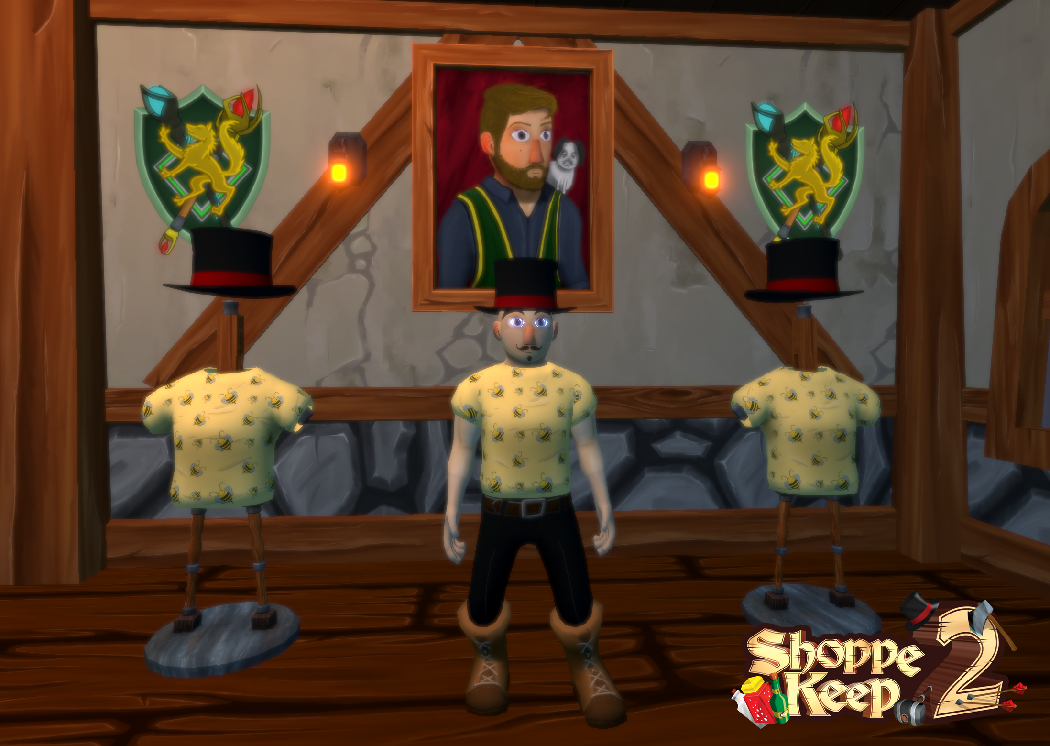
Happy Monday keepers! We managed to get all of the BEEEEEEEEEEEEE'S out of our heads since last week and have jumped back into action! We will not be sharing a lot today as 50% of our time was spent tinkering behind the scenes on areas that many players will not see.
Item Placement representation
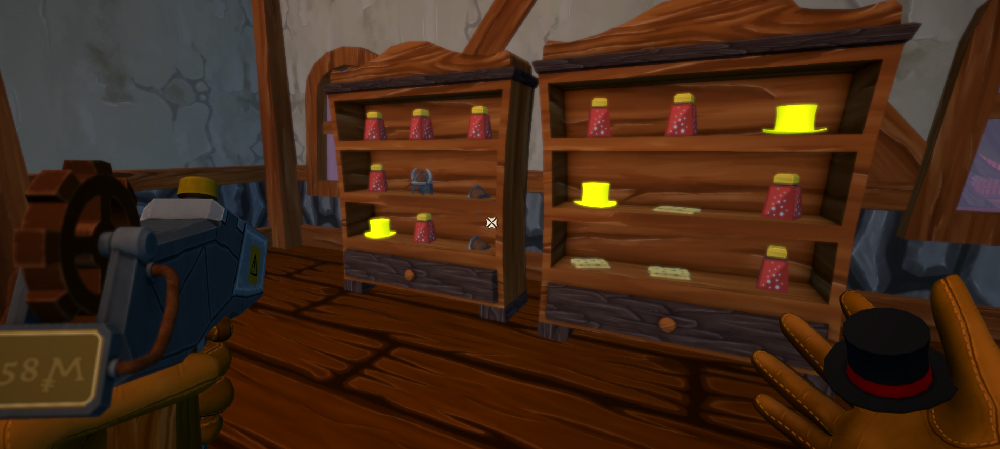
In Shoppe Keep 1, players would see where they could place thier items with a green effect on furniture. However, once players expanded to a massive shop, some players began to experience FPS drops based on the sheer number of FX at any given time. We've changed the system in Shoppe Keep 2 and it now instead displays the shape of an item in the spot where it can be placed. This will assist us with performance but we also think it looks pretty cool too!
In game video!
In Shoppe Keep 1, a key concern was that players were put off by the tutorial as it contained a large portion of text. As we've transitioned to a new version of Unity we are now able to have the game read MP4 files which allows us to create much more compelling short videos to help players learn the ropes. We hope that this will allow Shoppe Keep 2 to be much more accessible.
Project Tools/ Performance
Unity allows us to create all sort of tools and custom inspectors that help out in creating games, we have a bunch of them already functioning and helping out the designers make NPC's, dialogs, items, spells etc. We will try and convert those tools into a separate application which should be able to let players add more content to the game which they want themselves in the future. More on this soon! Performance has been worked on this week, some moments in game introduced frame drops, and we are happy to say that such moments were mostly solved, and the biggest issue we saw was when our frames dropped to 29 fps, but after doing some optimisation they rose to 56, still not pure 60 FPS, but we will be optimising the game as mad men during the whole development process/EA and post launch until it is as best as it could be.
Context Buttons
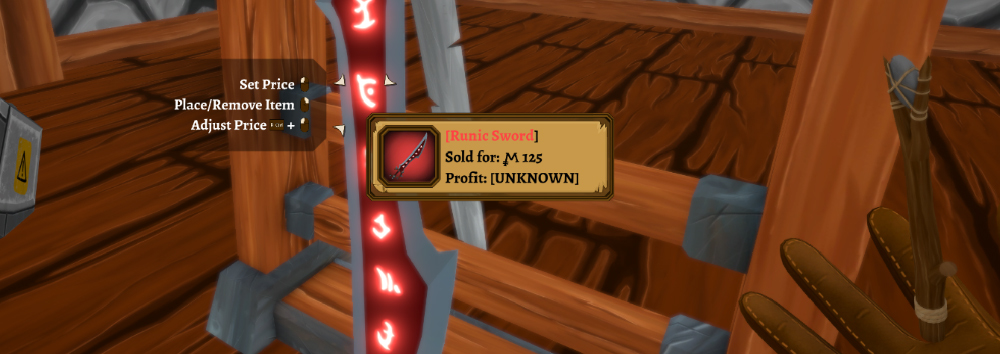
Sometimes players may forget which button performs a particular action. We've polished up our UI which will remind you what to press when targeting something that is interactive. The button prompts dynamically change depending on what key is binded to what function. We might add an option to disable button prompts in the settings, a lot of newer gamers do that these days - I guess it helps with immersion
Footsteps
SK1 was basically just the same flat floor around the world, we got away with just 1 type of footstep sound, now as we have grassy hills, paved roads, sand, wooden floors, tile floors and many more, having just 1 sound wont cut it. Listen for it during our future gameplay videos, but your step/ npc step will feel more alive than ever!
Price setting
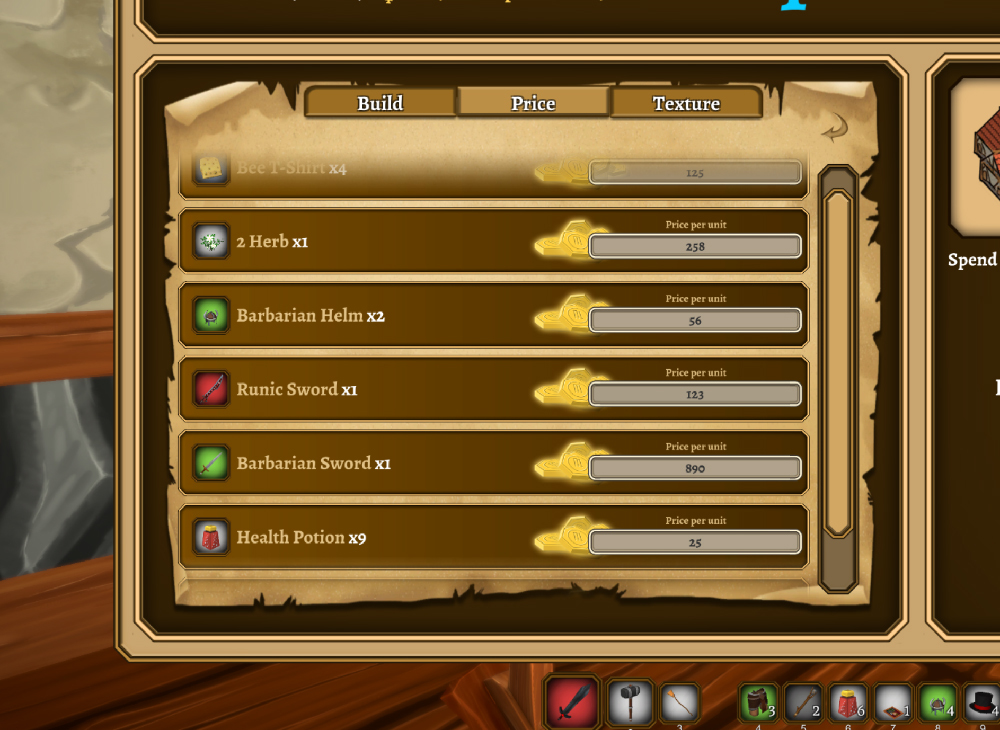
You can't run a profitable shop without setting a good price for your wares! When the shop is small enough you can easily go up to an item with your price gun and stamp a price straight on it! However, pricing can be a little more complicated once you have expanded. But have no fear we have created the Pricing UI
You can use it to check the items currently on display in your shoppe and how much each unit is sold for. No need to find the item on the shop floor, you can use this new UI to change the price straight away! Some more active friends may choose to put items on displays while you oversee the prices for each item from the comfort of the management house.
That's it for now! I am afraid that next week we will not be creating a dev log. Though if we can find some information to share that we can show you, we might do a smaller post! We're of course still developing the game, but some of the content we're working on might not be ready to show for a little while.
Happy Monday keepers! We managed to get all of the BEEEEEEEEEEEEE'S out of our heads since last week and have jumped back into action! We will not be sharing a lot today as 50% of our time was spent tinkering behind the scenes on areas that many players will not see.
Item Placement representation
In Shoppe Keep 1, players would see where they could place thier items with a green effect on furniture. However, once players expanded to a massive shop, some players began to experience FPS drops based on the sheer number of FX at any given time. We've changed the system in Shoppe Keep 2 and it now instead displays the shape of an item in the spot where it can be placed. This will assist us with performance but we also think it looks pretty cool too!
In game video!
In Shoppe Keep 1, a key concern was that players were put off by the tutorial as it contained a large portion of text. As we've transitioned to a new version of Unity we are now able to have the game read MP4 files which allows us to create much more compelling short videos to help players learn the ropes. We hope that this will allow Shoppe Keep 2 to be much more accessible.
Project Tools/ Performance
Unity allows us to create all sort of tools and custom inspectors that help out in creating games, we have a bunch of them already functioning and helping out the designers make NPC's, dialogs, items, spells etc. We will try and convert those tools into a separate application which should be able to let players add more content to the game which they want themselves in the future. More on this soon! Performance has been worked on this week, some moments in game introduced frame drops, and we are happy to say that such moments were mostly solved, and the biggest issue we saw was when our frames dropped to 29 fps, but after doing some optimisation they rose to 56, still not pure 60 FPS, but we will be optimising the game as mad men during the whole development process/EA and post launch until it is as best as it could be.
Context Buttons
Sometimes players may forget which button performs a particular action. We've polished up our UI which will remind you what to press when targeting something that is interactive. The button prompts dynamically change depending on what key is binded to what function. We might add an option to disable button prompts in the settings, a lot of newer gamers do that these days - I guess it helps with immersion
Footsteps
SK1 was basically just the same flat floor around the world, we got away with just 1 type of footstep sound, now as we have grassy hills, paved roads, sand, wooden floors, tile floors and many more, having just 1 sound wont cut it. Listen for it during our future gameplay videos, but your step/ npc step will feel more alive than ever!
Price setting
You can't run a profitable shop without setting a good price for your wares! When the shop is small enough you can easily go up to an item with your price gun and stamp a price straight on it! However, pricing can be a little more complicated once you have expanded. But have no fear we have created the Pricing UI
You can use it to check the items currently on display in your shoppe and how much each unit is sold for. No need to find the item on the shop floor, you can use this new UI to change the price straight away! Some more active friends may choose to put items on displays while you oversee the prices for each item from the comfort of the management house.
That's it for now! I am afraid that next week we will not be creating a dev log. Though if we can find some information to share that we can show you, we might do a smaller post! We're of course still developing the game, but some of the content we're working on might not be ready to show for a little while.
Welcome back Keepers! Bee Keepers? No ... Shop Keepers! Bah, why not both?
Join us as we share more progress and information on the development of Shoppe Keep 2. We'll be chatting about interactions with NPC's, visual town changes and wall decorations. Check it all out below:
NPC Interactions
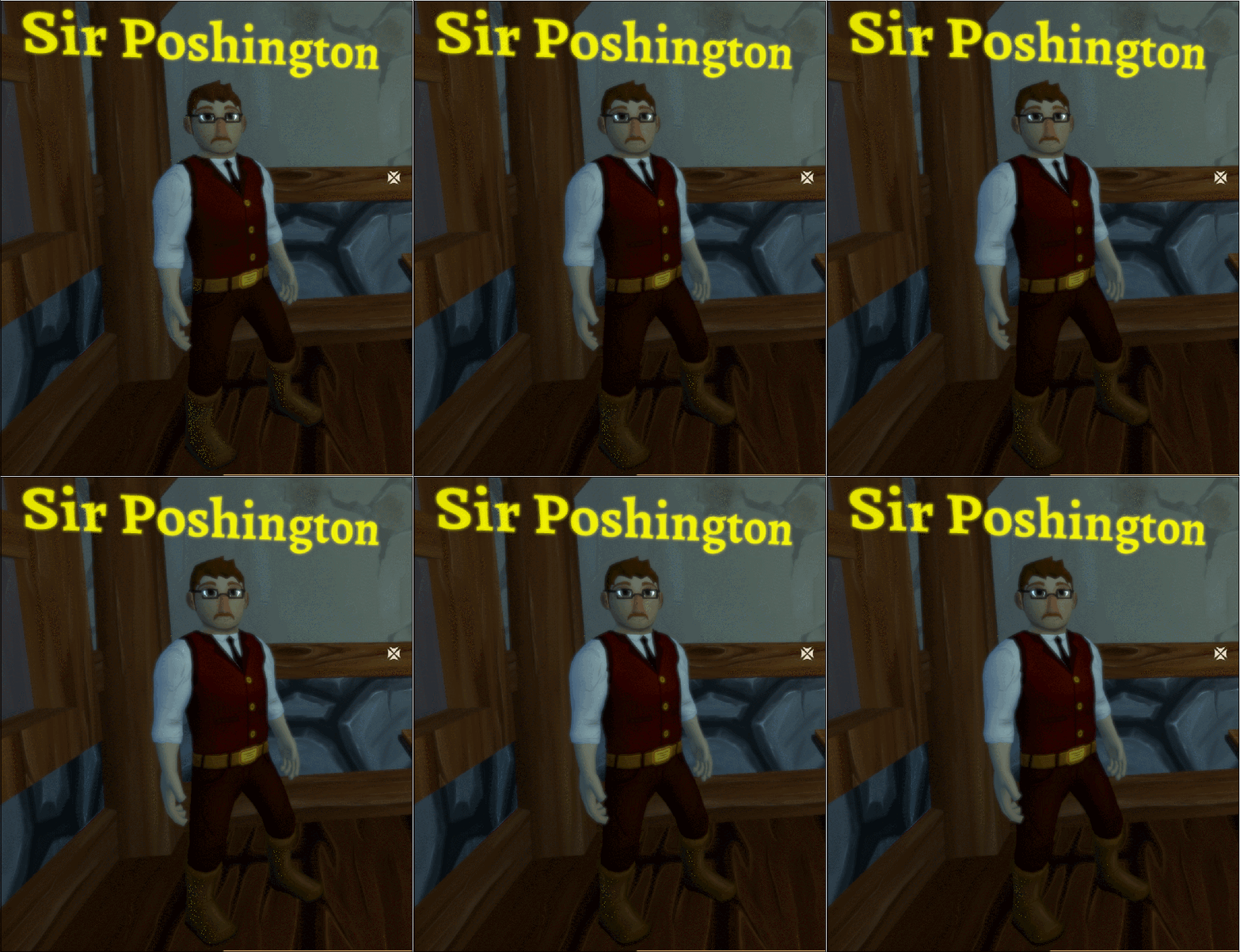
You may remember sir poshington from Shoppe Keep, he offered players luxury upgrades to shop displays. However, in Shoppe Keep 2, he'll take on the illustrious role of mentor as he helps you learn the basics of the shop keeping trade.
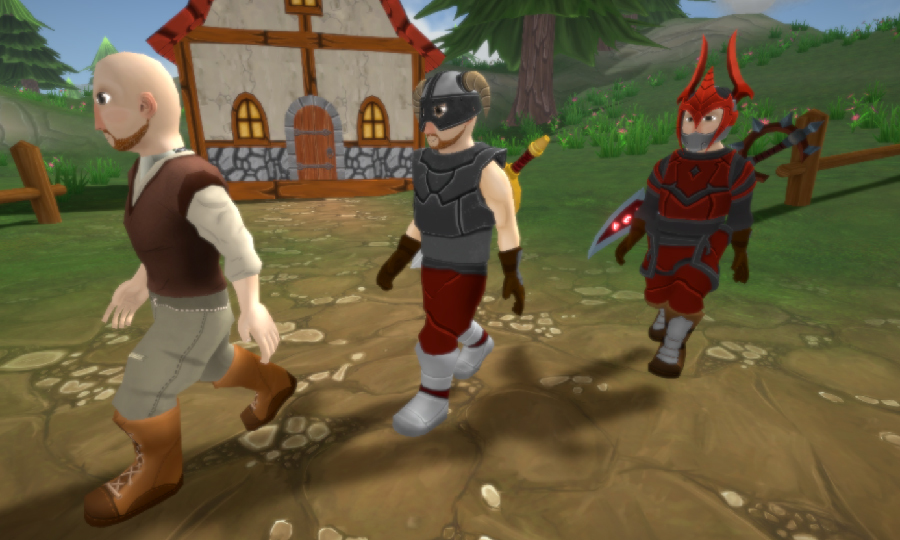
Poshington and other NPC's will track your movements by looking directly at you! So if you were to perform a complicated maneuver like, oh I don't know, jumping? He would watch you... But of course, jumping isn't going to make you money, so poshington would more likely berate you as you display your lack of economic efficiency.
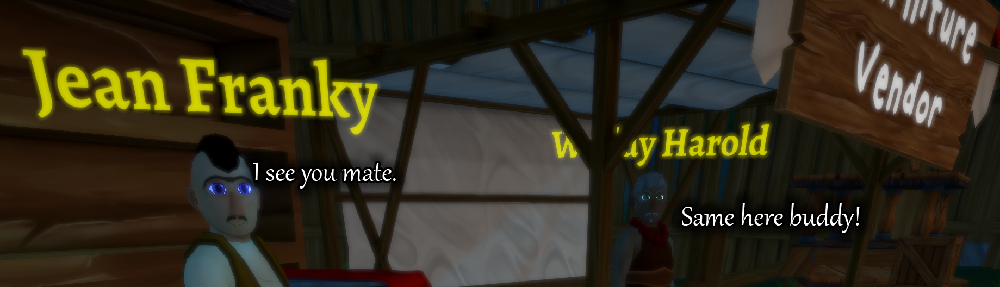
When you talk to NPC's they'll also talk back to you and will gesture too. Just a subtle element that makes the world feel a little bit more alive.
Town Evolution
As you play through Shoppe Keep, the town will go through iterations of growth and upgrades. These will often activate as you upgrade your shoppe, you crafters and raise the overall economy of the land. Below is an example of the town changing from a town which uses wood into a more evolved stone version of itself.
Customers dependent on item level
Your shoppe will attract different types of customers based on the average item level of your shoppe. So if you're stocking a lot of low level items, you're going to see more low level warriors around town. But if you happen to rise and begin to sell much more powerful gear, you will see that there will be much more powerful customers wandering around the town
Wall Decorations
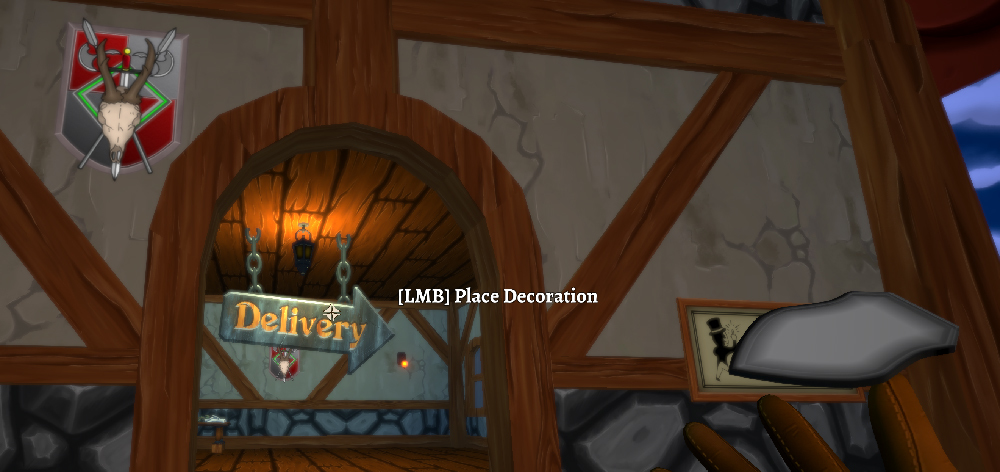
We're introducing a new way to spruce up your shoppe and provide you more customization. Wall decorations turn bland boring walls into works of art, by literally putting up works of art like paintings! Decorations are items whoch can be gained in a variety of ways including completing quests, exploration, NPC vendors etc. Some of these might even be very rare and offer a bonus to your shop, town or even crafter.
World Crests
Not these damn crests again! Yes, last week we shared that when you create a new world save, you create its crest too. The world will be populated with the crest you created but as an added bonus, you can even decorate the walls of your shoppe with the crest too.
Display Management
About a month ago, we shared with you three types of display management variations. We chose to stick with two versions. The standard version which is similar to Shoppe keep (albeit with some adjustments) but also a new type of interaction which brings up a separate UI for each display. We have upgraded the latter type where if you want to display only one single item, holding SHIFT will fill the entire shelf in a single click.
That's it for this week. Thank you for reading and if you have anything you'd like to see in the game do let us know. Let us know what you think of the mechanics we've shared today!
Welcome back Keepers! Bee Keepers? No ... Shop Keepers! Bah, why not both?
Join us as we share more progress and information on the development of Shoppe Keep 2. We'll be chatting about interactions with NPC's, visual town changes and wall decorations. Check it all out below:
NPC Interactions
You may remember sir poshington from Shoppe Keep, he offered players luxury upgrades to shop displays. However, in Shoppe Keep 2, he'll take on the illustrious role of mentor as he helps you learn the basics of the shop keeping trade.
Poshington and other NPC's will track your movements by looking directly at you! So if you were to perform a complicated maneuver like, oh I don't know, jumping? He would watch you... But of course, jumping isn't going to make you money, so poshington would more likely berate you as you display your lack of economic efficiency.
When you talk to NPC's they'll also talk back to you and will gesture too. Just a subtle element that makes the world feel a little bit more alive.
Town Evolution
As you play through Shoppe Keep, the town will go through iterations of growth and upgrades. These will often activate as you upgrade your shoppe, you crafters and raise the overall economy of the land. Below is an example of the town changing from a town which uses wood into a more evolved stone version of itself.
Customers dependent on item level
Your shoppe will attract different types of customers based on the average item level of your shoppe. So if you're stocking a lot of low level items, you're going to see more low level warriors around town. But if you happen to rise and begin to sell much more powerful gear, you will see that there will be much more powerful customers wandering around the town
Wall Decorations
We're introducing a new way to spruce up your shoppe and provide you more customization. Wall decorations turn bland boring walls into works of art, by literally putting up works of art like paintings! Decorations are items whoch can be gained in a variety of ways including completing quests, exploration, NPC vendors etc. Some of these might even be very rare and offer a bonus to your shop, town or even crafter.
World Crests
Not these damn crests again! Yes, last week we shared that when you create a new world save, you create its crest too. The world will be populated with the crest you created but as an added bonus, you can even decorate the walls of your shoppe with the crest too.
Display Management
About a month ago, we shared with you three types of display management variations. We chose to stick with two versions. The standard version which is similar to Shoppe keep (albeit with some adjustments) but also a new type of interaction which brings up a separate UI for each display. We have upgraded the latter type where if you want to display only one single item, holding SHIFT will fill the entire shelf in a single click.
That's it for this week. Thank you for reading and if you have anything you'd like to see in the game do let us know. Let us know what you think of the mechanics we've shared today!
This weeks blog post will focus on UI, some dynamic objects, helper bots and a few other items of interest. Let's get stuck in!
Multiplayer
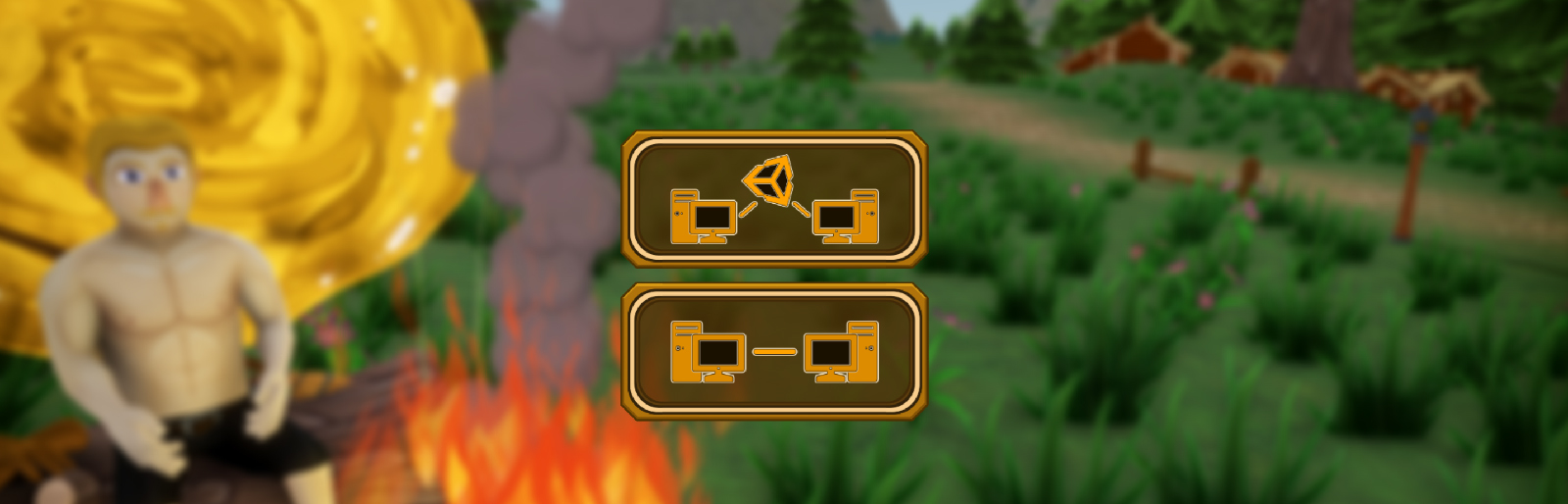
So let's talk about the biggest change in the sequel which is multiplayer. From the main menu you you play alone as Single Player, or choose one of 2 Multiplayer ways to play with your friends.
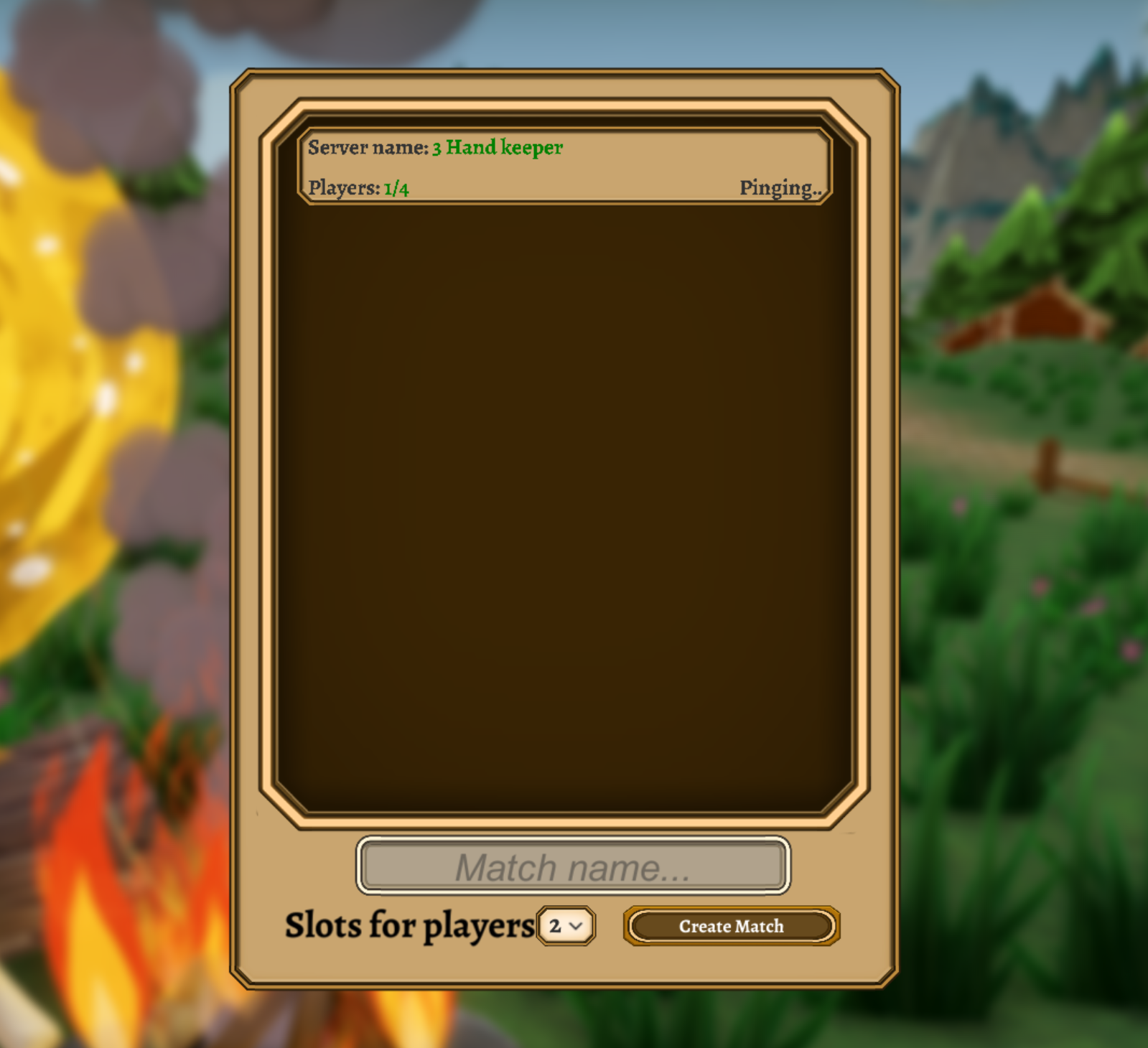
When hosting your world you can choose from a Direct connection world or a Server listed World
If you are hosting the world on your local network connection you can use the direct connection which just needs an IP and port number, and off you go! You can also use the Direct Connection to play with friends outside of your local network using port forwarding techniques.
To connect to a Direct Connection world, you can simply enter the IP address and port number to connect to the host.
Now in case you are playing with friends from far away, and port forwarding is a foreign concept to you, you are in luck, we can use a server list and connect you anyway!
When creating a server listed game, you will simply give your world a name which can then be found on the server lists. To connect to a server listed game, you can search the server list for a game to join and then connect to the games.
Small disclaimer: Our server lists are hosted by Unity to help with connecting people across the globe
We are currently in the process of working on a video that shows off some of the multiplayer game play but felt that we should mention something very important! There will be no features in this dev log that are locked to single player. Anything that we mention or discuss will be fully playable in multiplayer.
There are particular features that do need to be designed to consider the synchronization of objects for Multiplayer. So there will be some elements from the single player portion which will have some features that must have a good compromise to keep development flowing.
As an example, let's talk about the helper bots. We've discovered that there is a reasonable number of helper bots that P2P can handle without causing any issues with synchronization or performance. But if we were not creating a multiplayer game, we could have 50 helper bots flying around.
So the theory is this, design the game with the shortcomings of multiplayer, but still make it fun and balanced to play as a single player game. It's wise we discuss and remain open on this because this type of development process will save us time and allow us to create content much faster than trying to combat two different variants of the same game.
Dynamic Objects
While developing Shoppe Keep 2, we wanted a far more flexible way of creating content. Items, spells, equipment, displays and NPC's are objects that can be removed and added quickly and easily. Additionally, we are considering supporti got Steam Workshop for player made items that can be usable in game. Once we reach that point, we'll talk more about it!
We are currently working on an Item creator app which will ship with Shoppe Keep 2. Right now the priority is not on that particular feature but it currently works as intended but have not yet tested it with Steam Workshop. We'll reveal more info later!
Blonde hair
We've added a new hair colour, Blonde! It joins six other available hair colours in Shoppe Keep 2.
Helper Bots
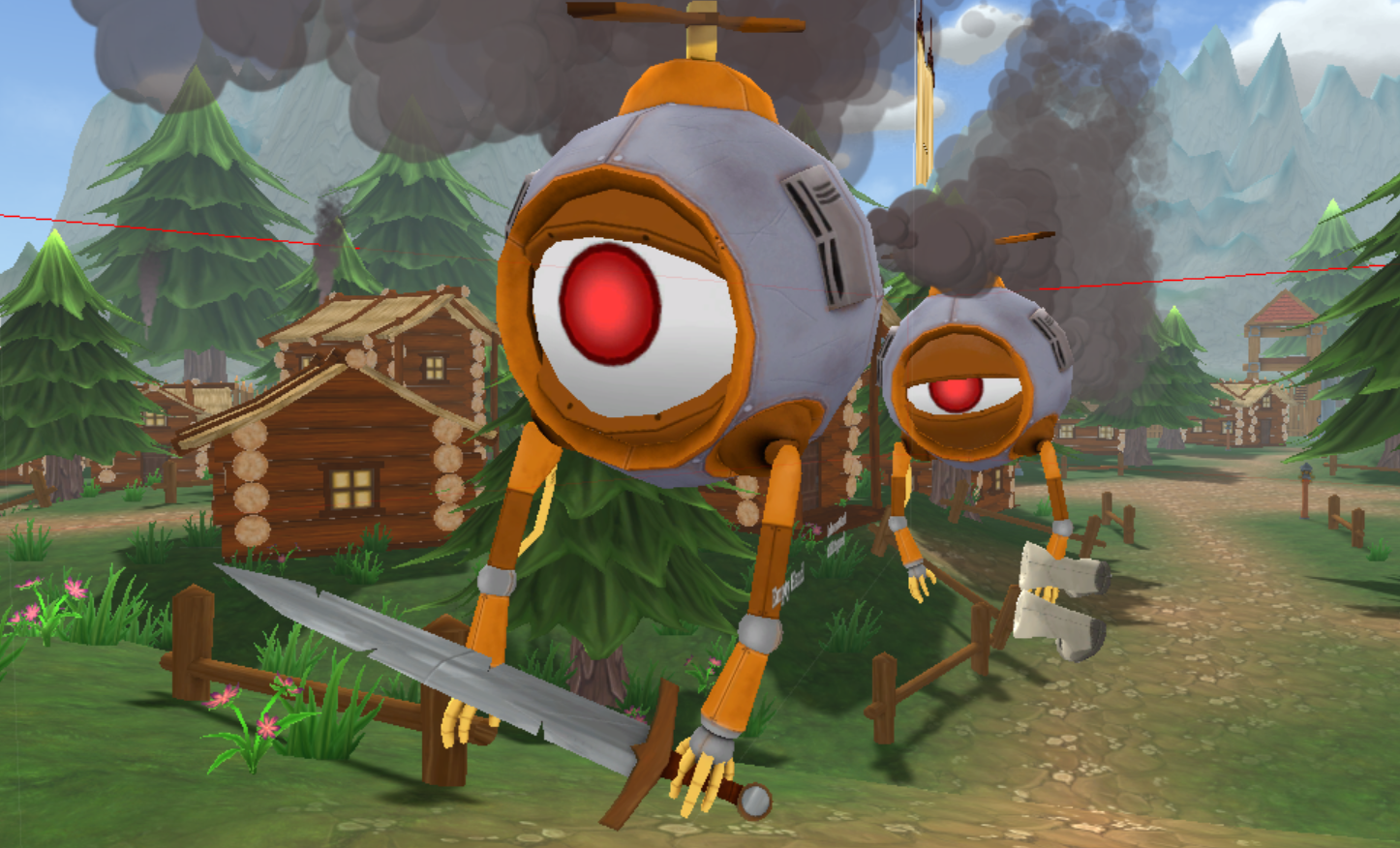
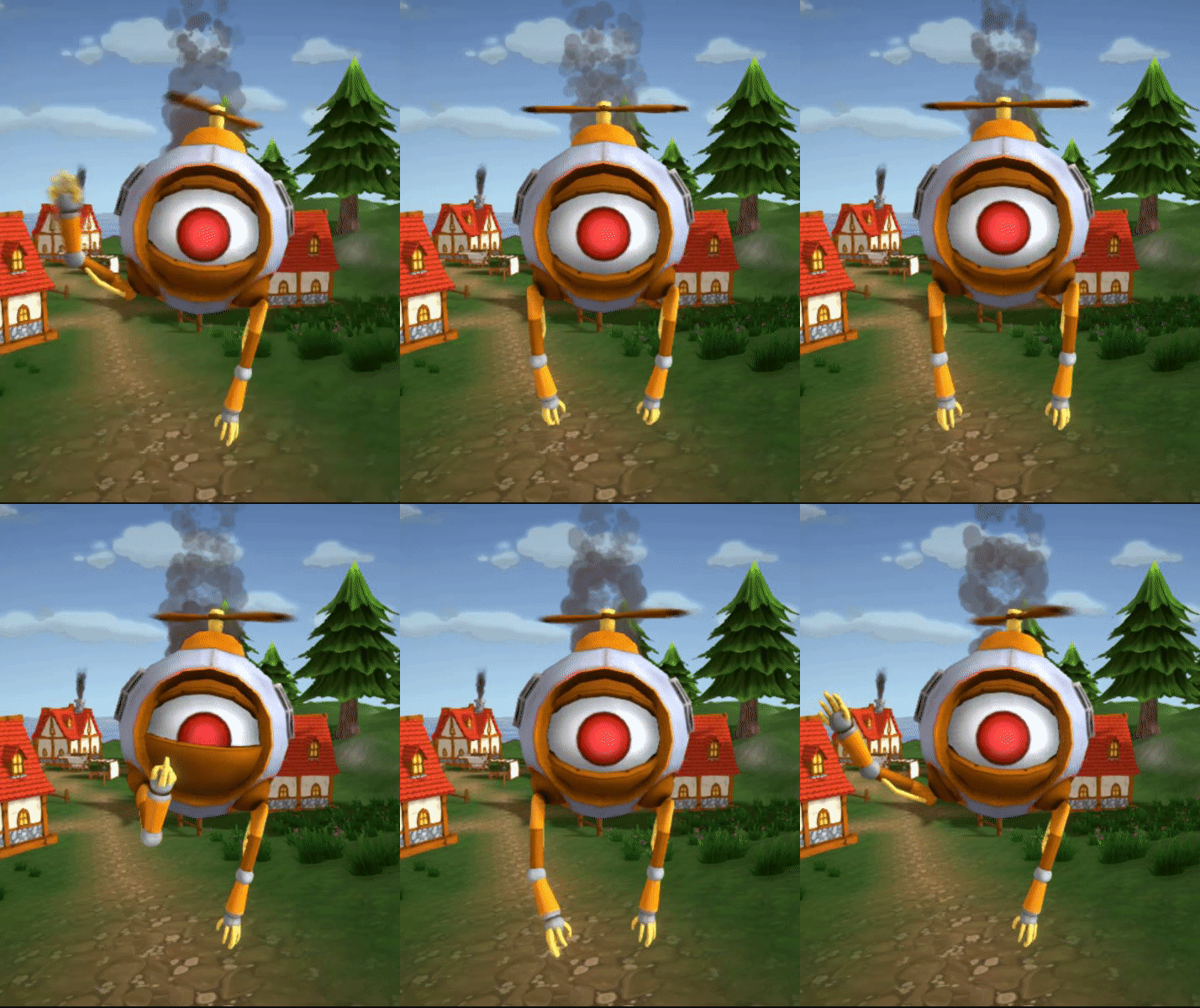
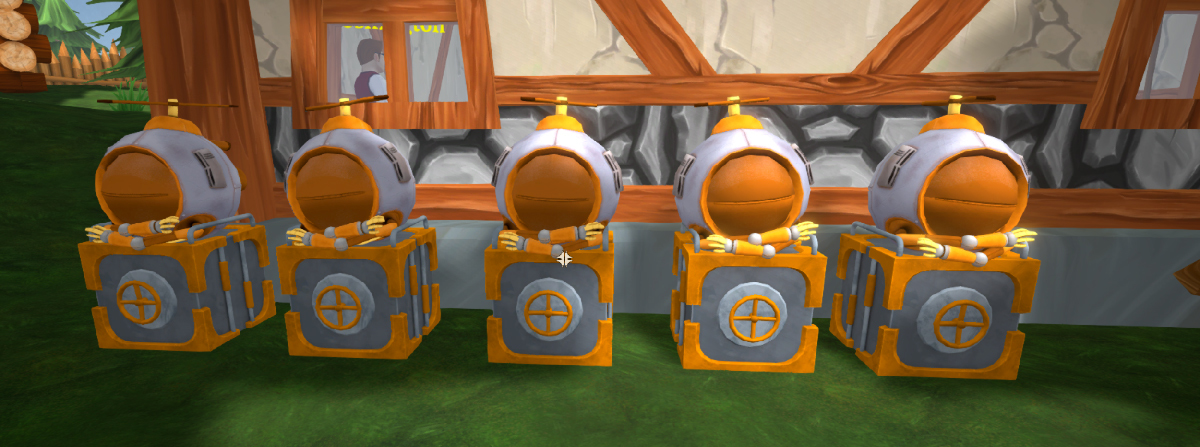
Helper Bot Mark V appears in Shoppe Keep 2. Major adjustments have been made to make him more useful with entirely new tools Unfortunately, as we work to strive towards more advanced bots, they seemed to have picked up a few personality traits!
In our online stress tests we've noticed that 5 helper bots is a great number to maintain core duties and responsibilities without affecting synchronization and performance. In response, we've made the helper bot upgradable so that you start with one, but can go up to 5.
We will be making the helper bots much more useful in time but right now they are able to do the following:
Stock items
Fix furniture
Manage the farm
Travel to other towns to buy or sell stock
Defense is also planned, but we need to work out a few kinks!
The helper bot's core path finding has been completed and so is his decision making. But not all features are complete and we will talk about them in more detail as they are further along in development.
Right now, they can stock items, all bots share a container that you will fill up with items. They'll pick up an item and then place it within the shop. Because the Mark V helper bots introduce arms, you can even see them visually holding the item that they are going to place.
There's not been too much to share this week. We spent quite a lot of our time working out some issues with multiplayer. Multiplayer had worked since Day 1, but because we attended EGX (which required focus on single player game play) we had created many features and had not tested them fully in multiplayer. So time has been spent working on those and debugging them in a multiplayer environment. Of course, loads of bugs were found! But we've been spending our time making sure that features currently in the game will work with a friend.
That's it for now, Stay tuned as we reveal more information (probably same day next week!)
This weeks blog post will focus on UI, some dynamic objects, helper bots and a few other items of interest. Let's get stuck in!
Multiplayer
So let's talk about the biggest change in the sequel which is multiplayer. From the main menu you you play alone as Single Player, or choose one of 2 Multiplayer ways to play with your friends.
When hosting your world you can choose from a Direct connection world or a Server listed World
If you are hosting the world on your local network connection you can use the direct connection which just needs an IP and port number, and off you go! You can also use the Direct Connection to play with friends outside of your local network using port forwarding techniques.
To connect to a Direct Connection world, you can simply enter the IP address and port number to connect to the host.
Now in case you are playing with friends from far away, and port forwarding is a foreign concept to you, you are in luck, we can use a server list and connect you anyway!
When creating a server listed game, you will simply give your world a name which can then be found on the server lists. To connect to a server listed game, you can search the server list for a game to join and then connect to the games.
Small disclaimer: Our server lists are hosted by Unity to help with connecting people across the globe
We are currently in the process of working on a video that shows off some of the multiplayer game play but felt that we should mention something very important! There will be no features in this dev log that are locked to single player. Anything that we mention or discuss will be fully playable in multiplayer.
There are particular features that do need to be designed to consider the synchronization of objects for Multiplayer. So there will be some elements from the single player portion which will have some features that must have a good compromise to keep development flowing.
As an example, let's talk about the helper bots. We've discovered that there is a reasonable number of helper bots that P2P can handle without causing any issues with synchronization or performance. But if we were not creating a multiplayer game, we could have 50 helper bots flying around.
So the theory is this, design the game with the shortcomings of multiplayer, but still make it fun and balanced to play as a single player game. It's wise we discuss and remain open on this because this type of development process will save us time and allow us to create content much faster than trying to combat two different variants of the same game.
Dynamic Objects
While developing Shoppe Keep 2, we wanted a far more flexible way of creating content. Items, spells, equipment, displays and NPC's are objects that can be removed and added quickly and easily. Additionally, we are considering supporti got Steam Workshop for player made items that can be usable in game. Once we reach that point, we'll talk more about it!
We are currently working on an Item creator app which will ship with Shoppe Keep 2. Right now the priority is not on that particular feature but it currently works as intended but have not yet tested it with Steam Workshop. We'll reveal more info later!
Blonde hair
We've added a new hair colour, Blonde! It joins six other available hair colours in Shoppe Keep 2.
Helper Bots
Helper Bot Mark V appears in Shoppe Keep 2. Major adjustments have been made to make him more useful with entirely new tools Unfortunately, as we work to strive towards more advanced bots, they seemed to have picked up a few personality traits!
In our online stress tests we've noticed that 5 helper bots is a great number to maintain core duties and responsibilities without affecting synchronization and performance. In response, we've made the helper bot upgradable so that you start with one, but can go up to 5.
We will be making the helper bots much more useful in time but right now they are able to do the following:
Stock items
Fix furniture
Manage the farm
Travel to other towns to buy or sell stock
Defense is also planned, but we need to work out a few kinks!
The helper bot's core path finding has been completed and so is his decision making. But not all features are complete and we will talk about them in more detail as they are further along in development.
Right now, they can stock items, all bots share a container that you will fill up with items. They'll pick up an item and then place it within the shop. Because the Mark V helper bots introduce arms, you can even see them visually holding the item that they are going to place.
There's not been too much to share this week. We spent quite a lot of our time working out some issues with multiplayer. Multiplayer had worked since Day 1, but because we attended EGX (which required focus on single player game play) we had created many features and had not tested them fully in multiplayer. So time has been spent working on those and debugging them in a multiplayer environment. Of course, loads of bugs were found! But we've been spending our time making sure that features currently in the game will work with a friend.
That's it for now, Stay tuned as we reveal more information (probably same day next week!)
In this weeks blog post (which may be a regular Monday feature from now on) we will be sharing details of the town/shop management system, crests, the world map and the clock.
Town Management
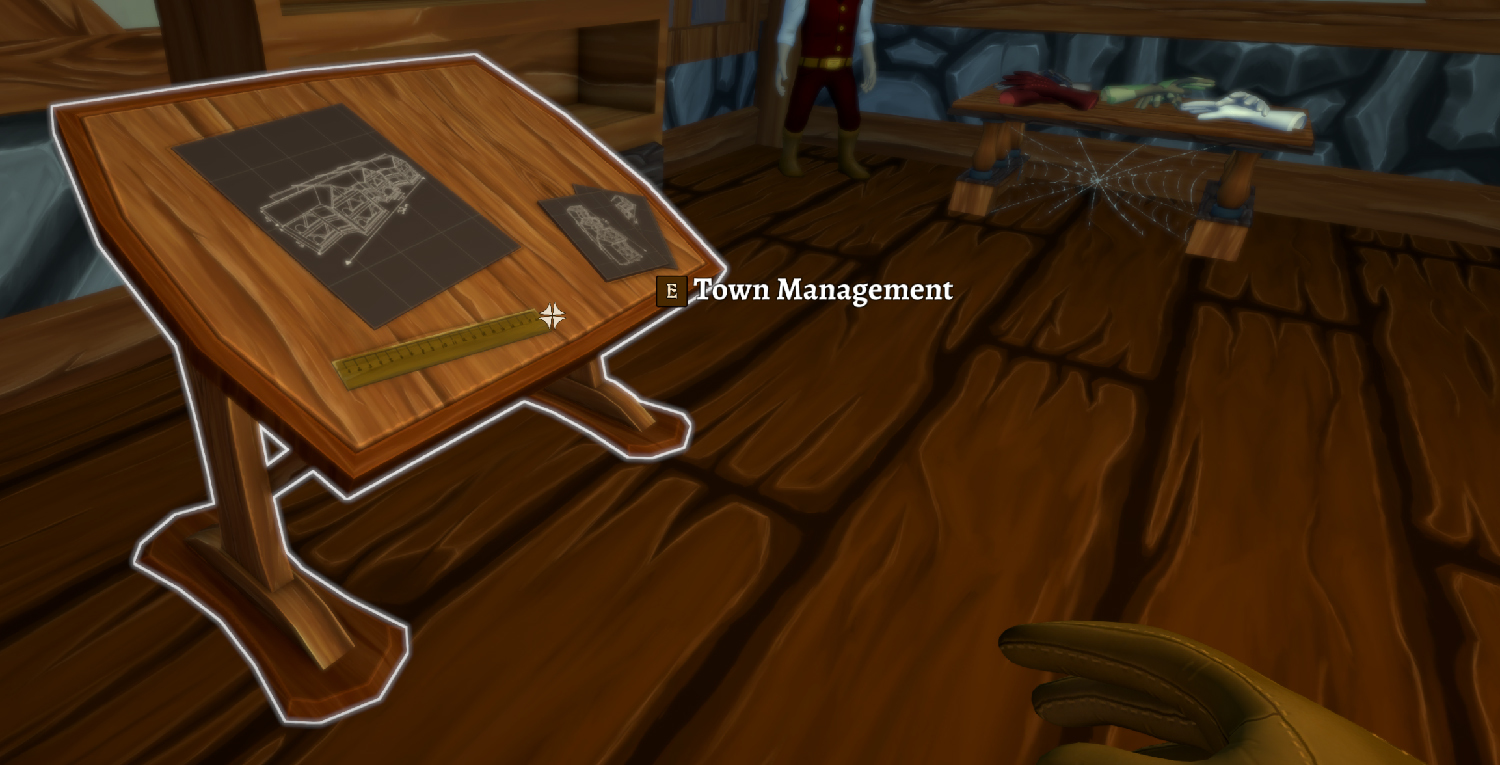
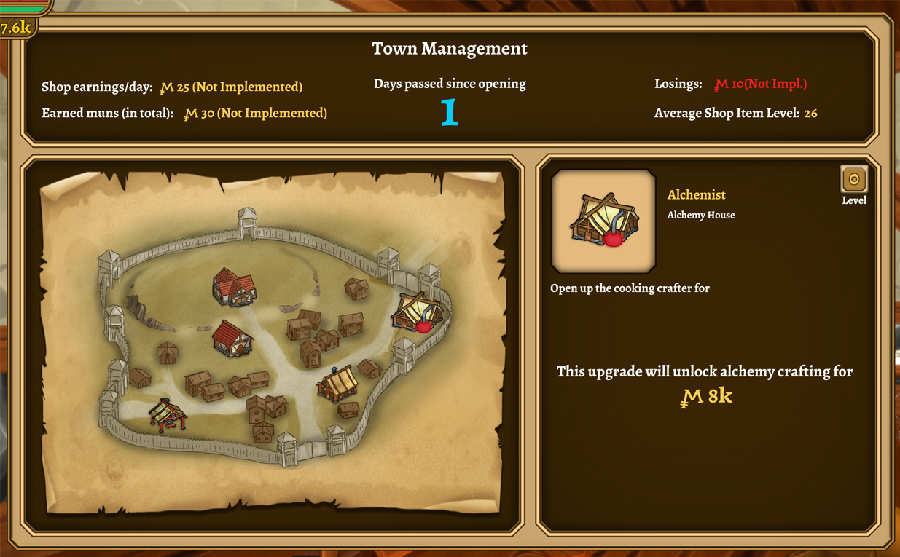
Close to your Shoppe is a new building called the Management house. Inside is a desk which will allow you to plan out your town and upgrade the shoppe. When interacting with the desk, a UI will pop up which will reveal statistics about your town and shoppe. Do keep in mind that this is is still work in progress as we want to include more statistics and information.
The two stats that are currently working are the amount of days which have passed since the shoppe has opened and an average item level of all the items that are for sale inside the shop. Once you reach certain objectives, you'll be able to upgrade the town to include more unique vendor NPC's but also change the way the town looks.
The above image shows the core five buildings that you can interact with. These included the following:
Alchemist
Cook
Blacksmith
Management house
Your shoppe
Clicking on a building will reveal its level and the upgrades available which can include increased crafting yield but also the ability to upgrade thier building for additional features. We're still working on the management house upgrades and any chosen upgrade should be presented visually when exploring the town. We'll share more on that in the future.
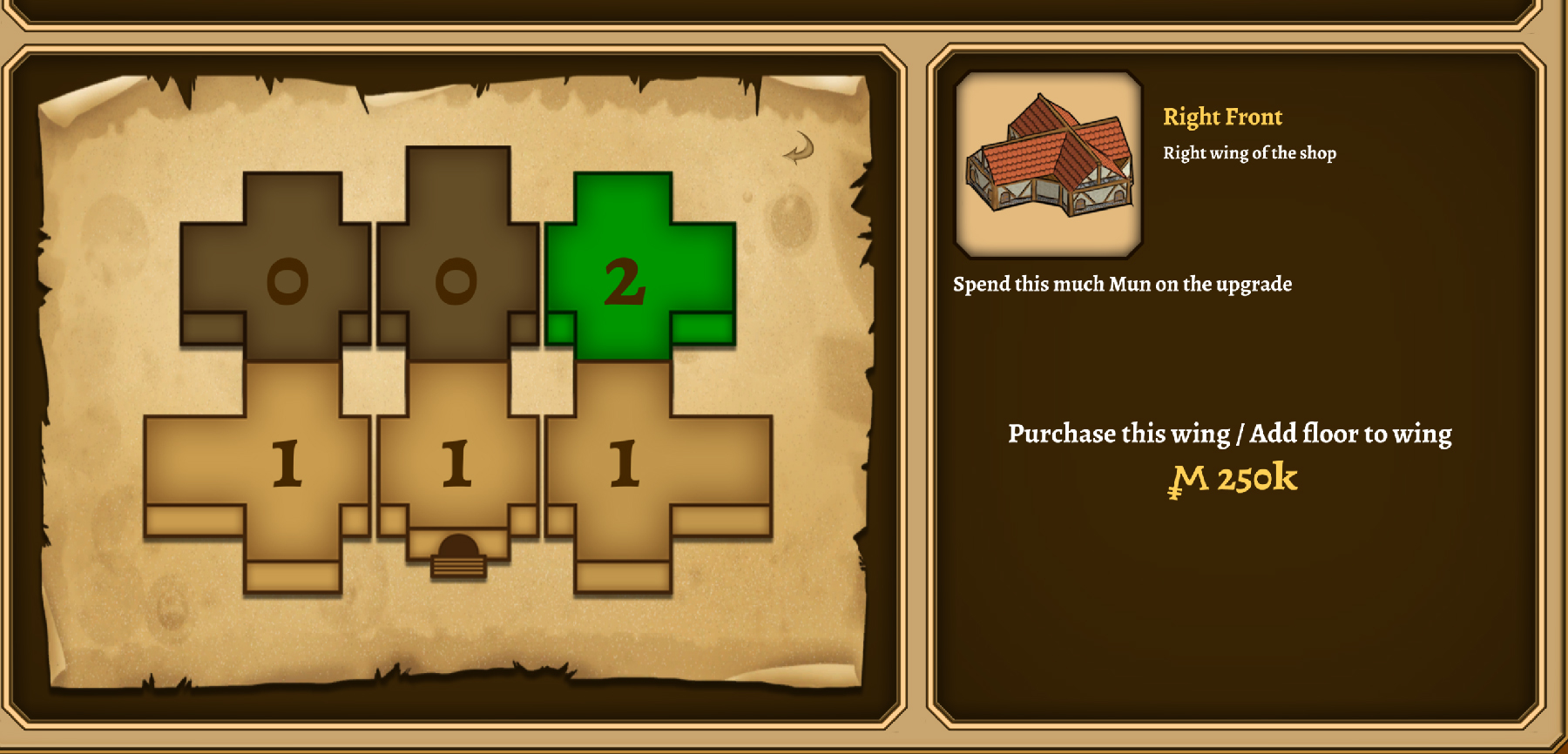
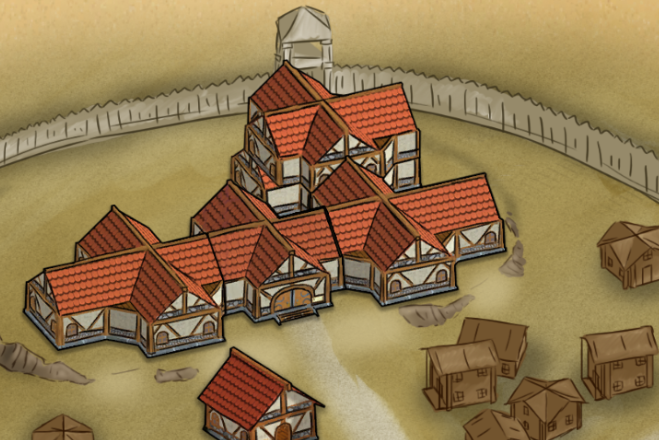
When clicking on the shop icon while using the town management UI. It will bring up a New UI which will allow you to upgrade your shoppe.
Making any changes to this will not only be visible in the game world, but also be represented in the town UI. Check it out below:
We had already discussed parts of the crafting elements from our our last dev blog. We'll be returning to the crafting mechanics once we have finished the other two crafters (their houses are are already complete!). But we need to voice them, create their outfits and figure out their names.
Main Menu
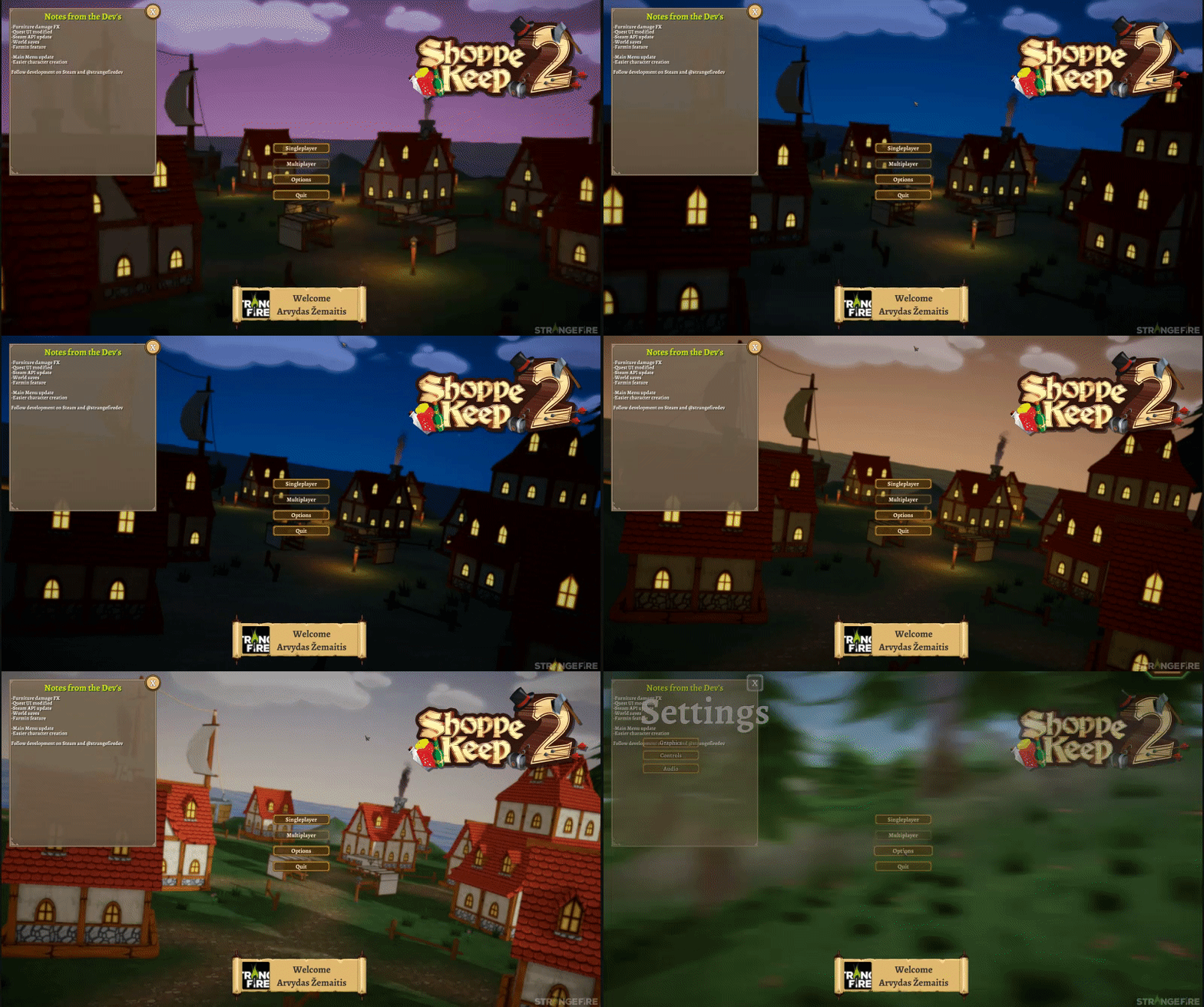
The main menu will be continue to evolve throughout development. The gif above shows the main menu which includes a brief pan and a rapid day/night cycle which shows that the windows of the houses will light up at night time.
Each build we release during the development of Early Access will include a "notes from the devs" which will include important information or a general change log.
Crests
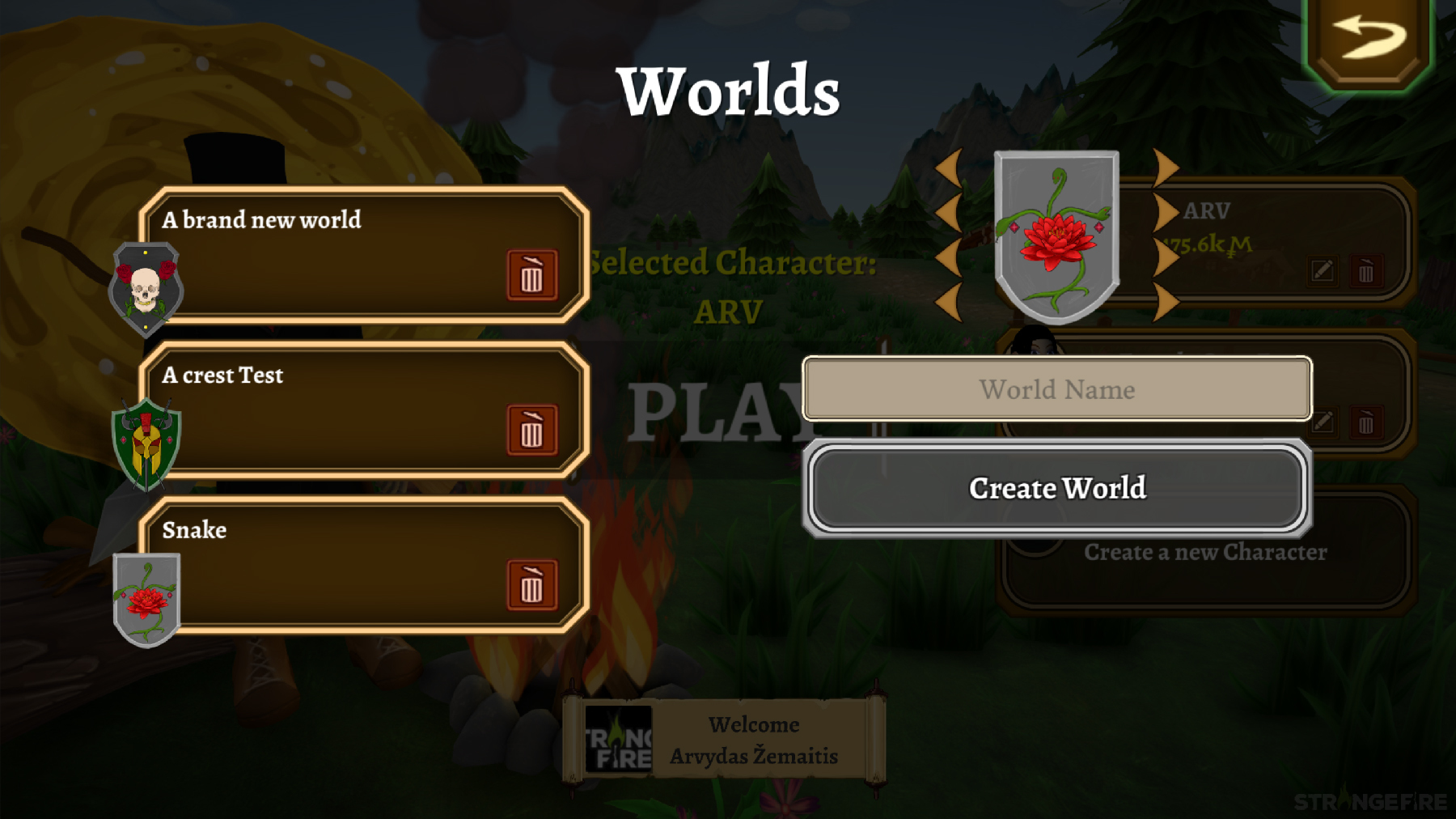
Don't mind the UI, currently this is just to test the systems functionality. Once our artists get their mitts on it, we assure you it'll look much better! Anyway, onto the feature, Each world save that you create will have its own crest. The crest that you create will be placed within the world and be included within certain parts of the UI. This was designed to add that little bit of extra piece of customization to make it feel like your own world. More designs will be available as time goes on.
Customer Navigation
Unfortunately, this section does not have any fancy screenshots or gifs, but we still wanted to share some progress on it.
The eternal struggle in the original Shoppe Keep was customer navigation within closed spaces. Because we allowed players to build objects within the shoppe it makes the navigation mesh even more dynamic and small in places. Customers can start to push each other, for now we are solving this by disabling customer collision when walking into other customers. However, to improve upon the quality of this element, we will be returning to this later when time allows.
Additionally, we've seen large numbers of customers enter the shoppe in SK2 once it has opened and has even just a single pedestal. We now feel there is more control over the amount of customers which will move towards your shoppe. Depending on how many items you have on display, it will affect the number of customers that will enter into your shoppe. Crowd control options will also be introduced via skills and upgrades.
World Map
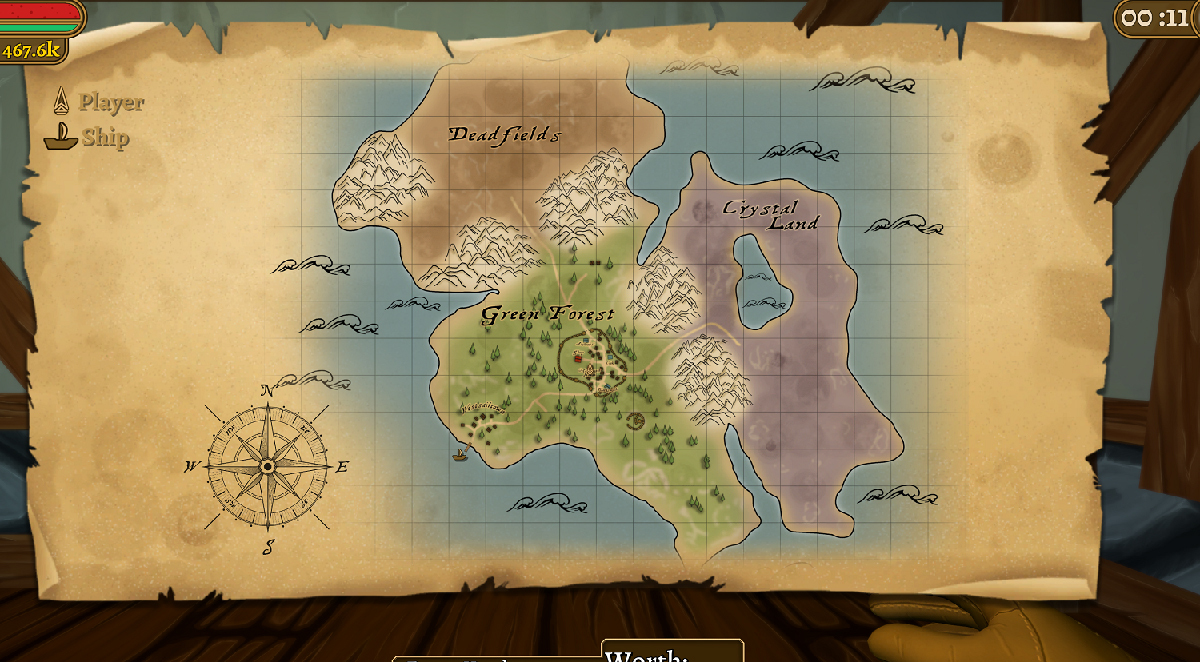
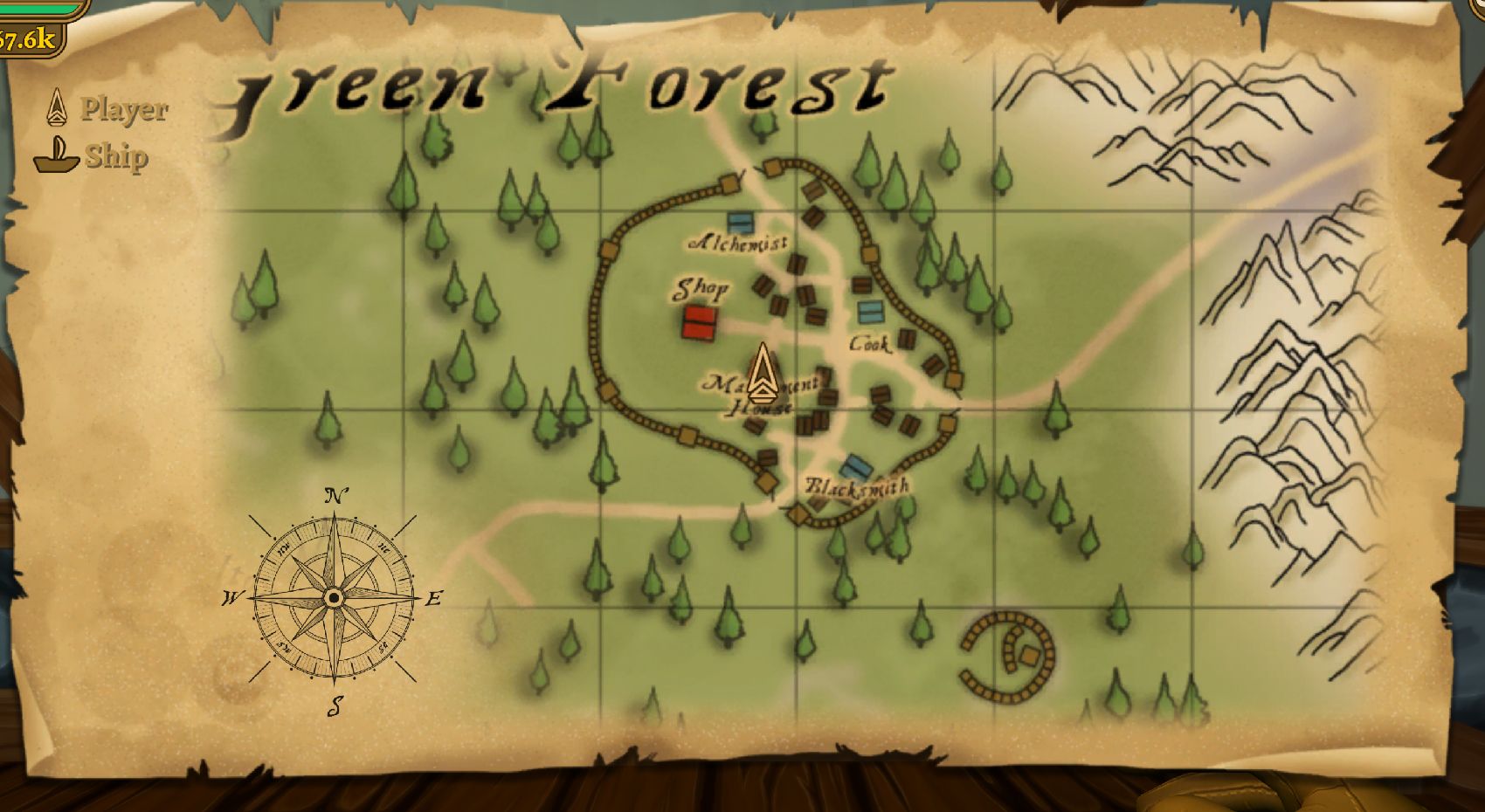
In Shoppe Keep 2, players will be able to explore the world when they are not running their shoppe. We created a world map which will track the player location (As well as other players), and other dynamic information like the ship, which will be used for a merchant feature and travels from port to port. Additional landmarks will be shown once they are revealed by visiting them or as a quest reward.
Of course, you will be able to zoom in and drag the map around. The image above is of Arvydas spending some quality time in the management house with sir Poshington! You won;t believe how much time was spent to make sure that you are pinpointed and represented on the map exactly where you are!
Clock
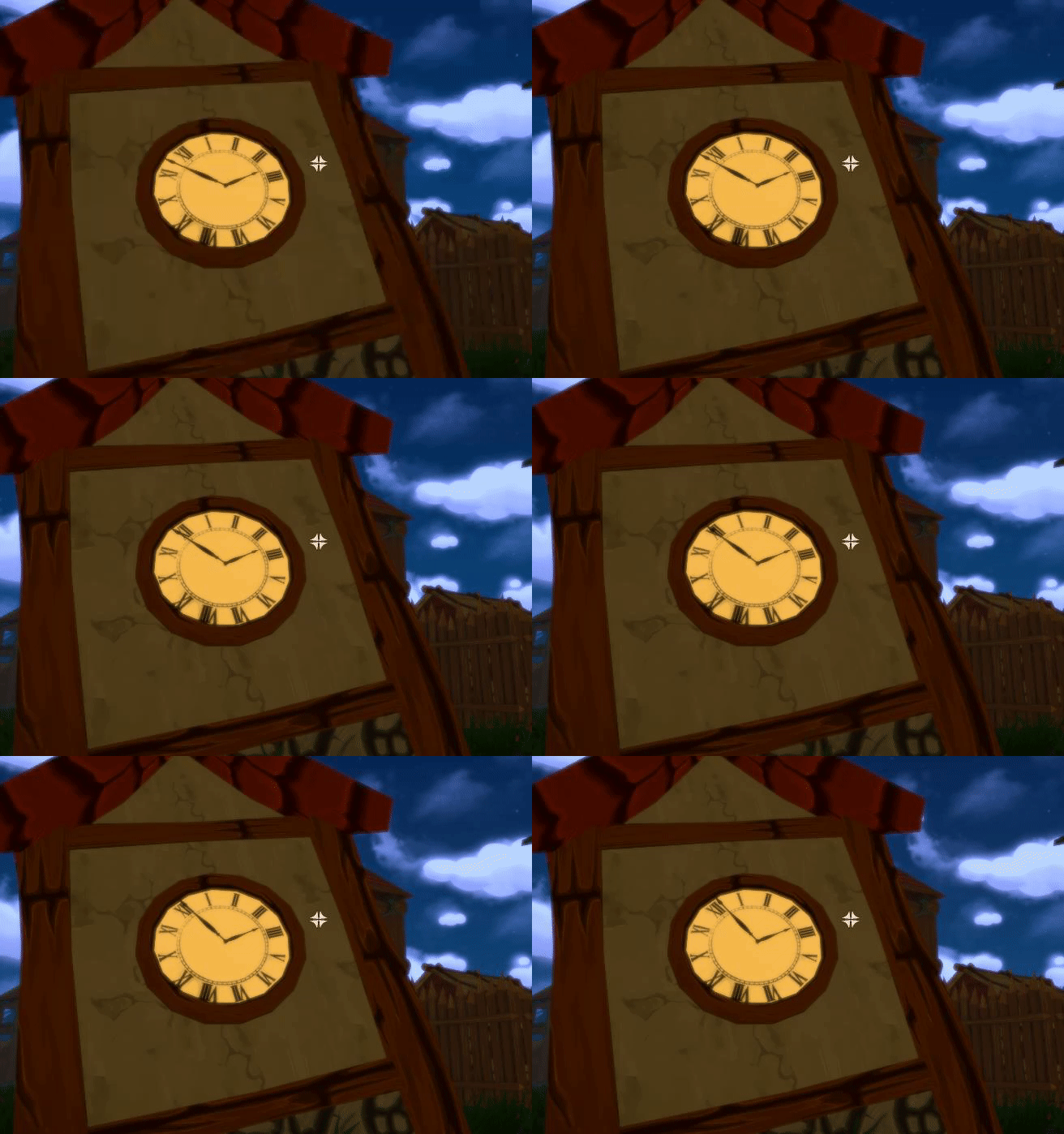
it's not a vital game feature, but just more of a nice detail. any analogue clocks in the world will represent the time in the world. Just in case you don't want to look at the top right corner of the screen for a numeric digital display. Your choice!
That's all for this week
That's it for this week. There is far much more stuff in the game but we are pacing ourselves and will continue to reveal more information regularly. We are compiling a few more features which we aren't planning to talk about just yet, but will be included in a single mega post. So check out for that!
Of course, to stay up to date, do add Shoppe Keep 2 to your wishlist!
In this weeks blog post (which may be a regular Monday feature from now on) we will be sharing details of the town/shop management system, crests, the world map and the clock.
Town Management
Close to your Shoppe is a new building called the Management house. Inside is a desk which will allow you to plan out your town and upgrade the shoppe. When interacting with the desk, a UI will pop up which will reveal statistics about your town and shoppe. Do keep in mind that this is is still work in progress as we want to include more statistics and information.
The two stats that are currently working are the amount of days which have passed since the shoppe has opened and an average item level of all the items that are for sale inside the shop. Once you reach certain objectives, you'll be able to upgrade the town to include more unique vendor NPC's but also change the way the town looks.
The above image shows the core five buildings that you can interact with. These included the following:
Alchemist
Cook
Blacksmith
Management house
Your shoppe
Clicking on a building will reveal its level and the upgrades available which can include increased crafting yield but also the ability to upgrade thier building for additional features. We're still working on the management house upgrades and any chosen upgrade should be presented visually when exploring the town. We'll share more on that in the future.
When clicking on the shop icon while using the town management UI. It will bring up a New UI which will allow you to upgrade your shoppe.
Making any changes to this will not only be visible in the game world, but also be represented in the town UI. Check it out below:
We had already discussed parts of the crafting elements from our our last dev blog. We'll be returning to the crafting mechanics once we have finished the other two crafters (their houses are are already complete!). But we need to voice them, create their outfits and figure out their names.
Main Menu
The main menu will be continue to evolve throughout development. The gif above shows the main menu which includes a brief pan and a rapid day/night cycle which shows that the windows of the houses will light up at night time.
Each build we release during the development of Early Access will include a "notes from the devs" which will include important information or a general change log.
Crests
Don't mind the UI, currently this is just to test the systems functionality. Once our artists get their mitts on it, we assure you it'll look much better! Anyway, onto the feature, Each world save that you create will have its own crest. The crest that you create will be placed within the world and be included within certain parts of the UI. This was designed to add that little bit of extra piece of customization to make it feel like your own world. More designs will be available as time goes on.
Customer Navigation
Unfortunately, this section does not have any fancy screenshots or gifs, but we still wanted to share some progress on it.
The eternal struggle in the original Shoppe Keep was customer navigation within closed spaces. Because we allowed players to build objects within the shoppe it makes the navigation mesh even more dynamic and small in places. Customers can start to push each other, for now we are solving this by disabling customer collision when walking into other customers. However, to improve upon the quality of this element, we will be returning to this later when time allows.
Additionally, we've seen large numbers of customers enter the shoppe in SK2 once it has opened and has even just a single pedestal. We now feel there is more control over the amount of customers which will move towards your shoppe. Depending on how many items you have on display, it will affect the number of customers that will enter into your shoppe. Crowd control options will also be introduced via skills and upgrades.
World Map
In Shoppe Keep 2, players will be able to explore the world when they are not running their shoppe. We created a world map which will track the player location (As well as other players), and other dynamic information like the ship, which will be used for a merchant feature and travels from port to port. Additional landmarks will be shown once they are revealed by visiting them or as a quest reward.
Of course, you will be able to zoom in and drag the map around. The image above is of Arvydas spending some quality time in the management house with sir Poshington! You won;t believe how much time was spent to make sure that you are pinpointed and represented on the map exactly where you are!
Clock
it's not a vital game feature, but just more of a nice detail. any analogue clocks in the world will represent the time in the world. Just in case you don't want to look at the top right corner of the screen for a numeric digital display. Your choice!
That's all for this week
That's it for this week. There is far much more stuff in the game but we are pacing ourselves and will continue to reveal more information regularly. We are compiling a few more features which we aren't planning to talk about just yet, but will be included in a single mega post. So check out for that!
Of course, to stay up to date, do add Shoppe Keep 2 to your wishlist!
Development for Shoppe Keep 2 has been ongoing since our initial announcement and while we did share a massive ton of features in that post. There is still much more to come! So what has been happening?!
We went to EGX2017
We attended EGX 2017 last month and met with many players who played the original Shoppe Keep. We got some great feedback and was surprised by the enthusiasm from those that attended.
If you visited the stand, thank you for coming to check out the game! We are definitely working on the feedback that was given to us at the show.
Feedback from the last Steam announcement
Speaking of feedback, I'm also really pleased with the last Steam announcement regarding the options for placement and pricing. Thank you all for getting involved and sharing your feedback. We hope to keep this level of communication open. Regarding Last weeks feedback Arvydas has answered the following:
"To recap. The comments were overwhelming! But here is the end result. We will be modifying option 1 to not be so cumbersome as it is now. And leaving in Option 3 for anyone who wants to use it. So if you want to do a quick change. Heres the price gun. Want to go slower. Use the hammer. I really want to give more choices on how to manage the shop and the town to the player during gameplay."
Development progress!
Now, onto some of the juicy parts of the development process. We're planning to show off the development regularly but if you have any thoughts or feedback, don't be afraid to send them our way. We want to make a great game and the sooner we can get core feedback, the easier it will be to begin implementing it!
The Displays
Displays act similar to how they did in Shoppe Keep 1, decorate your shoppe with a beautiful book case, a princely pedestal or a timeless table and then adorn them with your wares for customers to check out and buy.
Furniture pieces now act as items in your inventory. The reason for this is to give players much more choice in decorating their shoppe. Various furniture types and designs can be obtained by NPC vendors, quests, loot drops, crafting etc.
In order to place the furniture piece, you can drag the item into the hot bar. you can then select the item in your hot bar and can then place the furniture piece and rotate it.
Display Damage
Displays have durability which is affected by any action (placing items, items removed from it, or if it was damaged by weaponry).
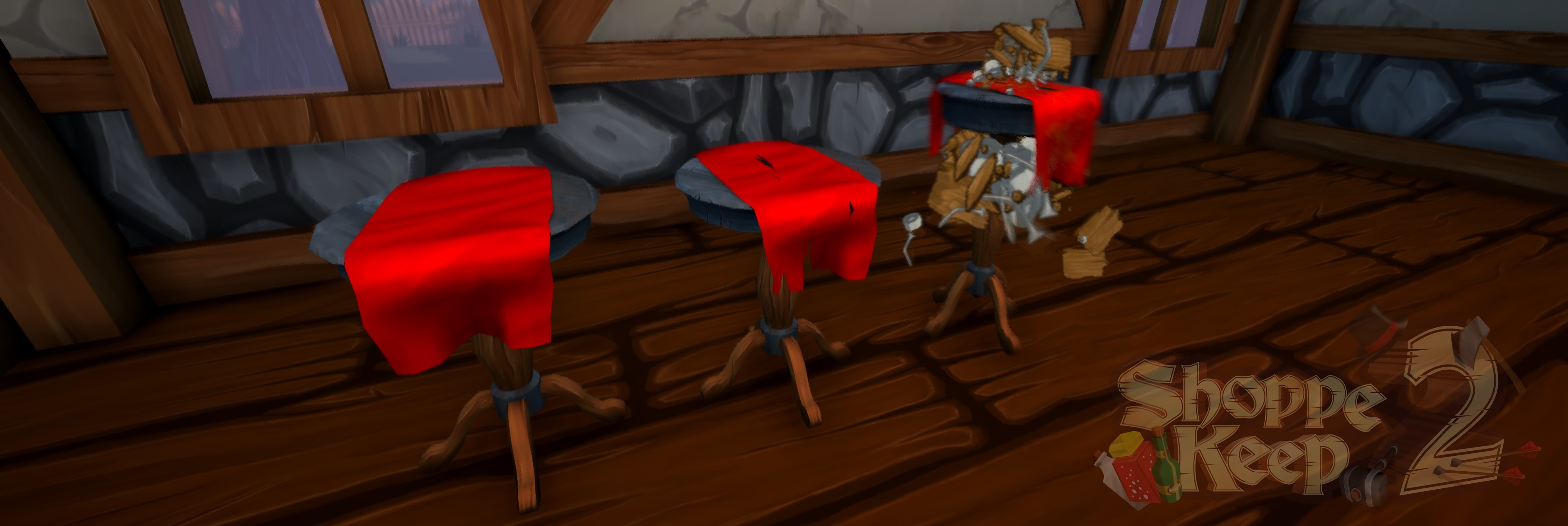
This will be shown via a texture change and once a threshold is reached, the display will begin o break down gradually until you repair it... Though if you neglect maintaining your display it will eventually become nothing more than a trash pile for you to clean up!
Quest UI
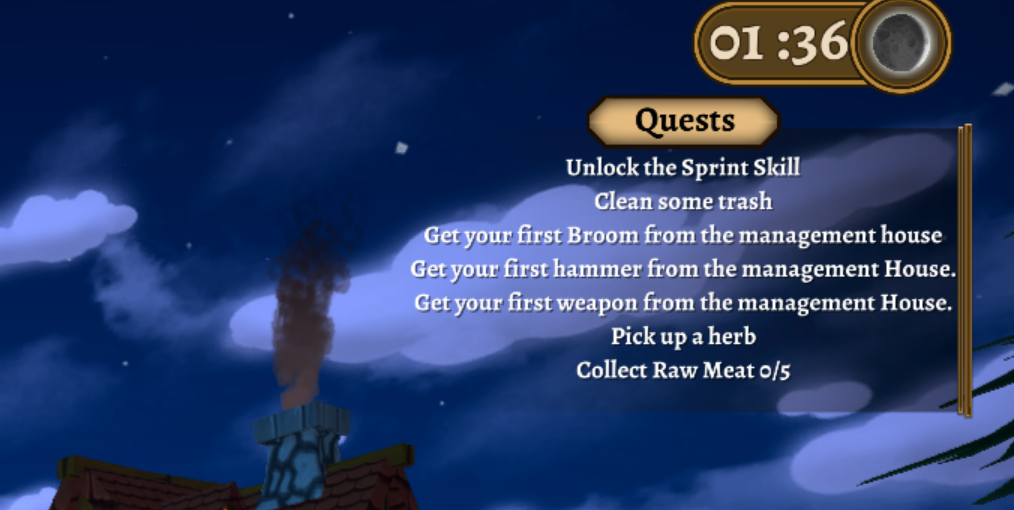
The original Shoppe Keep had quests which involved 'Sell x amount for y'. We are expanding the quest system in Shoppe Keep 2. These can include actions that the player has to complete and a quest can be collected by talking with NPC's. Quest rewards range from Mun's (The in game economy), a rare item or unique order scroll additions. So we've added a Quest UI which helps players track down what has to be done. At the moment, once a quest is complete, you'll receive a notification and receive the reward without needing to turn in.
Concepts
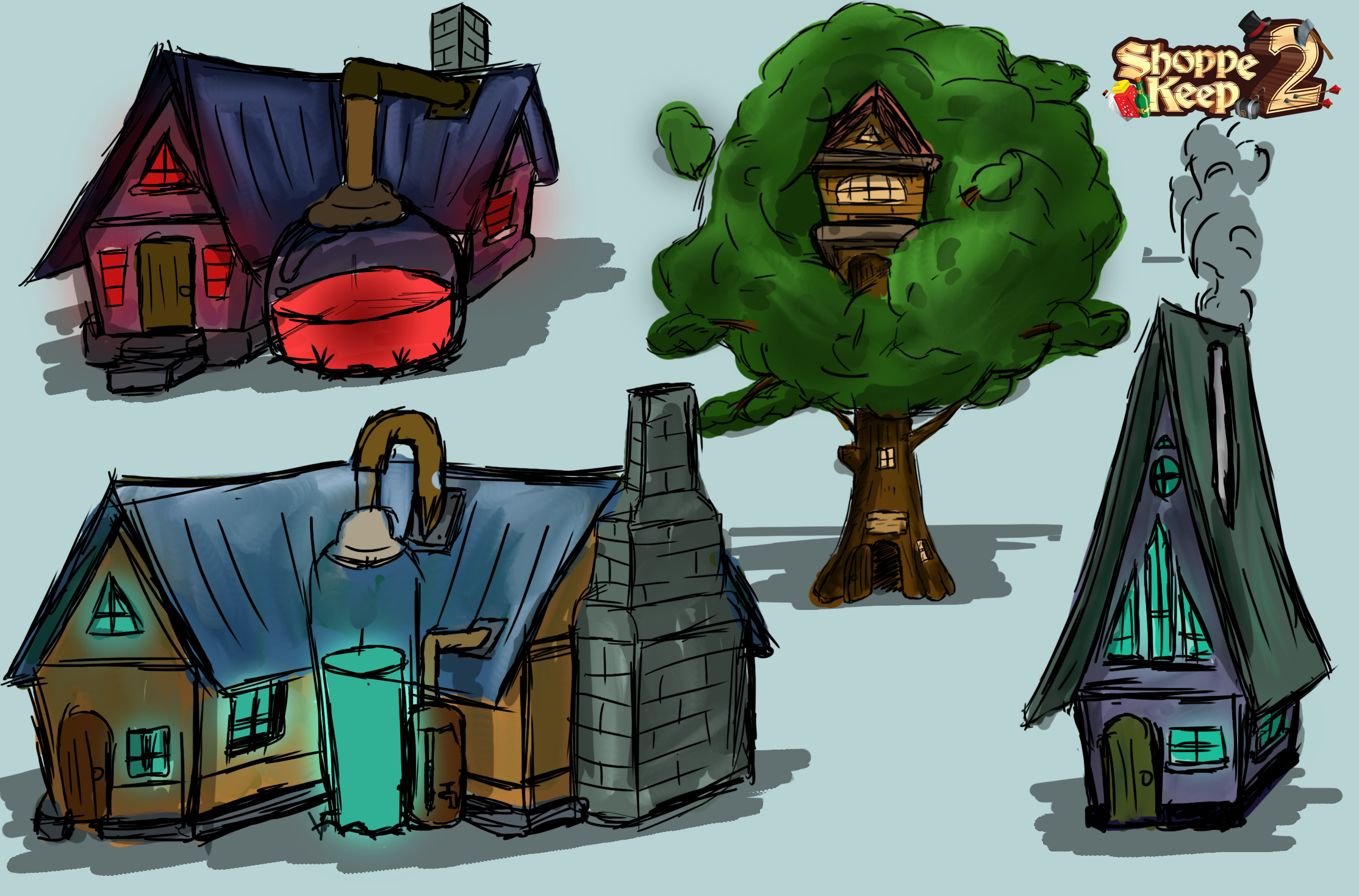
As part of expanding our team for Shoppe Keep 2, we now have concept artists that will help us better envision and present some of the work that we will be working on in the future. As an example we are reworking our crafting system and each crafting type will require a unique NPC with their own house. Here are some concepts of the alchemy crafting houses our artists have worked on. We hope you love them and can offer your own suggestions!
World Saves
Each player will be able to have up to three world saves. A world save contains information about the date, shop status, display locations, items for sale, status of the town and world quests that have already been complete. When playing online, one of the players will host their world and use up a save slot. So maybe you'll have one save dedicated to playing with friends and another which is dedicated to playing alone.
Crafting
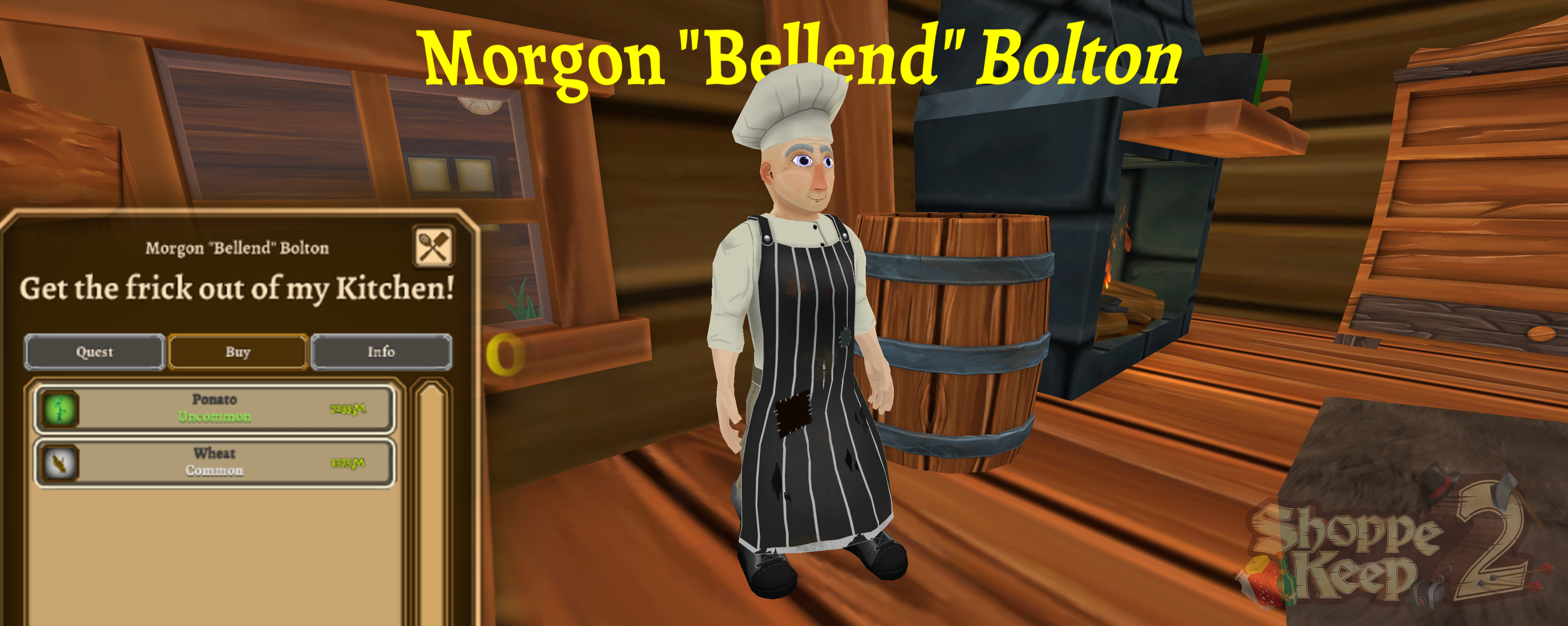
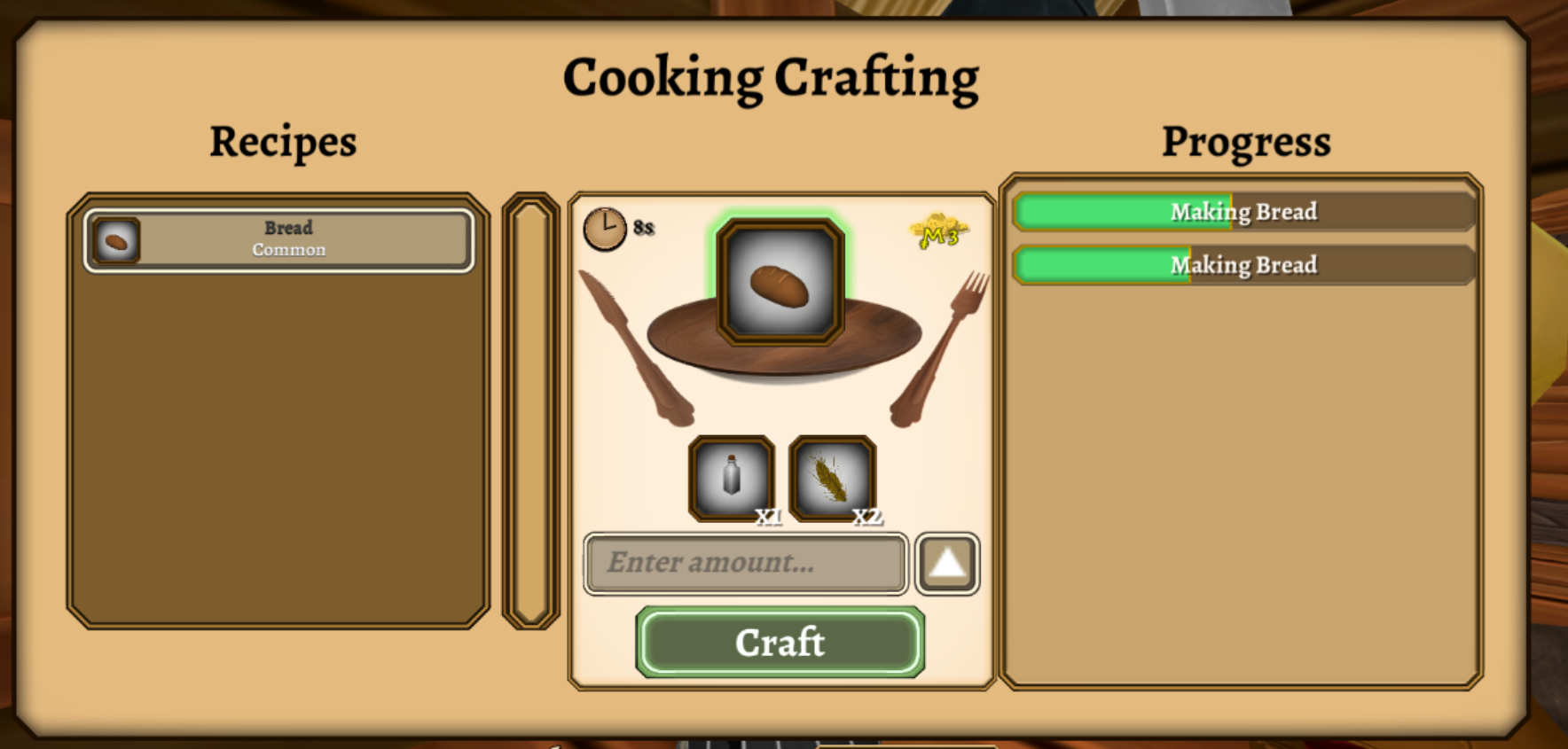
SK1 had an alchemy cauldron which required you to drop items in a unique exact sequence to get a result. It was a bit tiresome. In Shoppe Keep 2, you no longer have to experiment with items, instead you will meet crafter NPC's like this cook here.
If an NPC you interact with is able to craft something, it will be shown on his UI panel. You can open up the crafting panel when speaking to the Cook.
This window displays a list of craftable recipes that you currently own or have unlocked via various means. Selecting a recipe like the bread, will then reveal information on what type of ingredients are required to make the craftable item. You can then decide how many you want to make, or if you just want to make the maximum amount you can press the fill button. This will initiate a task which will fill up over time.
You can go and complete any other duties and return to the crafter once he has finished. We are looking into adding blacksmith and alchemy crafters into the game and may add others if we find them necessary and a good addition to game and its world.
That's all... For now!
And there we have it, our first major dev blog, of which more will come to introduce new game mechanics, new artwork and we'll hope to ask you more questions on some of the design decisions. If you have any thoughts that you could share to help us improve the game, do let us know. Make sure to add the game to your wishlist on Steam to stay up to date with any new info!
Social media stuffs!
As of typing, our popularity on Indie DB is:
Thanks to those who are supporting us by checking our our announcements over there too!
Development for Shoppe Keep 2 has been ongoing since our initial announcement and while we did share a massive ton of features in that post. There is still much more to come! So what has been happening?!
We went to EGX2017
We attended EGX 2017 last month and met with many players who played the original Shoppe Keep. We got some great feedback and was surprised by the enthusiasm from those that attended.
If you visited the stand, thank you for coming to check out the game! We are definitely working on the feedback that was given to us at the show.
Feedback from the last Steam announcement
Speaking of feedback, I'm also really pleased with the last Steam announcement regarding the options for placement and pricing. Thank you all for getting involved and sharing your feedback. We hope to keep this level of communication open. Regarding Last weeks feedback Arvydas has answered the following:
"To recap. The comments were overwhelming! But here is the end result. We will be modifying option 1 to not be so cumbersome as it is now. And leaving in Option 3 for anyone who wants to use it. So if you want to do a quick change. Heres the price gun. Want to go slower. Use the hammer. I really want to give more choices on how to manage the shop and the town to the player during gameplay."
Development progress!
Now, onto some of the juicy parts of the development process. We're planning to show off the development regularly but if you have any thoughts or feedback, don't be afraid to send them our way. We want to make a great game and the sooner we can get core feedback, the easier it will be to begin implementing it!
The Displays
Displays act similar to how they did in Shoppe Keep 1, decorate your shoppe with a beautiful book case, a princely pedestal or a timeless table and then adorn them with your wares for customers to check out and buy.
Furniture pieces now act as items in your inventory. The reason for this is to give players much more choice in decorating their shoppe. Various furniture types and designs can be obtained by NPC vendors, quests, loot drops, crafting etc.
In order to place the furniture piece, you can drag the item into the hot bar. you can then select the item in your hot bar and can then place the furniture piece and rotate it.
Display Damage
Displays have durability which is affected by any action (placing items, items removed from it, or if it was damaged by weaponry).
This will be shown via a texture change and once a threshold is reached, the display will begin o break down gradually until you repair it... Though if you neglect maintaining your display it will eventually become nothing more than a trash pile for you to clean up!
Quest UI
The original Shoppe Keep had quests which involved 'Sell x amount for y'. We are expanding the quest system in Shoppe Keep 2. These can include actions that the player has to complete and a quest can be collected by talking with NPC's. Quest rewards range from Mun's (The in game economy), a rare item or unique order scroll additions. So we've added a Quest UI which helps players track down what has to be done. At the moment, once a quest is complete, you'll receive a notification and receive the reward without needing to turn in.
Concepts
As part of expanding our team for Shoppe Keep 2, we now have concept artists that will help us better envision and present some of the work that we will be working on in the future. As an example we are reworking our crafting system and each crafting type will require a unique NPC with their own house. Here are some concepts of the alchemy crafting houses our artists have worked on. We hope you love them and can offer your own suggestions!
World Saves
Each player will be able to have up to three world saves. A world save contains information about the date, shop status, display locations, items for sale, status of the town and world quests that have already been complete. When playing online, one of the players will host their world and use up a save slot. So maybe you'll have one save dedicated to playing with friends and another which is dedicated to playing alone.
Crafting
SK1 had an alchemy cauldron which required you to drop items in a unique exact sequence to get a result. It was a bit tiresome. In Shoppe Keep 2, you no longer have to experiment with items, instead you will meet crafter NPC's like this cook here.
If an NPC you interact with is able to craft something, it will be shown on his UI panel. You can open up the crafting panel when speaking to the Cook.
This window displays a list of craftable recipes that you currently own or have unlocked via various means. Selecting a recipe like the bread, will then reveal information on what type of ingredients are required to make the craftable item. You can then decide how many you want to make, or if you just want to make the maximum amount you can press the fill button. This will initiate a task which will fill up over time.
You can go and complete any other duties and return to the crafter once he has finished. We are looking into adding blacksmith and alchemy crafters into the game and may add others if we find them necessary and a good addition to game and its world.
That's all... For now!
And there we have it, our first major dev blog, of which more will come to introduce new game mechanics, new artwork and we'll hope to ask you more questions on some of the design decisions. If you have any thoughts that you could share to help us improve the game, do let us know. Make sure to add the game to your wishlist on Steam to stay up to date with any new info!
Social media stuffs!
As of typing, our popularity on Indie DB is:
Thanks to those who are supporting us by checking our our announcements over there too!