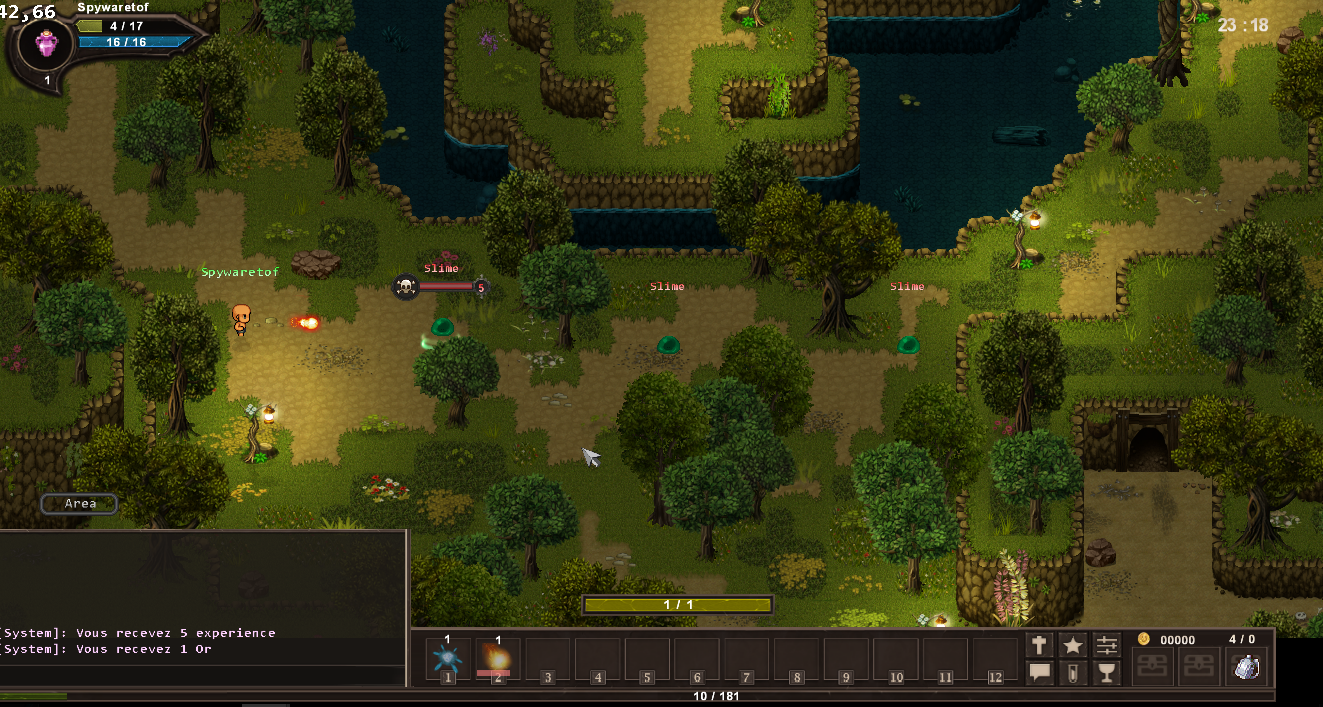
With our 3D FPS / Survival Horror Kit finally released, we're now back into the full swing of things! A new version of 001 Game Creator (v1.018.008) is now available on Steam and is packed with tons of new content and bug fixes.
As always, you can see the full change log HERE Now let's go over some of these changes, shall we?
Updated New / Open Game Window
What better place to start than with the first thing you're greeted with upon opening 001 Game Creator. In an effort to make 001 a little more user-friendly, we've tweaked the New / Open Game window to be more streamlined:
Updated Main Toolbar
Additionally, we've cleaned up the main toolbar by removing the icons for Legacy Settings (now called Advanced Game Settings), Visual Settings and Startup Menu Settings. These options are still available in the main menu, as always, and are also now accessible in the Game Settings window too:
Sprite Materials And Normal Maps
Normal Mapping and Material Editing are now available for Sprites, having previously only been available for Tile-Sets, giving you access to custom shaders across the board! They work the same way too! Simply select "Normal" from the "Mapping" drop down menu to add/edit your Sprite's normal maps. To edit materials, just click the "Edit Material" button next to the "Graphic Scripting" button to open the Material Editor:
Walking Animation Scale
This new Actor Graphic Option allows you to create fixed animation speeds, which is something that several users have been asking for. Essentially, this option allows you to specify the frame rate at which the Sprite animation plays at, regardless of its speed.
Performance Debugger
We've updated 001's Debugger with a new "Performance" section that lists slow triggers and collisions. We hope this extra feedback will prove useful to those looking to optimise their games for the best possible performance!
Improved Pathfinding
Pathfinding (used by AI and for "Walk to..." type events) has been greatly improved, resulting in a lot of fixes to issues that have plagued users for some time, including characters teleporting into or getting stuck in nearby collisions.
Ignore Cursor Field Option
And lastly, a small but very useful Field option that allows you to create overlaying Fields without them obstructing selectable Fields underneath them!
001 Games Showcase!
As we mentioned last time, we've created an official 001 Game Creator Instagram account where we've been sharing all of your 001 game creations! If you're on Instagram then please feel free to follow us for new posts every Monday, Thursday and Saturday! If you're got a 001 game you'd like us to showcase, then don't hesitate to get in contact with us!
Oh, and one last thing!
We hope you enjoy the latest version and all that it has to offer. We're still working hard on our planned Point & Click Adventure Kit and so, with that said, here's a small parting gift from the team...a little sneak peek:
With our 3D FPS / Survival Horror Kit finally released, we're now back into the full swing of things! A new version of 001 Game Creator (v1.018.008) is now available on Steam and is packed with tons of new content and bug fixes.
As always, you can see the full change log HERE Now let's go over some of these changes, shall we?
Updated New / Open Game Window
What better place to start than with the first thing you're greeted with upon opening 001 Game Creator. In an effort to make 001 a little more user-friendly, we've tweaked the New / Open Game window to be more streamlined:
Updated Main Toolbar
Additionally, we've cleaned up the main toolbar by removing the icons for Legacy Settings (now called Advanced Game Settings), Visual Settings and Startup Menu Settings. These options are still available in the main menu, as always, and are also now accessible in the Game Settings window too:
Sprite Materials And Normal Maps
Normal Mapping and Material Editing are now available for Sprites, having previously only been available for Tile-Sets, giving you access to custom shaders across the board! They work the same way too! Simply select "Normal" from the "Mapping" drop down menu to add/edit your Sprite's normal maps. To edit materials, just click the "Edit Material" button next to the "Graphic Scripting" button to open the Material Editor:
Walking Animation Scale
This new Actor Graphic Option allows you to create fixed animation speeds, which is something that several users have been asking for. Essentially, this option allows you to specify the frame rate at which the Sprite animation plays at, regardless of its speed.
Performance Debugger
We've updated 001's Debugger with a new "Performance" section that lists slow triggers and collisions. We hope this extra feedback will prove useful to those looking to optimise their games for the best possible performance!
Improved Pathfinding
Pathfinding (used by AI and for "Walk to..." type events) has been greatly improved, resulting in a lot of fixes to issues that have plagued users for some time, including characters teleporting into or getting stuck in nearby collisions.
Ignore Cursor Field Option
And lastly, a small but very useful Field option that allows you to create overlaying Fields without them obstructing selectable Fields underneath them!
001 Games Showcase!
As we mentioned last time, we've created an official 001 Game Creator Instagram account where we've been sharing all of your 001 game creations! If you're on Instagram then please feel free to follow us for new posts every Monday, Thursday and Saturday! If you're got a 001 game you'd like us to showcase, then don't hesitate to get in contact with us!
Oh, and one last thing!
We hope you enjoy the latest version and all that it has to offer. We're still working hard on our planned Point & Click Adventure Kit and so, with that said, here's a small parting gift from the team...a little sneak peek:
https://www.youtube.com/watch?v=-MNdHHsKv3o This DLC Kit provides users with a variety of 3D assets including 9 weapons (both firearms and melee), over 40 environmental objects, male and female arm rigs, 4 zombie enemies, 2 soldiers (male/female) with outfits and 2 room kits that include floors, walls, doors and trims.
Upon starting the game, players will start in a test room where they can get suited up and choose between two doors. One leads to a zombie-invested nightmare whereas the other challenges players to solve puzzles in order to progress.
NEW UPDATE - v1.018.007
In addition to the launch of our new DLC Kit, we've also updated 001 Game Creator to v1.018.007 which is required to ensure our 3D FPS / Survival Horror DLC Kit runs correctly but also comes with a bunch of general bug fixes, performance optimisations and small additions.
We've also recently launched an official Instagram account for 001 Game Creator that we're using to share screenshots of your 001 game creations - with new posts every Monday, Thursday and Saturday! Be sure to check it out to see some of the amazing stuff that's been created with 001 Game Creator!
Thanks Again!
We'd like to thank you all for your patience in finally getting this DLC Kit released. There were numerous delays but in the end we've created something that we think you'll truly enjoy and 001 Game Creator itself has benefited greatly also, as many of the recent performance optimisations were made thanks in part to this DLC Kit!
Our next community update won't be until the release of our last of three planned DLC Kits, the Point & Click Adventure Kit - which we aim to have ready before the year's end. We hope you're looking forward to it! :)
https://www.youtube.com/watch?v=-MNdHHsKv3o This DLC Kit provides users with a variety of 3D assets including 9 weapons (both firearms and melee), over 40 environmental objects, male and female arm rigs, 4 zombie enemies, 2 soldiers (male/female) with outfits and 2 room kits that include floors, walls, doors and trims.
Upon starting the game, players will start in a test room where they can get suited up and choose between two doors. One leads to a zombie-invested nightmare whereas the other challenges players to solve puzzles in order to progress.
NEW UPDATE - v1.018.007
In addition to the launch of our new DLC Kit, we've also updated 001 Game Creator to v1.018.007 which is required to ensure our 3D FPS / Survival Horror DLC Kit runs correctly but also comes with a bunch of general bug fixes, performance optimisations and small additions.
We've also recently launched an official Instagram account for 001 Game Creator that we're using to share screenshots of your 001 game creations - with new posts every Monday, Thursday and Saturday! Be sure to check it out to see some of the amazing stuff that's been created with 001 Game Creator!
Thanks Again!
We'd like to thank you all for your patience in finally getting this DLC Kit released. There were numerous delays but in the end we've created something that we think you'll truly enjoy and 001 Game Creator itself has benefited greatly also, as many of the recent performance optimisations were made thanks in part to this DLC Kit!
Our next community update won't be until the release of our last of three planned DLC Kits, the Point & Click Adventure Kit - which we aim to have ready before the year's end. We hope you're looking forward to it! :)
It's time for another sale! From today (14th August 2017) until the 21st August 2017, 001 Game Creator will be 60% off, with our MMORPG DLC Kit receiving a 40% discount also!