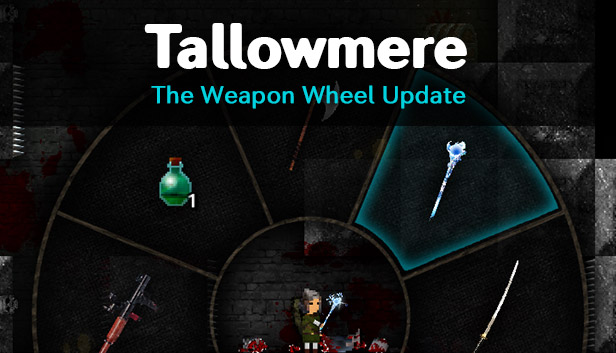
Lady Tallowmere is pleased to introduce the Weapon Wheel to assist you on your adventures. The Weapon Wheel contains 8 slots to let you quickly and precisely equip the weapon or consumable you desire.
To open the Weapon Wheel:
Keyboard: Press and hold Left Shift.
Mouse: Press and hold the Middle Mouse Button.
Xbox 360 controllers: Press and hold B.
PS3 controllers: Press and hold Circle.
To select a slot:
Keyboard: Use your movement keys (WASD) or Arrow keys.
Mouse: Move your mouse around.
Xbox 360 and PS3 controllers: Use the Left Thumbstick or D-Pad.
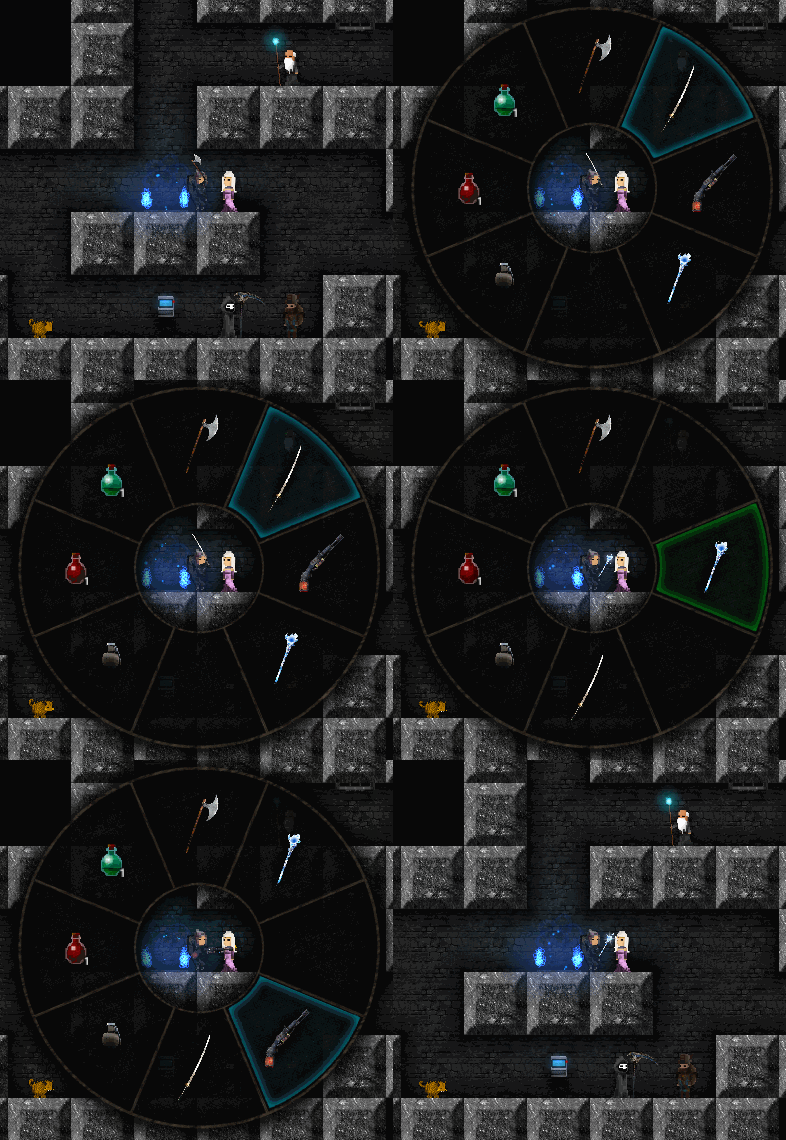
As soon as a slot is selected, the item in that slot will be equipped.
Further notes:
Your shield must be lowered to use the Weapon Wheel.
If you loot a weapon and there's space for it on the Weapon Wheel, the weapon will be added to the Weapon Wheel automatically.
If you loot a weapon that is an upgrade of a weapon type you already have, the new weapon will replace the old weapon on the Weapon Wheel automatically.
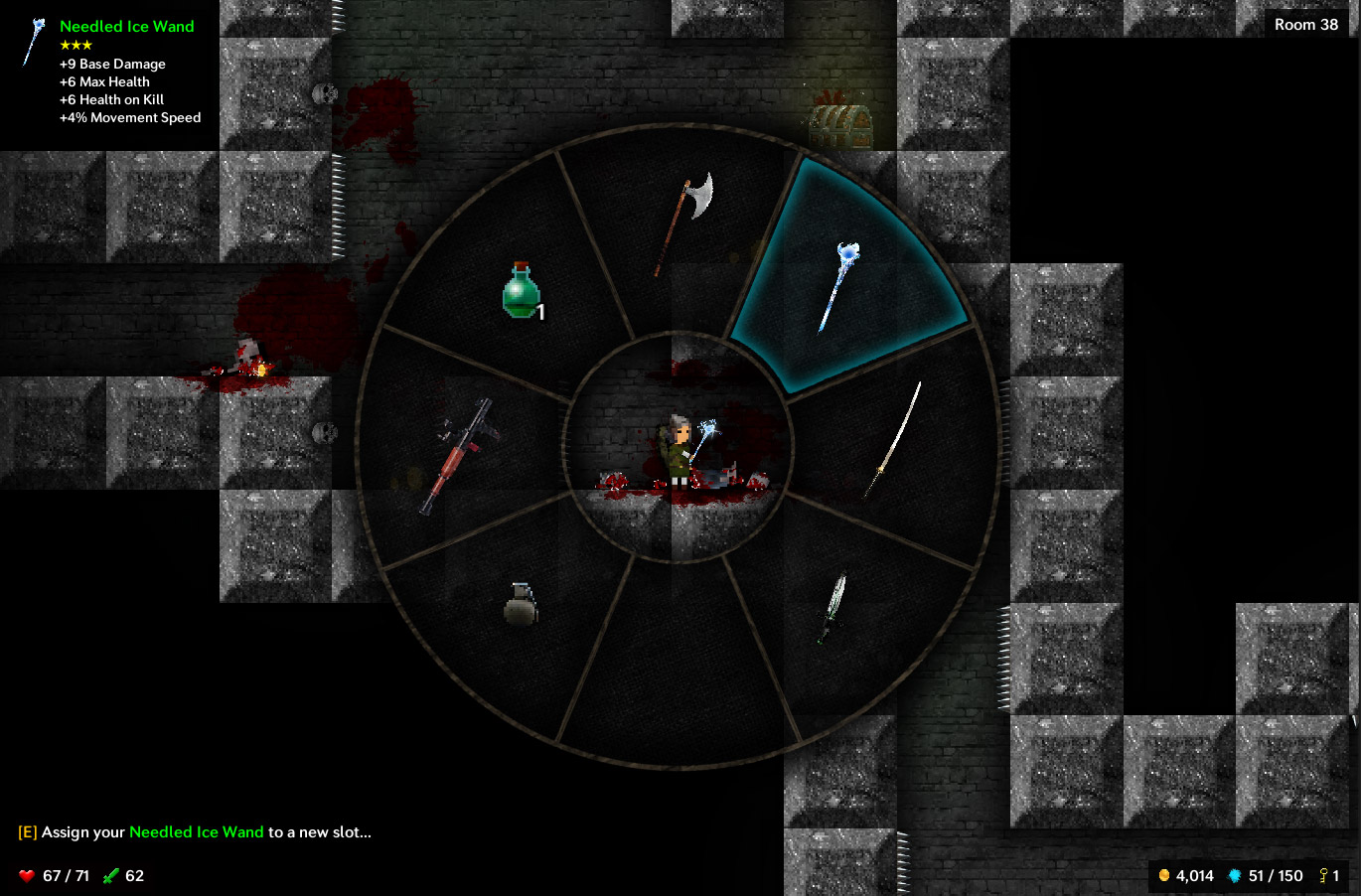
To assign your currently-equipped item to a new slot, press your Interact key/button (or left-click) while the wheel is showing; the slot glow will turn green. Then navigate to a new slot, then press your Interact key/button (or left-click) again.
If one of your items is not on the Weapon Wheel and you'd like it to be, make sure the Wheel is closed, equip the desired item by either pressing Up and Down, then open the Weapon Wheel, press the Interact key/button to enter edit mode, then select a slot. (make sure you press the Interact key/button before attempting to select a slot)
Please note that the Weapon Wheel is only available in single-player mode for now.
Keyboard shortcuts:
In addition to the Weapon Wheel, keyboard users can now equip items by pressing the 1-8 number keys on the top of the keyboard, corresponding to the position of items on the Weapon Wheel. Slot 1 is the North slot, Slot 3 is the East slot, etc.
You can also assign your currently-equipped item to a new slot:
Windows: Either hold down the desired number key for one second, or quickly hold Alt and then press a number (eg Alt+3).
Mac: Either hold down the desired number key for one second, or quickly hold Command and then press a number (eg Cmd+3).
Linux: Hold down the desired number key for one second.
Please note that these keyboard shortcuts are only available in single-player mode for now.
Other changes:
Tallowmere is now built with Unity 4.6.3, up from 4.6.1.
Added an input entry for the Weapon Wheel in the Edit Controls menu.
Added basic weapon wheel instructions to the tutorial.
Increased the low health warning threshold from 33% to 50%.
Items looted from chests that are upgrades are now automatically equipped; weapons are only automatically equipped if your currently-equipped weapon type matches the weapon type in the chest.
The hydra grew a thicker skin and now only flinches at most once every 2 seconds.
Added console command: "give axe"
Fixes:
Fixed an issue where the game would stutter for a moment the first time a green or red item comparison indicator would be shown.
Fixed an issue with the savegame system.
Fixed elite/boss treasure chests not losing their golden glow after being looted.
Fixed elites being able to spawn with the enemy-respawn mechanic.
Fixed some text issues with the Edit Controls menu.
Fixed the kidnapping boss being able to continue attacking you if you had left the room.
Lady Tallowmere is pleased to introduce the Weapon Wheel to assist you on your adventures. The Weapon Wheel contains 8 slots to let you quickly and precisely equip the weapon or consumable you desire.
To open the Weapon Wheel:
Keyboard: Press and hold Left Shift.
Mouse: Press and hold the Middle Mouse Button.
Xbox 360 controllers: Press and hold B.
PS3 controllers: Press and hold Circle.
To select a slot:
Keyboard: Use your movement keys (WASD) or Arrow keys.
Mouse: Move your mouse around.
Xbox 360 and PS3 controllers: Use the Left Thumbstick or D-Pad.
As soon as a slot is selected, the item in that slot will be equipped.
Further notes:
Your shield must be lowered to use the Weapon Wheel.
If you loot a weapon and there's space for it on the Weapon Wheel, the weapon will be added to the Weapon Wheel automatically.
If you loot a weapon that is an upgrade of a weapon type you already have, the new weapon will replace the old weapon on the Weapon Wheel automatically.
To assign your currently-equipped item to a new slot, press your Interact key/button (or left-click) while the wheel is showing; the slot glow will turn green. Then navigate to a new slot, then press your Interact key/button (or left-click) again.
If one of your items is not on the Weapon Wheel and you'd like it to be, make sure the Wheel is closed, equip the desired item by either pressing Up and Down, then open the Weapon Wheel, press the Interact key/button to enter edit mode, then select a slot. (make sure you press the Interact key/button before attempting to select a slot)
Please note that the Weapon Wheel is only available in single-player mode for now.
Keyboard shortcuts:
In addition to the Weapon Wheel, keyboard users can now equip items by pressing the 1-8 number keys on the top of the keyboard, corresponding to the position of items on the Weapon Wheel. Slot 1 is the North slot, Slot 3 is the East slot, etc.
You can also assign your currently-equipped item to a new slot:
Windows: Either hold down the desired number key for one second, or quickly hold Alt and then press a number (eg Alt+3).
Mac: Either hold down the desired number key for one second, or quickly hold Command and then press a number (eg Cmd+3).
Linux: Hold down the desired number key for one second.
Please note that these keyboard shortcuts are only available in single-player mode for now.
Other changes:
Tallowmere is now built with Unity 4.6.3, up from 4.6.1.
Added an input entry for the Weapon Wheel in the Edit Controls menu.
Added basic weapon wheel instructions to the tutorial.
Increased the low health warning threshold from 33% to 50%.
Items looted from chests that are upgrades are now automatically equipped; weapons are only automatically equipped if your currently-equipped weapon type matches the weapon type in the chest.
The hydra grew a thicker skin and now only flinches at most once every 2 seconds.
Added console command: "give axe"
Fixes:
Fixed an issue where the game would stutter for a moment the first time a green or red item comparison indicator would be shown.
Fixed an issue with the savegame system.
Fixed elite/boss treasure chests not losing their golden glow after being looted.
Fixed elites being able to spawn with the enemy-respawn mechanic.
Fixed some text issues with the Edit Controls menu.
Fixed the kidnapping boss being able to continue attacking you if you had left the room.