Looking forward to something special? We got you covered!
Simply log in every day for 5 days and get fabulous rewards!
The 5th Day reward is for you to find out what's inside the Box.
Event Period: 8/14 ~ 8/20 23:59 (PDT)
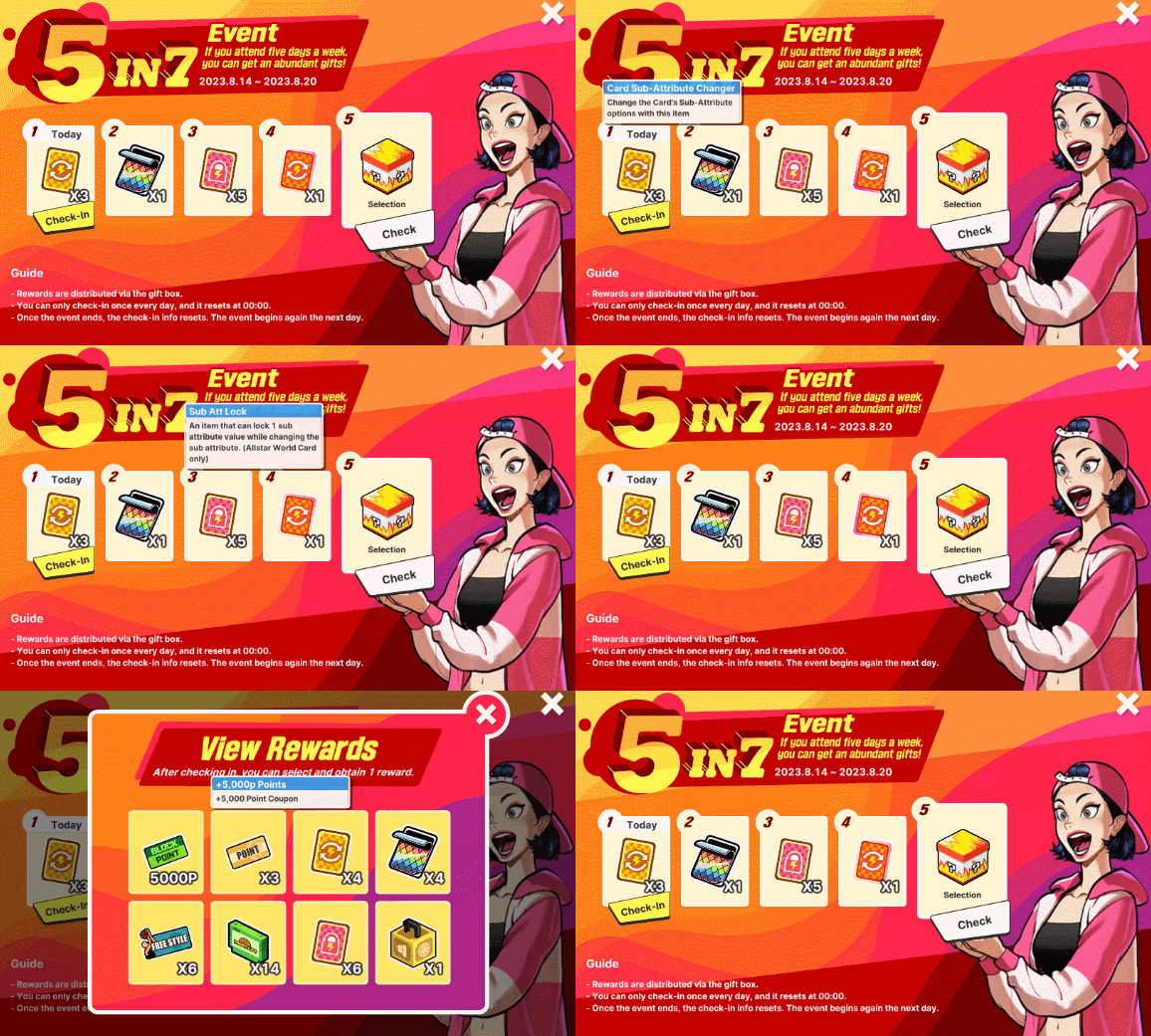
** Reminders: - Rewards are distributed via Gift Box upon checking in - You can only check in once per day, and resets at 00:00 - Once the event ends, the check-in info resets. The event begins on the next day - Hidden rewards are available on Day 5
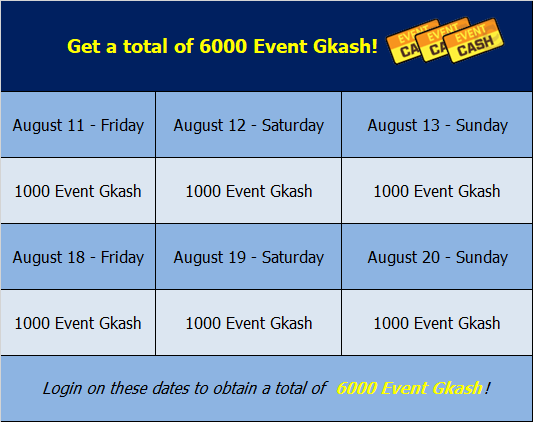
We'll be having a web event starting on August 11, 2023. In this web event, users who'll log in every Friday, Saturday, and Sunday, will get 1000 Event Gkash per day. Spread the news, and encourage your friends to play FreeStyle2 so they won't miss this great opportunity to obtain a total of 6000 Event Gkash.
The event will last for two weeks, so make sure to log in every Friday, Saturday, and Sunday during the event period to get a total of 6000 Event Gkash.
We look forward to your continued support. Enjoy gaming!
Welcome to our newest event! The Boost On! FS2 Grand Prix!
Event Period:
2023/08/09 00:00 ~ 08/23 23:59 (PDT)
Event Details:
- Get Item -
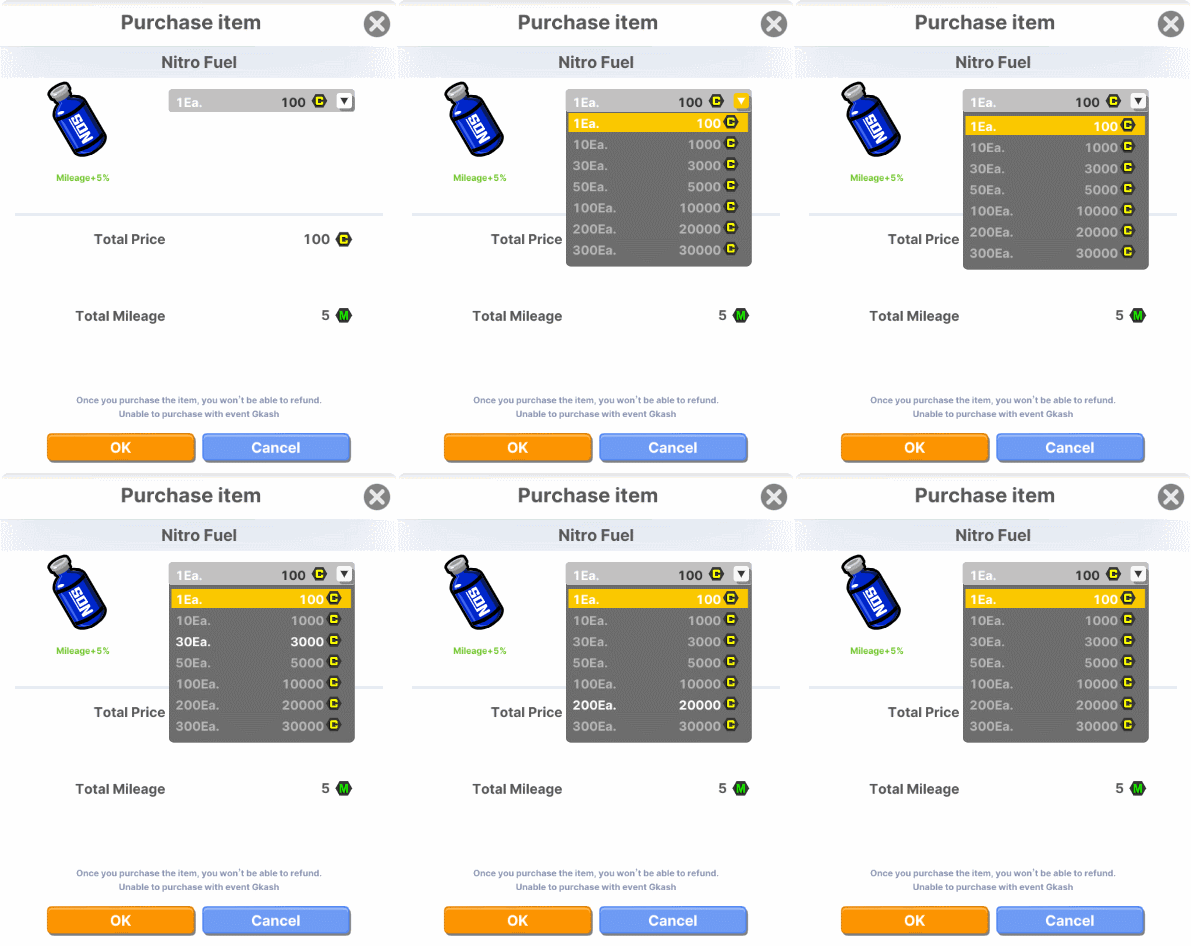
- Purchase Nitro Fuel to use Boosters.
**Obtained Booster Fuel will disappear after the event ends. Nitro Fuel:
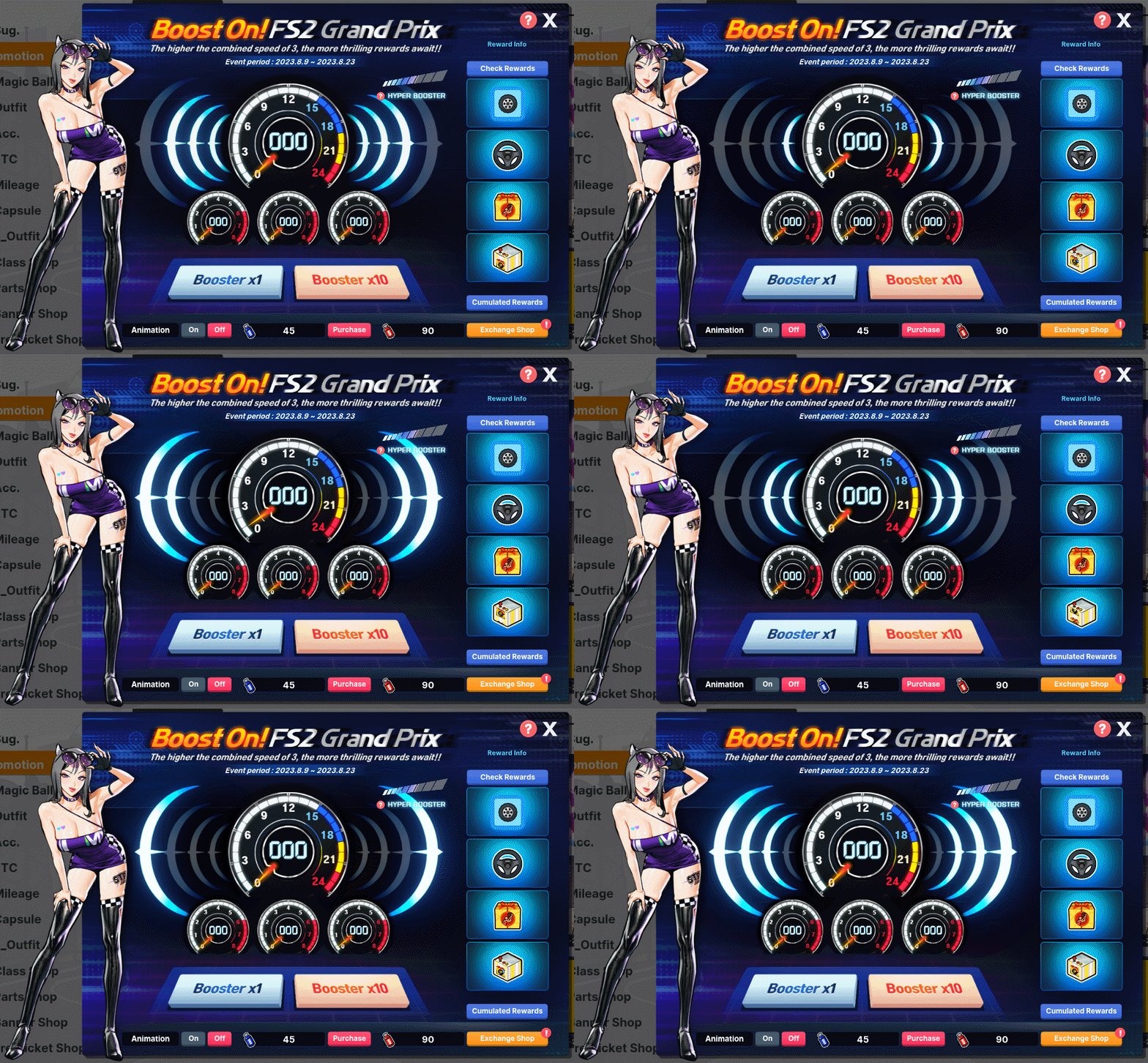
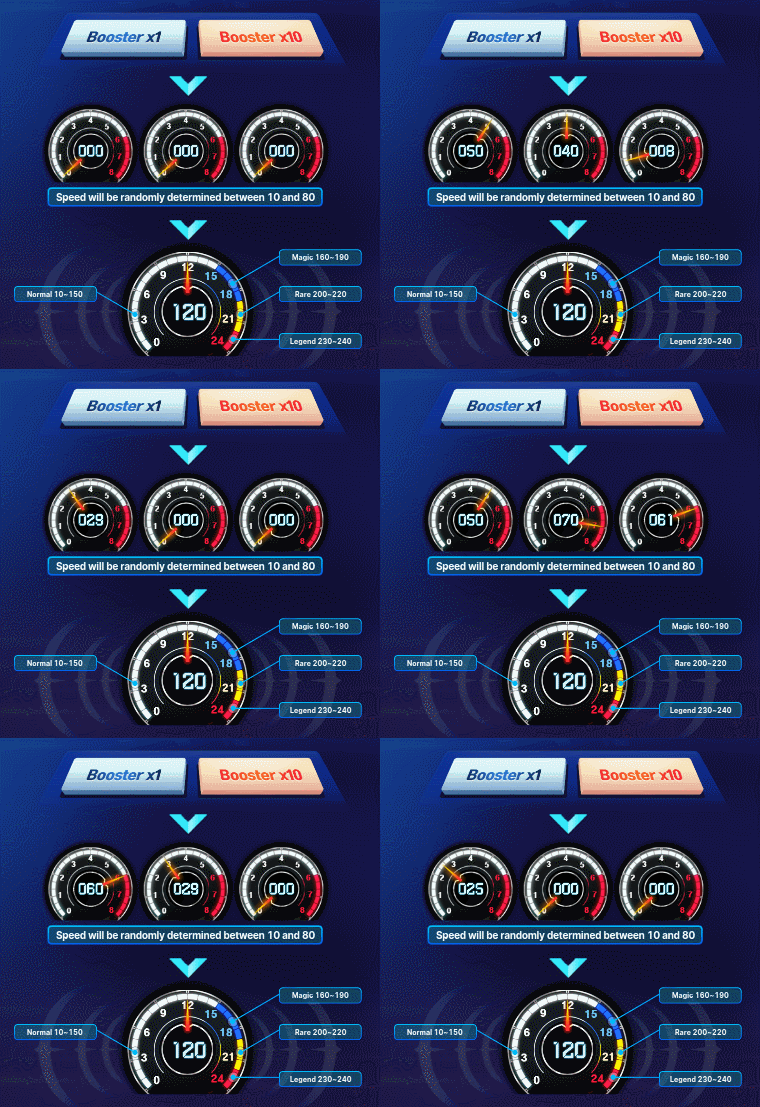
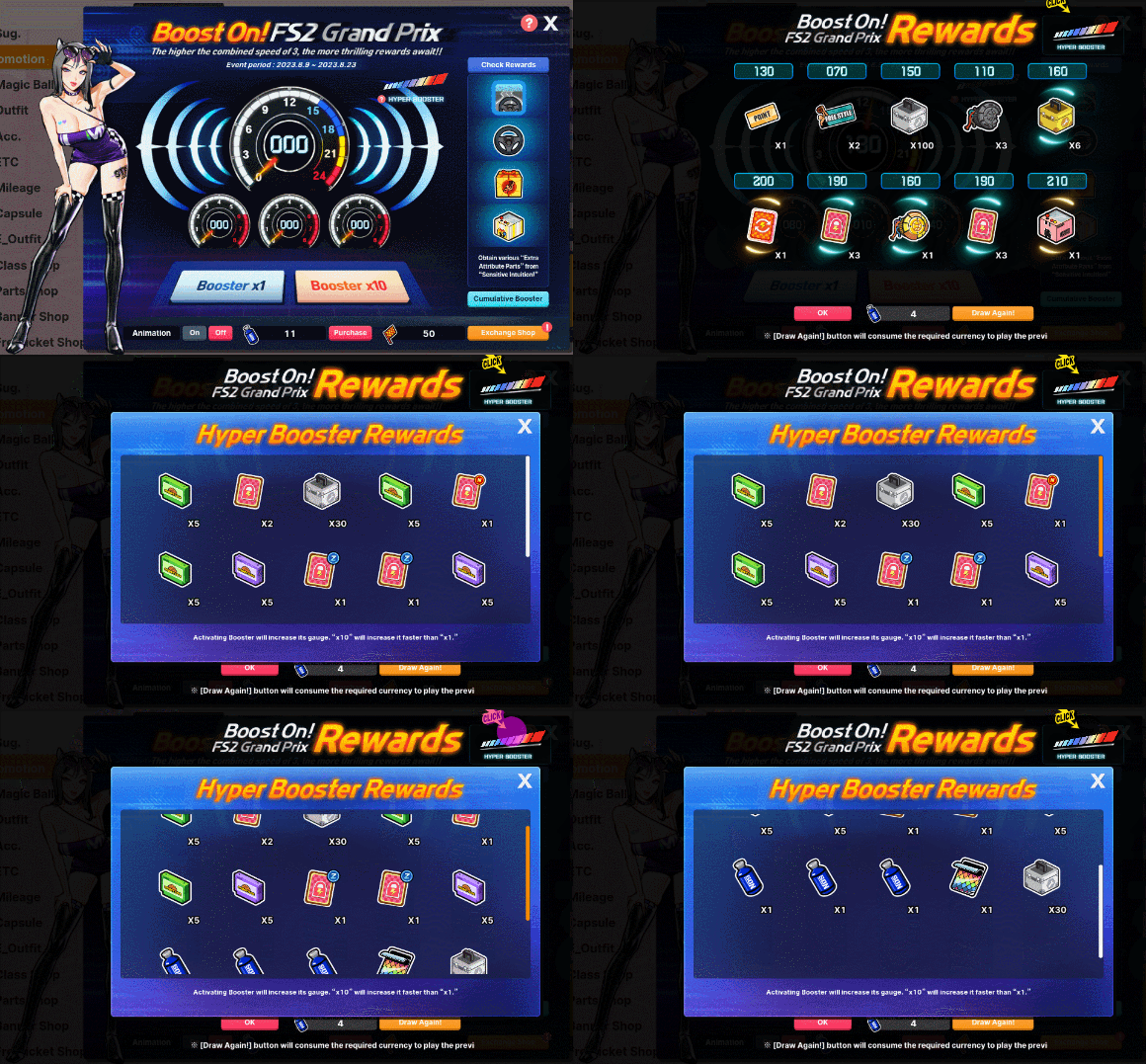
Small Dashboard
- When you use Boosters, the speed on the small dashboard will be determined randomly from 10 to 80 km. - The speed will be determined at equal probabilities from between 10, 20, 30.... 80 (total of 8 speeds)
Big Dashboard
- The 3 numbers determined on the small dashboard will be added and displayed on the big dashboard. - The grade of rewards to be received will be based on the sum of those speeds. - Obtained rewards will be sent to your Gift Box.
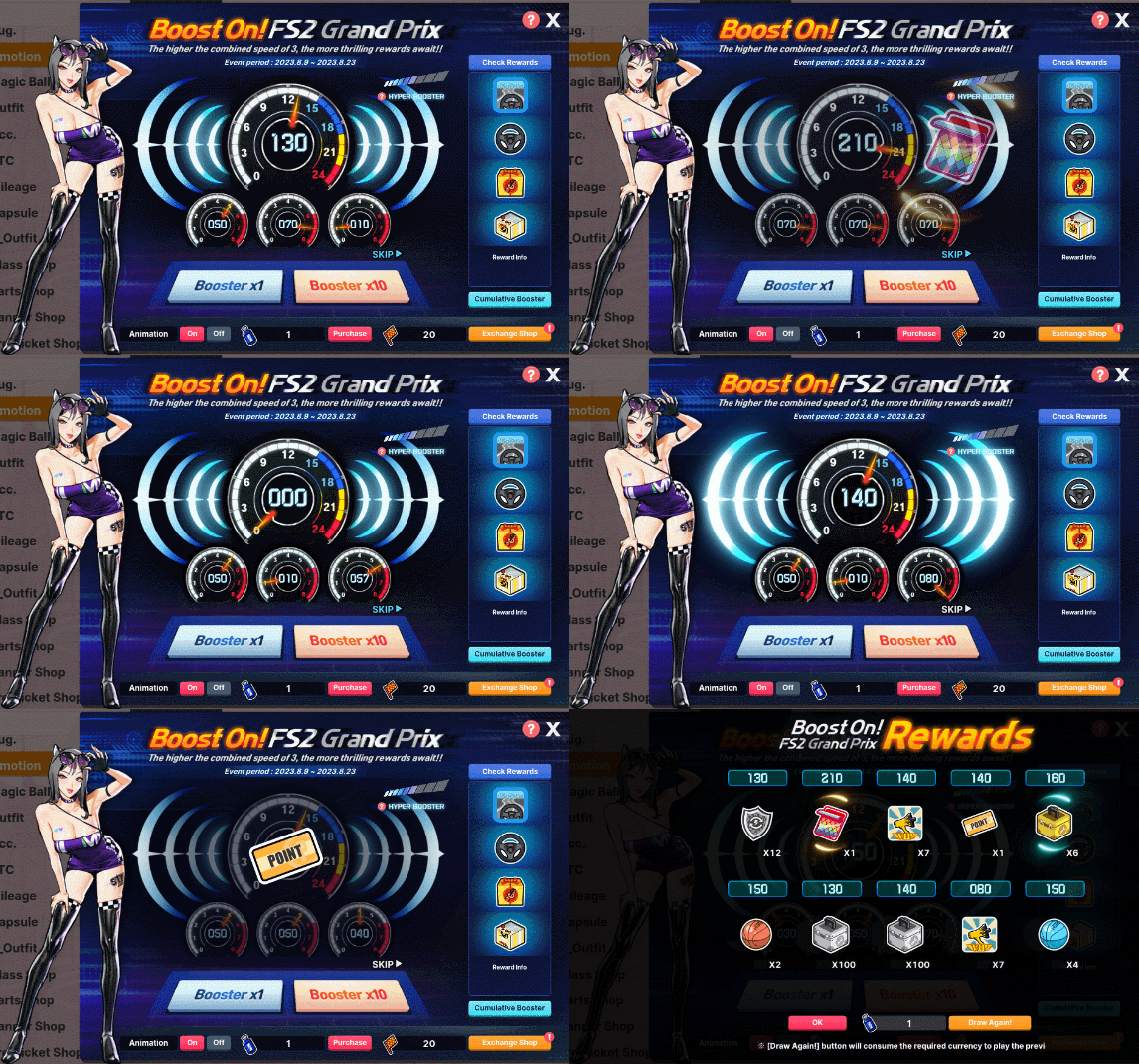
Booster Draw Preview:
Animation On
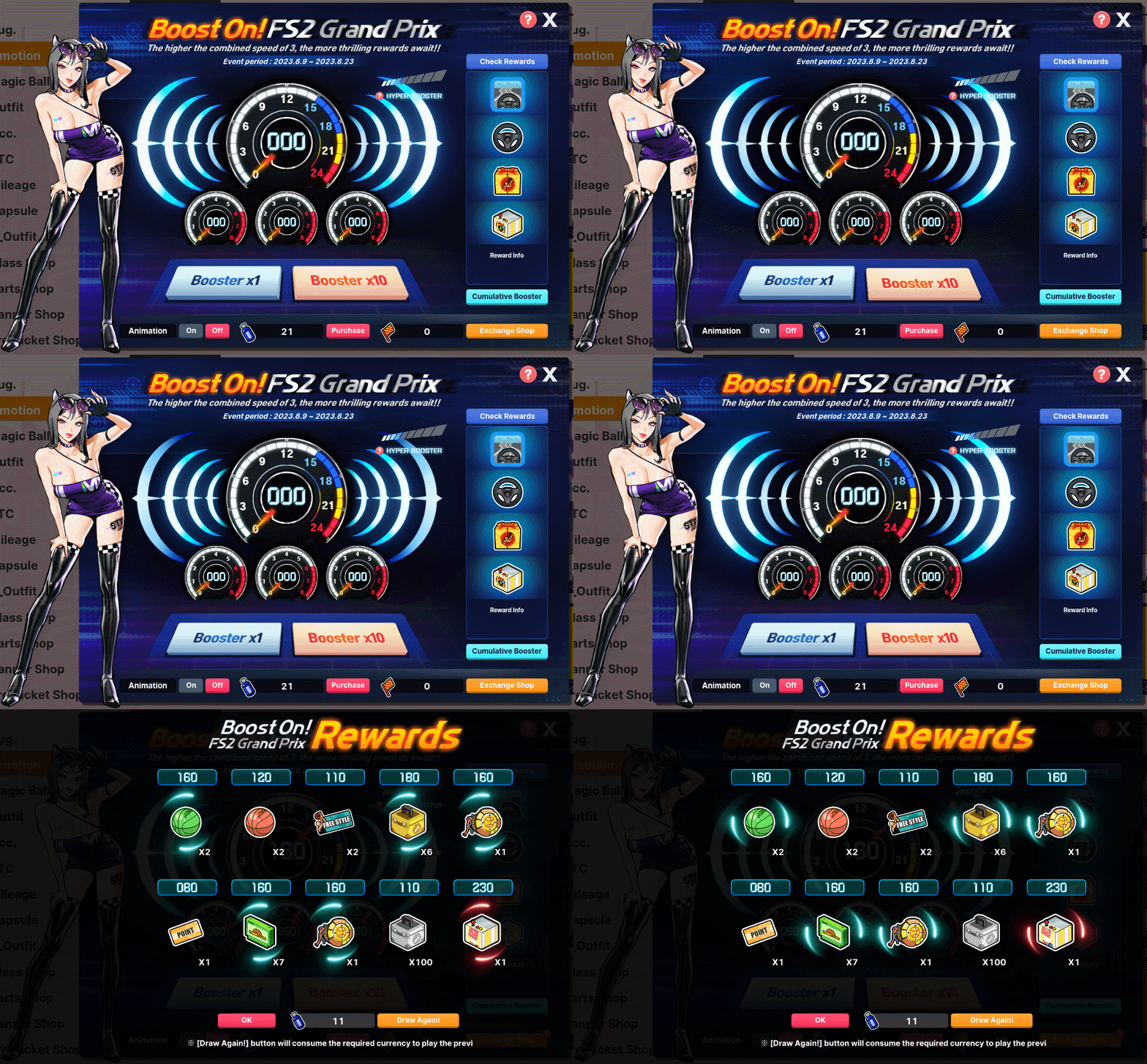
Animation Off
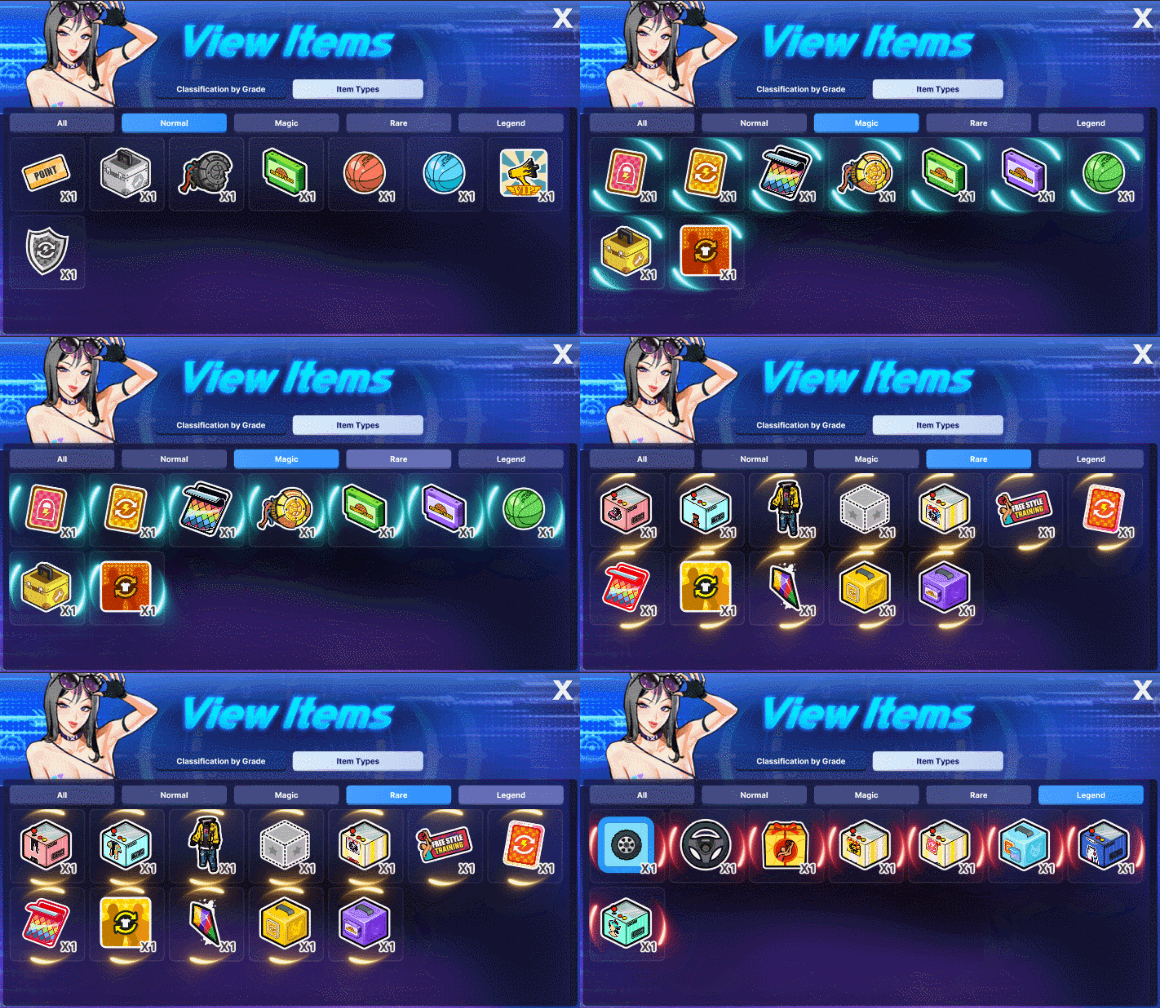
Booster Draw Rewards List
- Hyper Booster -
- Using Boosters will increase the Hyper Booster gauge. - Using the x10 will increase the gauge a little more than using x1s.
Hyper Booster Activate -When the Hyper Booster gauge reaches 100%, the Booster will activate automatically.
Obtaining Rewards - You can obtain 5-20 random rewards while Booster is activated.
Hyper Booster Rewards Preview
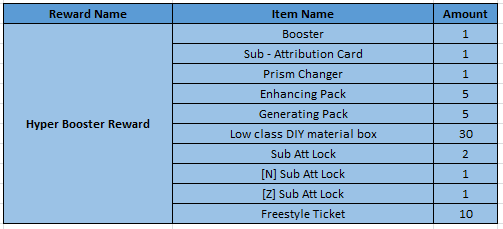
Hyper Booster Rewards List
- If you have Effect OFF, you can claim your rewards from the Claim Rewards pop-up.
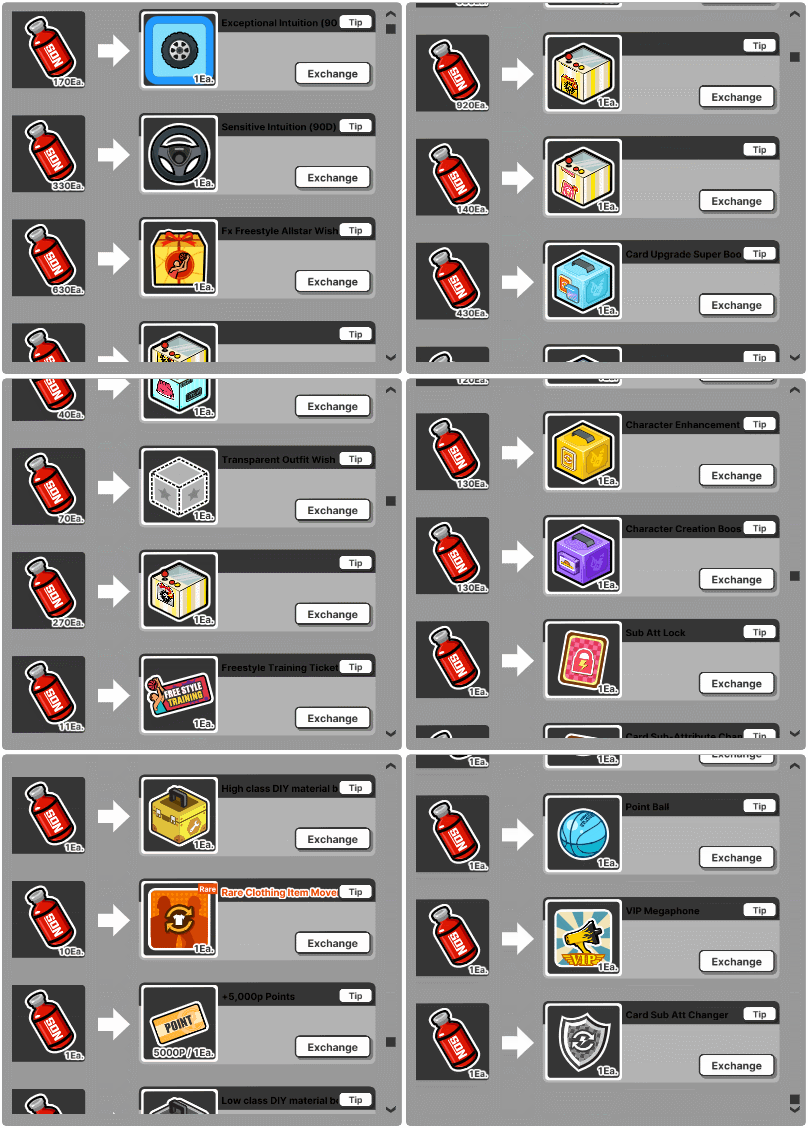
Hyper Booster Exchange List
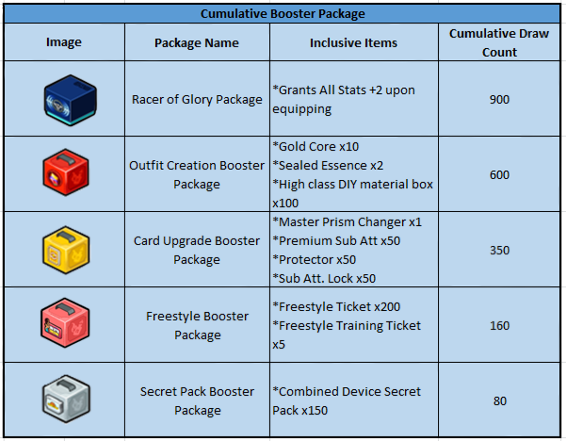
- Cumulative Rewards - - Using Boosters will increase cumulated rewards. - You can obtain rewards when you achieve the accumulated reward value for each section.
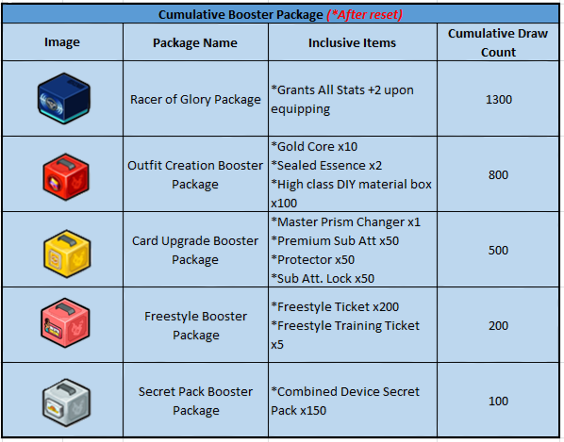
Resetting - The Reset button will appear once you've received the rewards from all the sections.
Reset Complete - Once you check the Reset button, all information will be deleted, and you can claim rewards by using Boosters again.
Cumulative Booster Rewards List
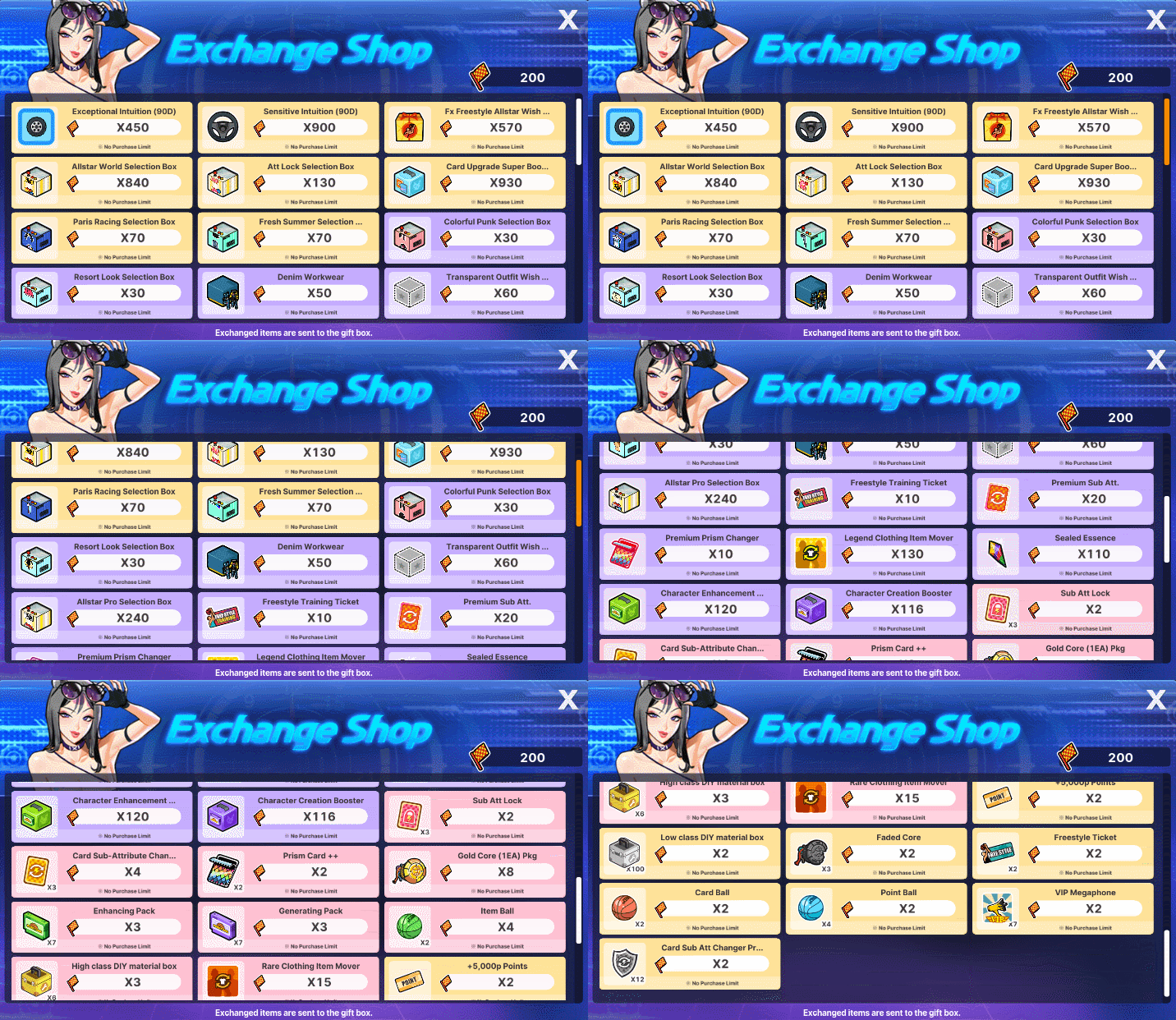
- Exchange Shop -
- You can obtain Mileage by using Boosters.
Using Mileage - Exchange earned mileage at the Exchange Shop for various items. - Obtained rewards will be sent to your Gift Box.
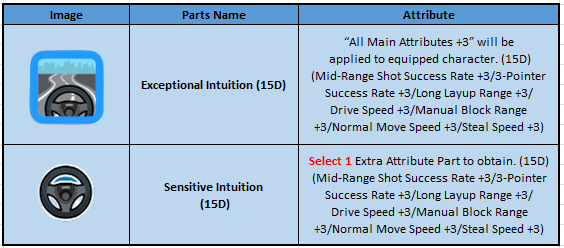
Get amazing Parts by using Boosters or using mileage from the Exchange Shop!
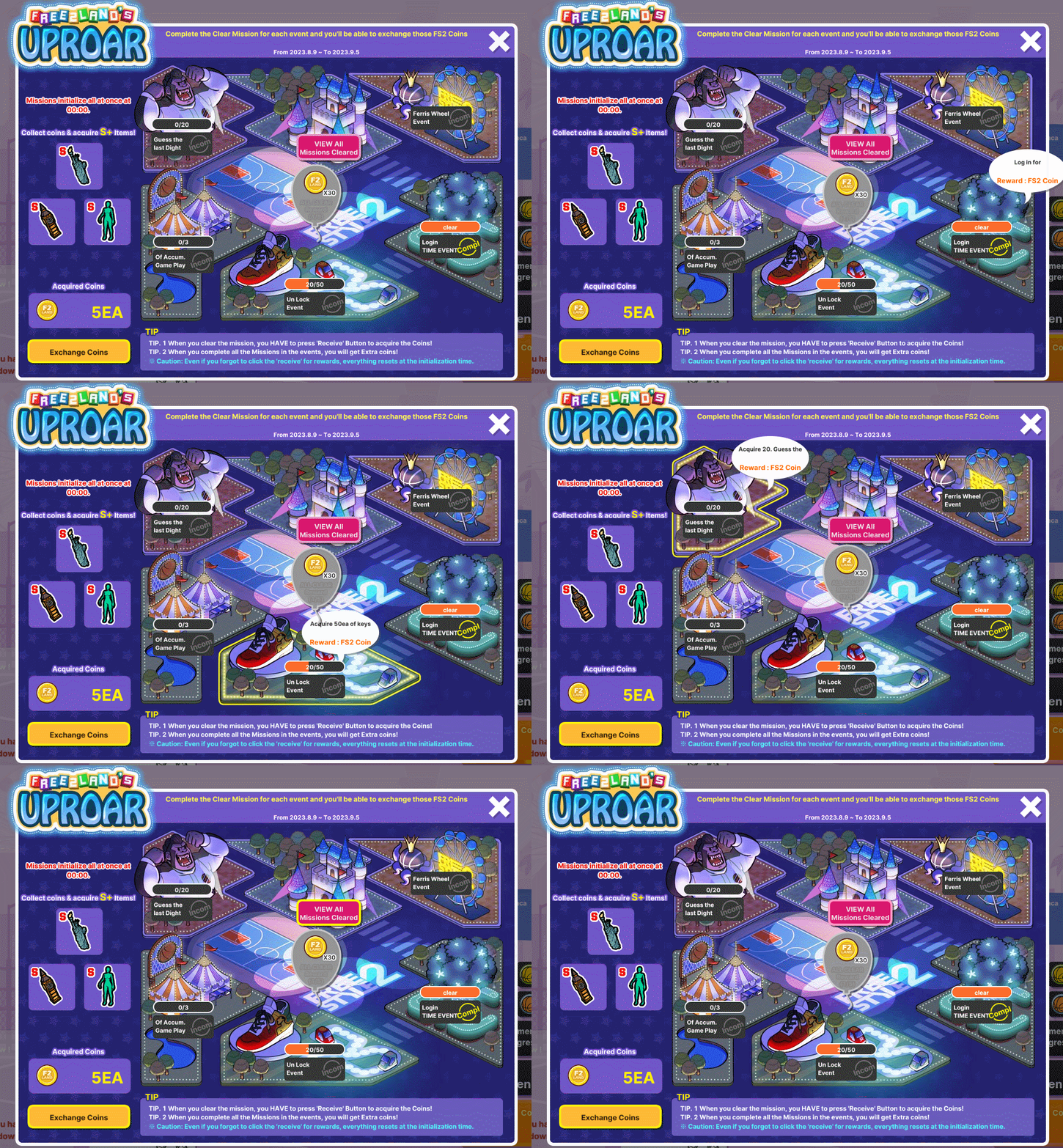
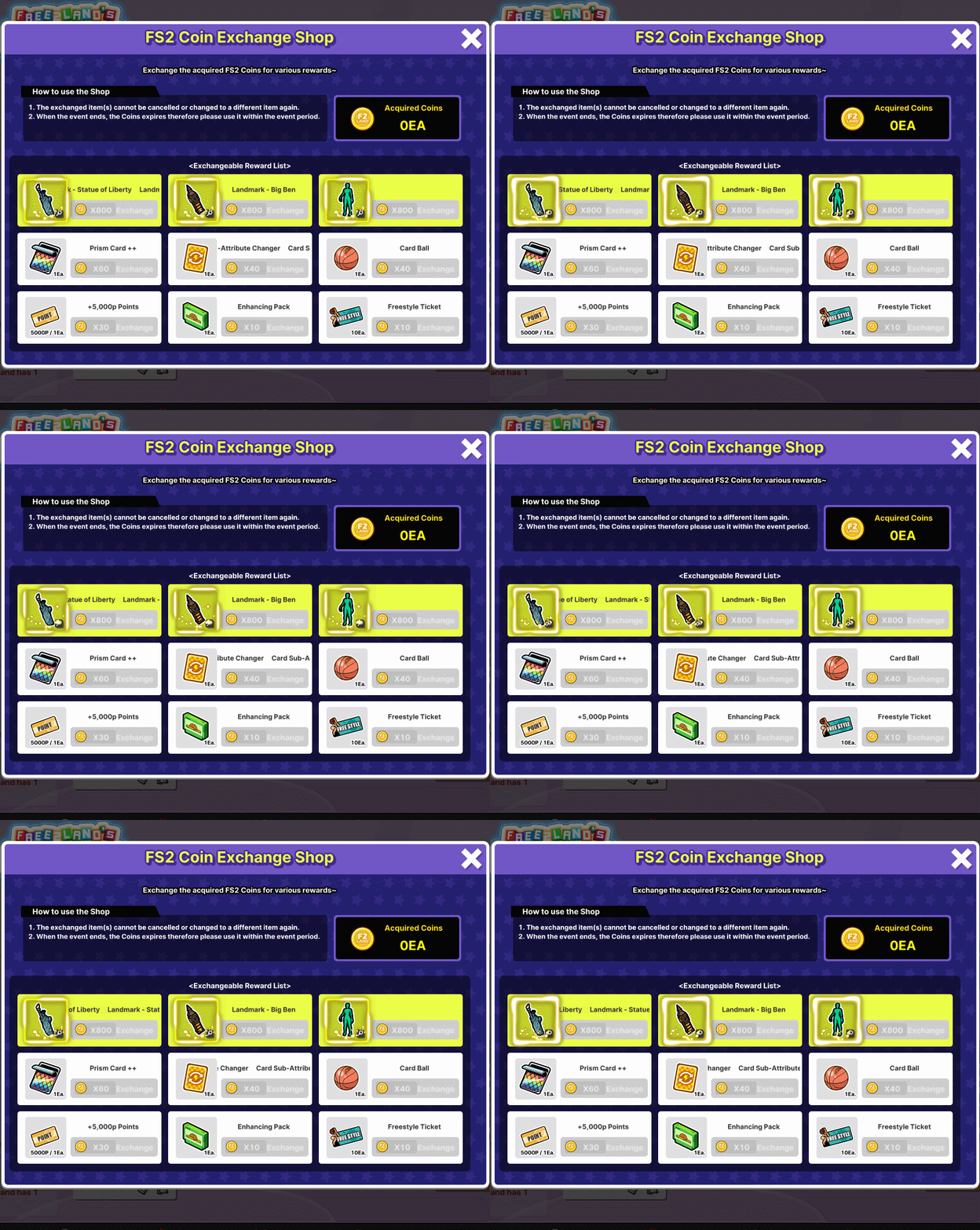
Complete quests to acquire coins that you can use to exchange for rare items!
Event Period: 08/09 00:00 ~ 09/05 23:59 PDT
Note: Make sure to hit the "receive" button to acquire the coins after completing the mission! Just by logging in and playing several matches, you will automatically be part of the event!
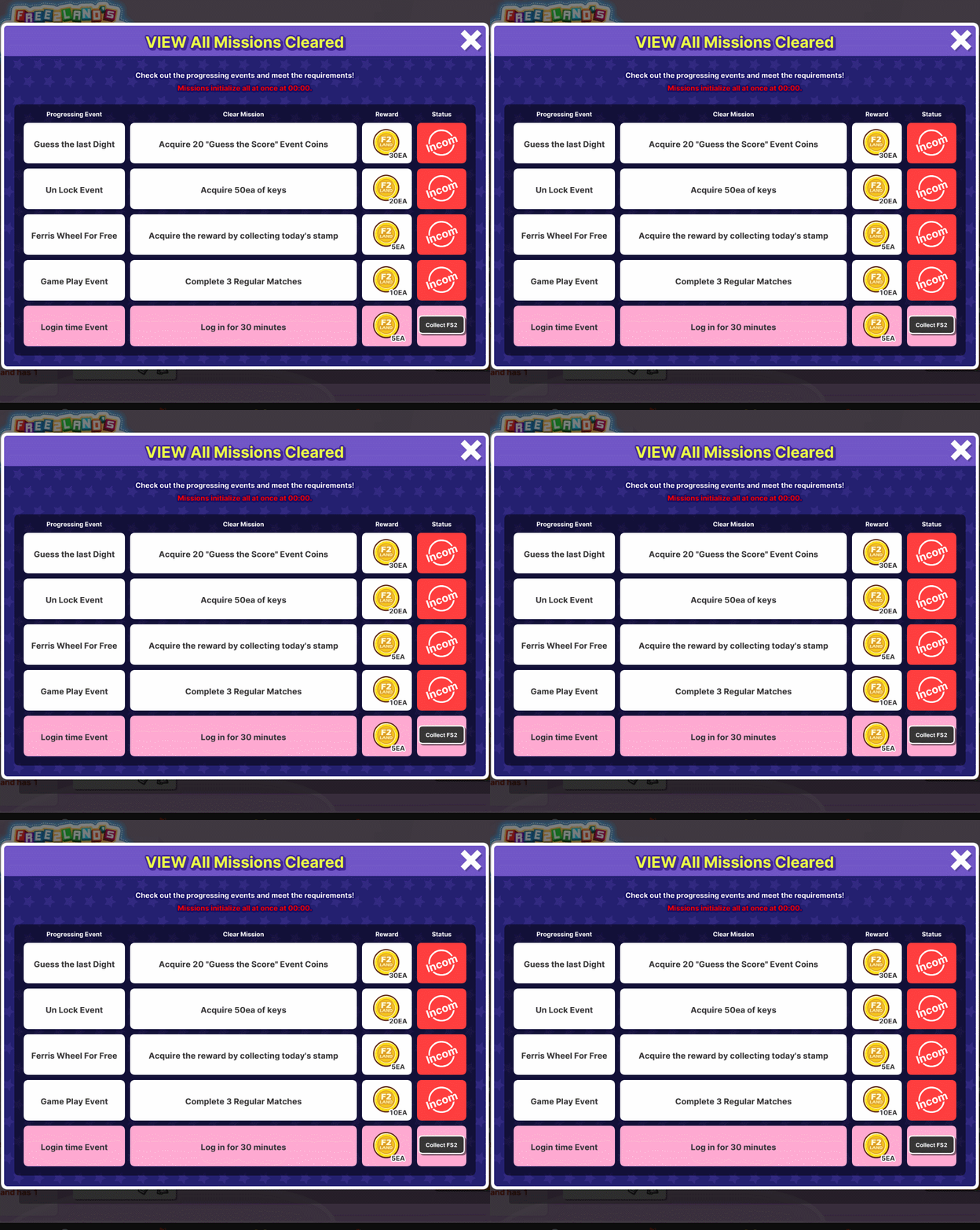
Accumulated number of matches played & Login time Event has a corresponding coin rewards!
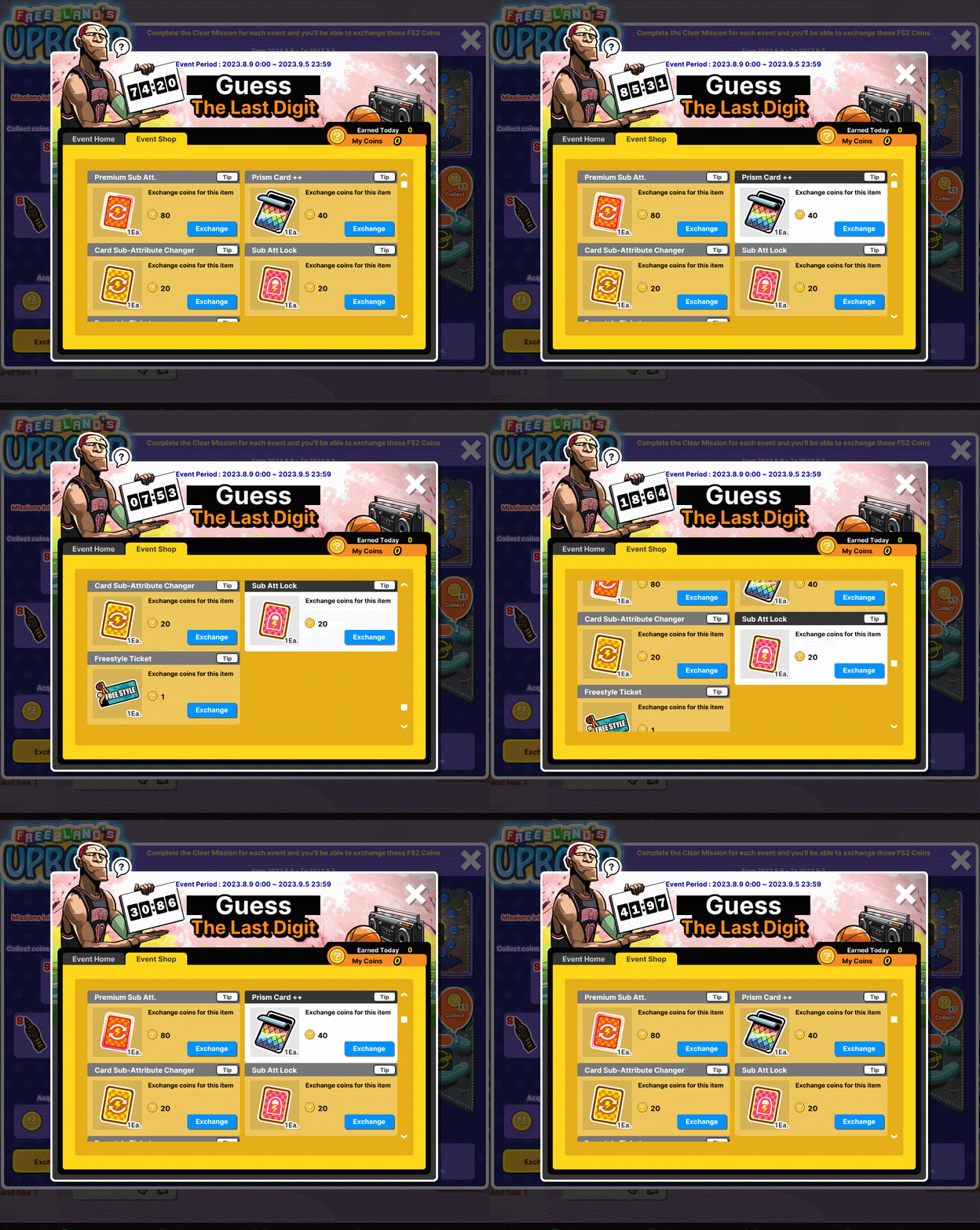
Guess the last Digit mission
Guess your opponent's last score digit by clicking a specific number on the selection provided. For non-VIP players, you can only choose 1 number and 3 for VIP members. Don't forget to hit "Save".
Coin rewards for prediction: 10 Coins for successful prediction and 1 Coin for failed prediction.
The maximum number of coins that a player can acquire per day is 100.
Predictions will remain the same throughout the event unless you decided to change it.
You can exchange coins for various consumables! Just visit the Event Shop.
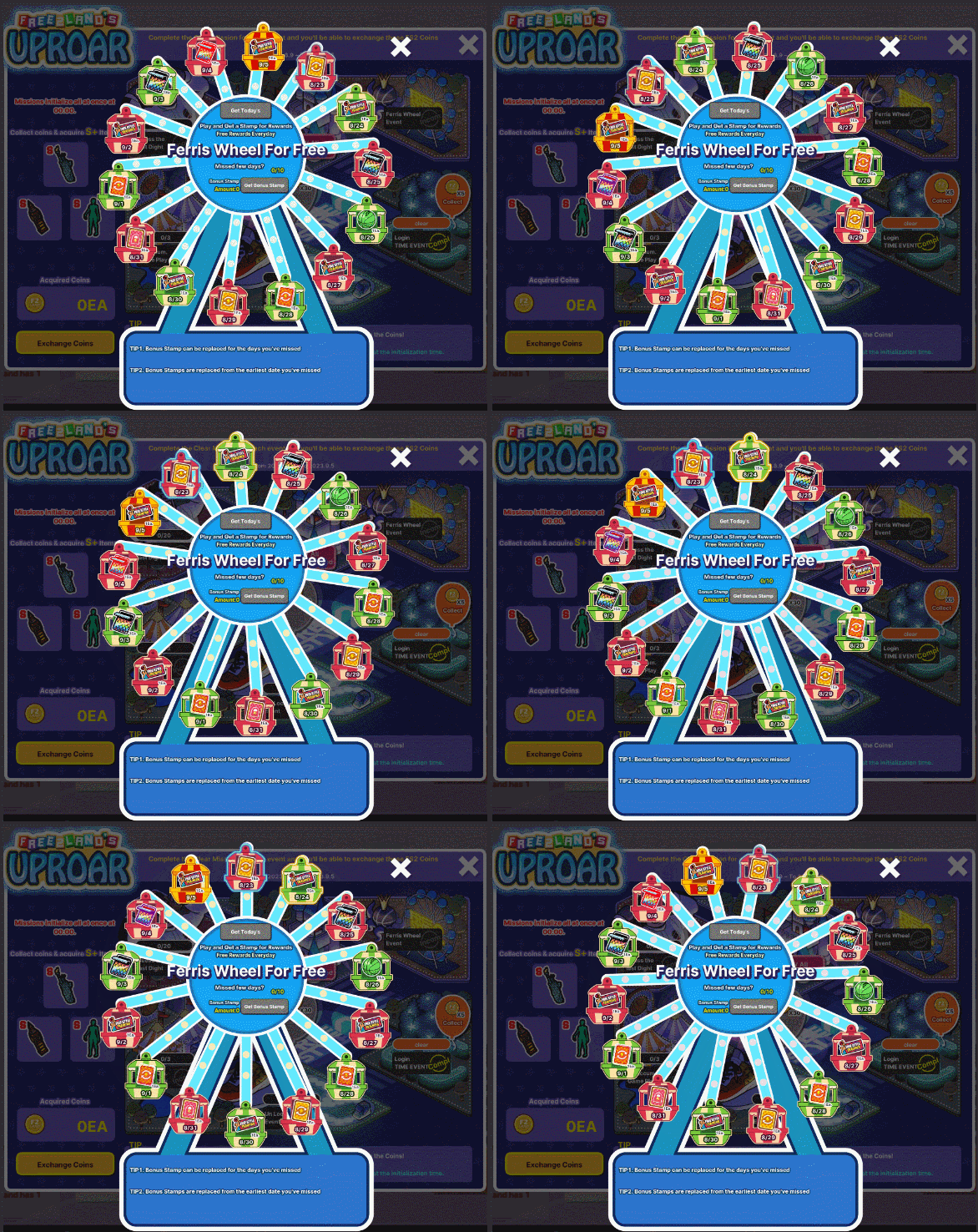
Ferris Wheel Event is back! Login and Play to get stamps to claim the reward for the day!
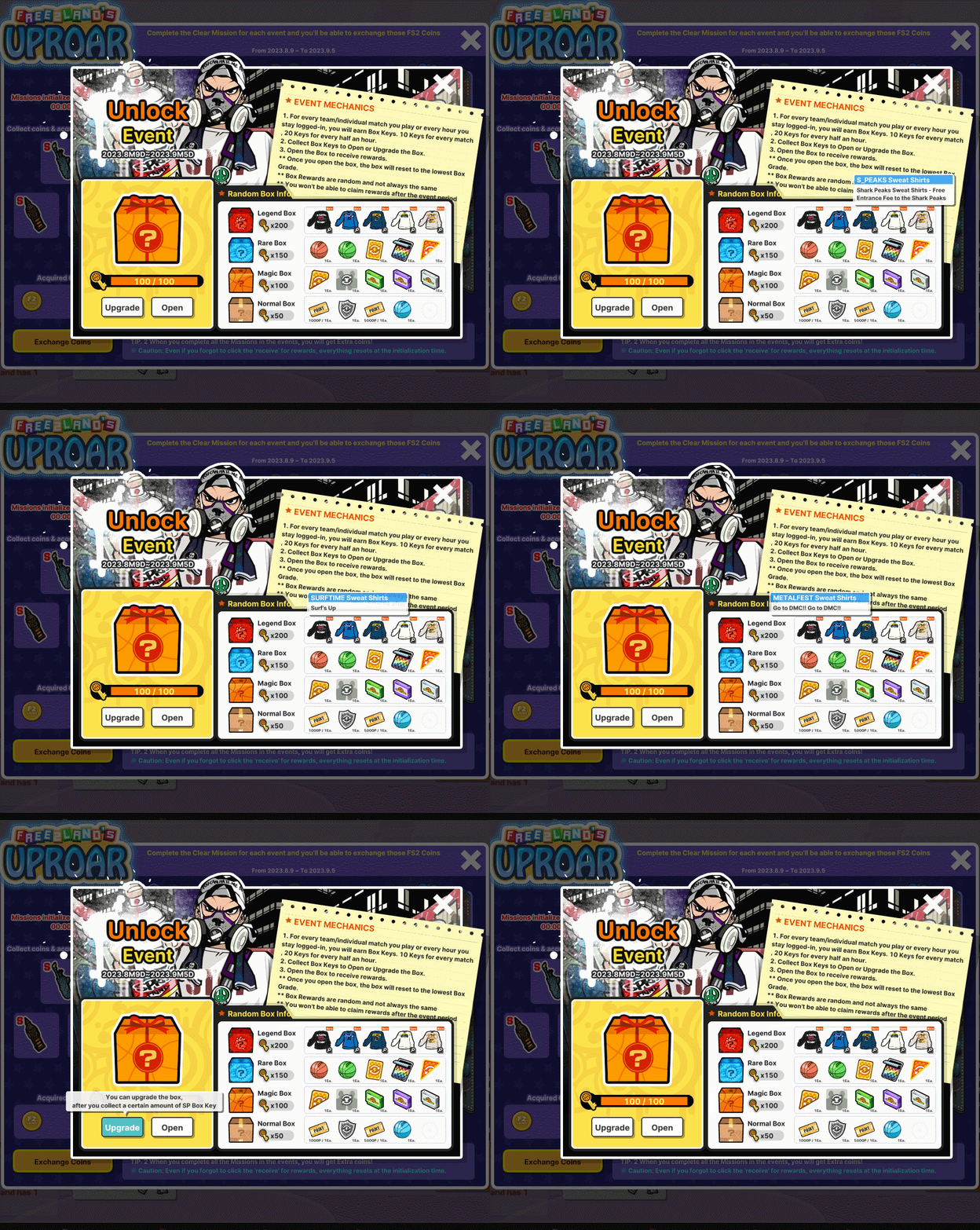
Unlock Event:
For every team/individual match you finish or every hour you stay logged in, you will earn Box Keys.
10 Keys for every match (Maximum 10 Games per day) = 100 20 Keys for every hour logged in (Maximum of 5 hours per day) = 100
Total of Box Keys that can be acquired per day: 200
- Box Keys can be used to Open or Upgrade the Box - Each Box has a corresponding reward and you can get one of the items listed randomly.
** Once you have chosen a specific box, the box level will reset to the lowest Box Grade.
** You won't be able to claim any rewards after the event period so make sure to spend Box Keys on time!
Wait, there's more! If you have collected a huge amount of FS2 Coins, you may also use it to redeem S+ Rewards!
Don't forget to check your Mission Progress to make sure that you have received all FS2 Coins for the day!
We would like to share with everyone about the improvements that have been made during the month of August 2023.
Please check the following details regarding the latest changes and updates.
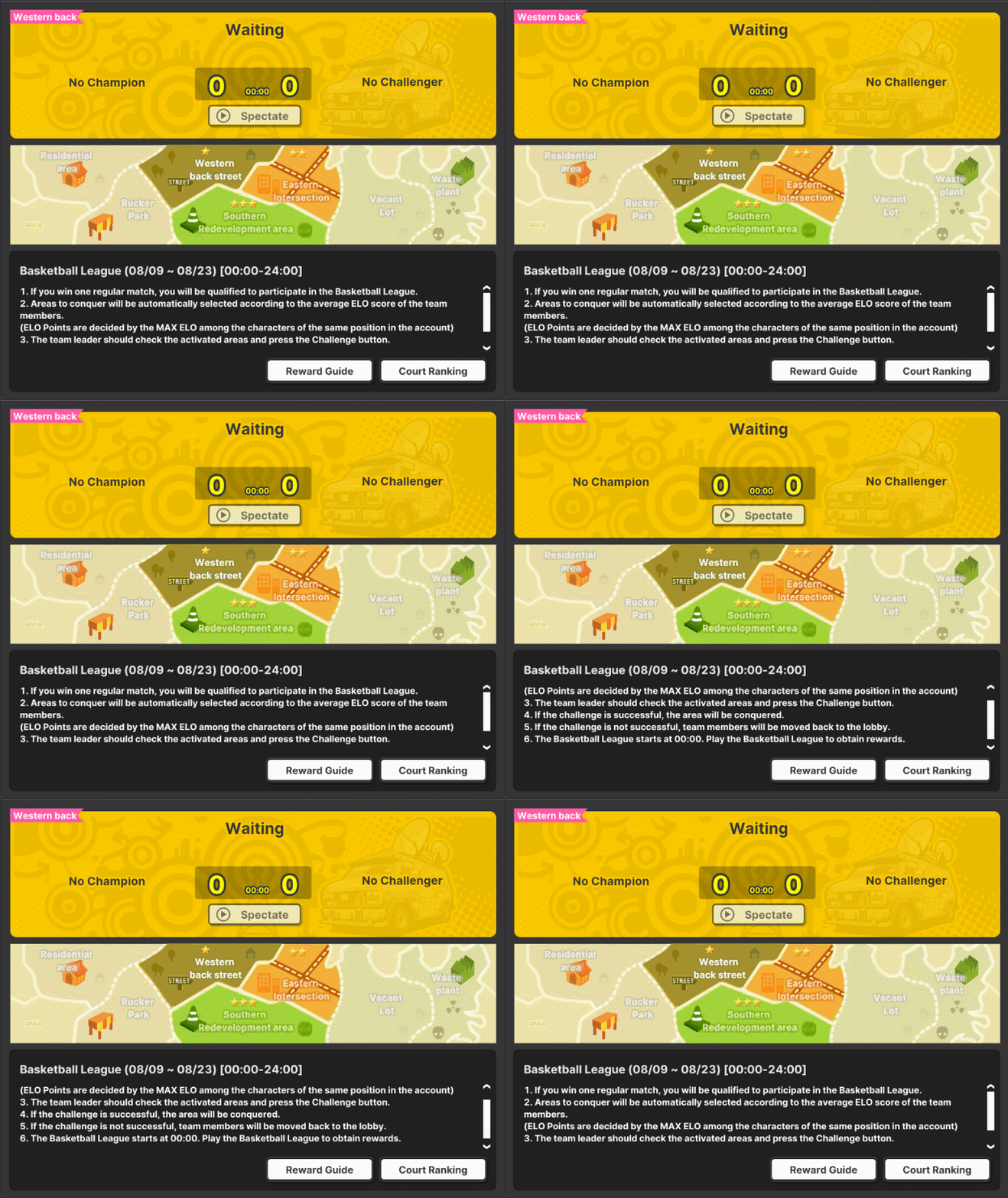
1. Basketball League Update
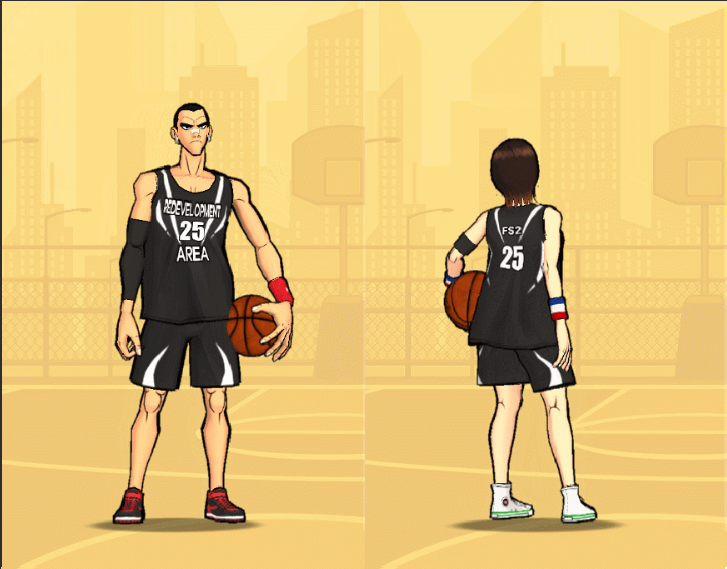
Western Back Street removed. Strategic Maps reduced from 3 to 2:1. Eastern Intersection 2. Southern Redevelopment Area
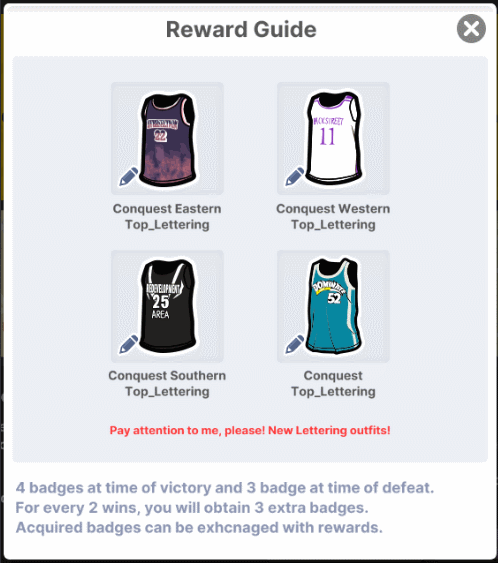
Reward Guide:
Conquest Western Outfit (M/F)
Conquest Eastern Outfit (M/F)
Conquest Southern Outfit (M/F)
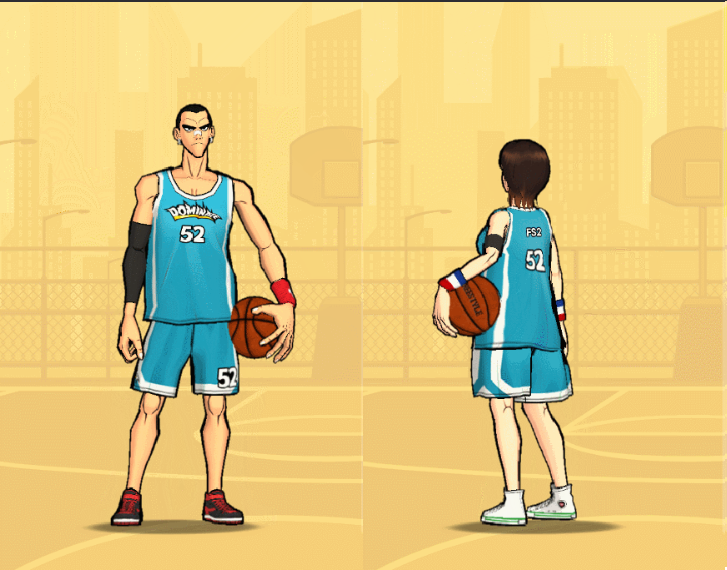
Conquest Outfit (M/F)
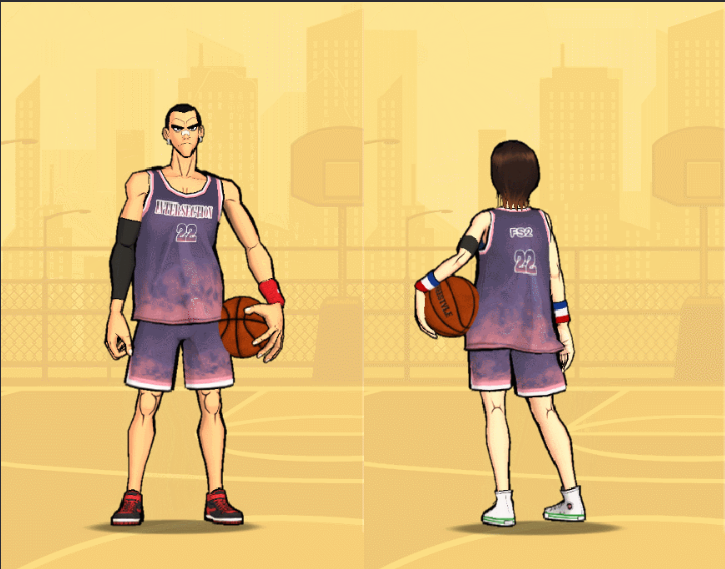
Lettering Outfit and Magic Pen added to Basketball League
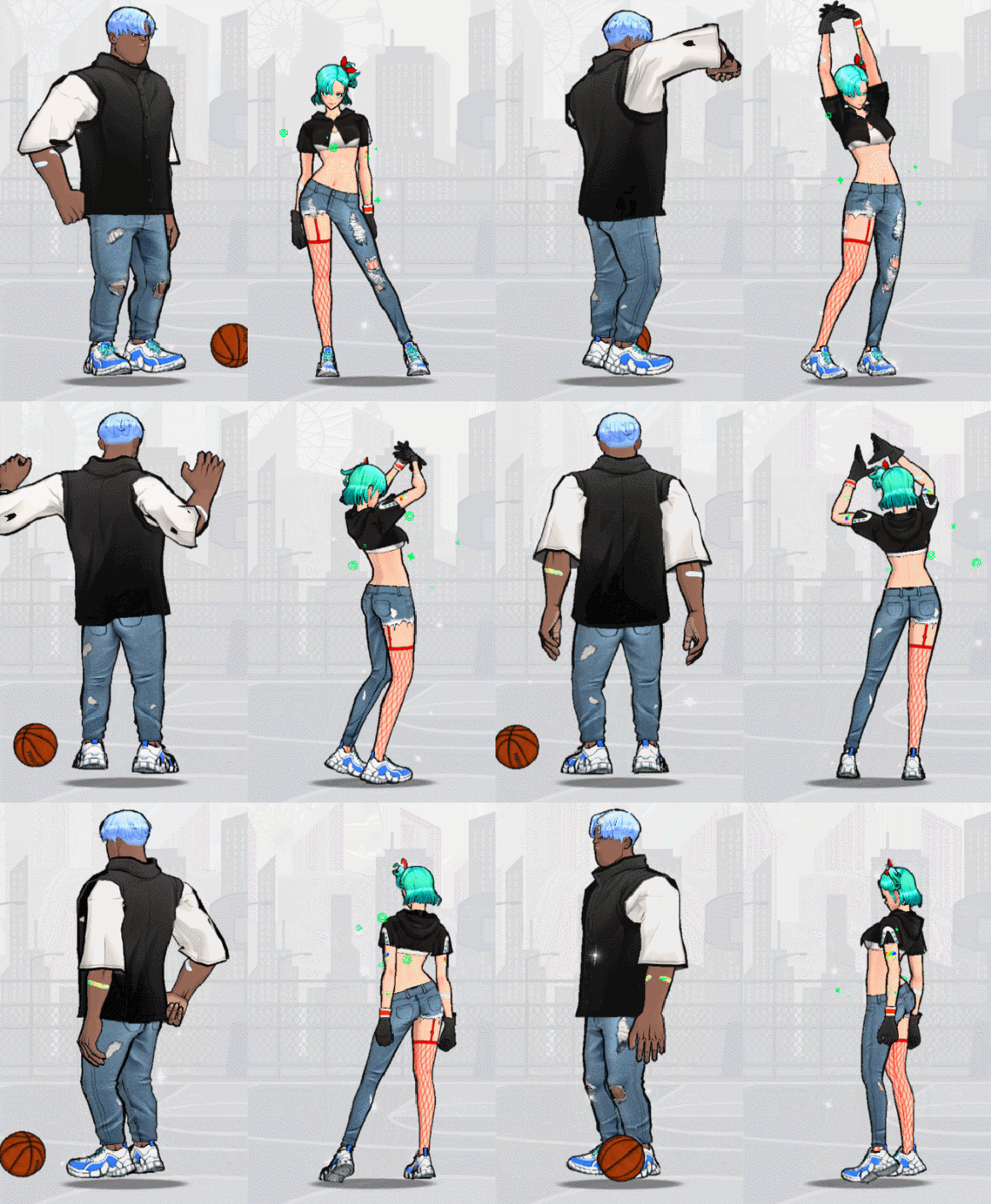
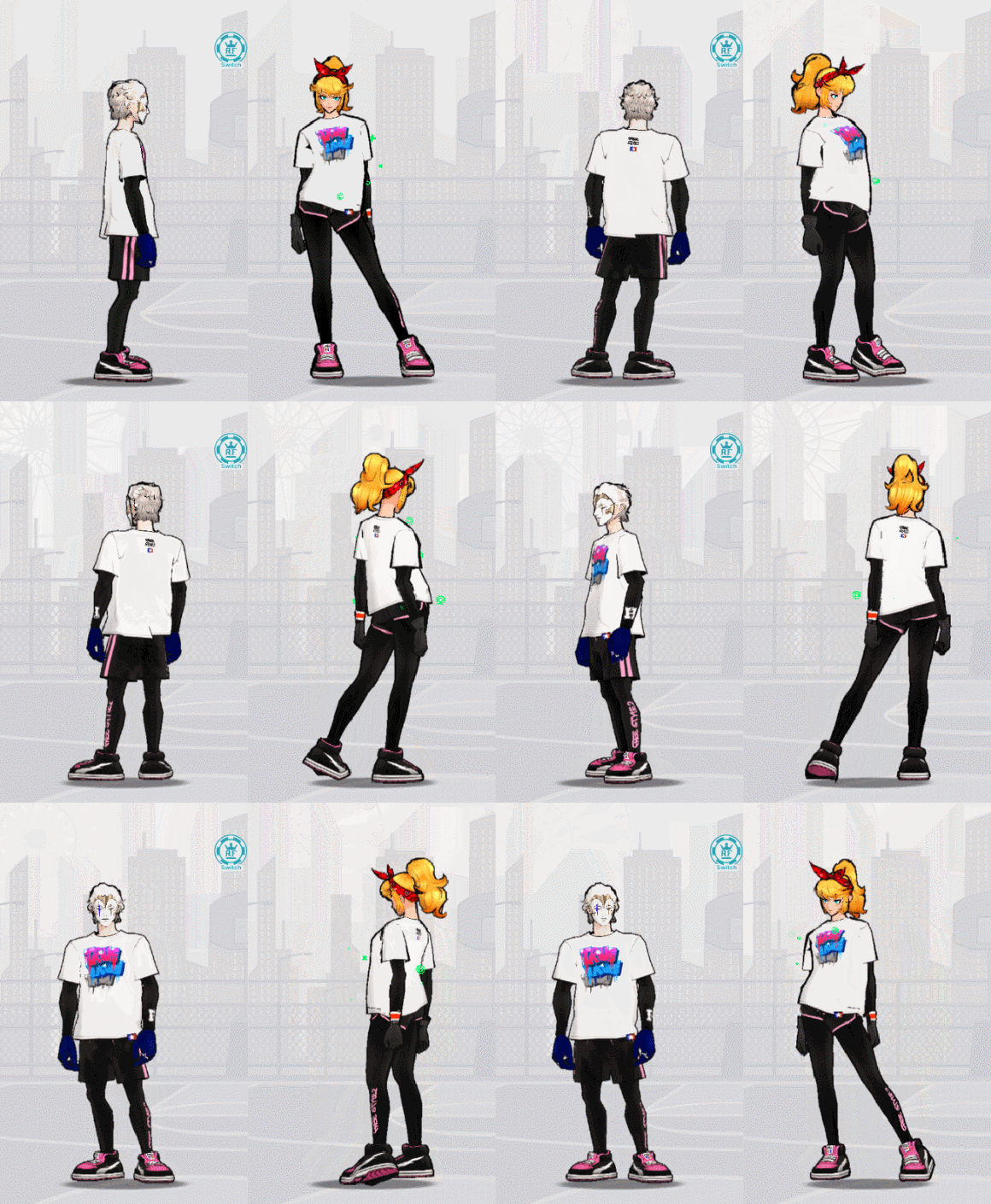
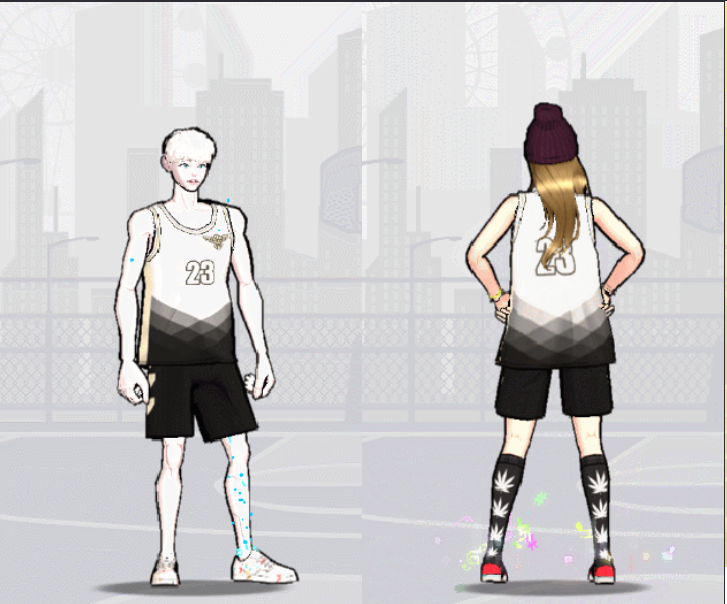
Lettering Outfit (M/F)
Additional Details about the Lettering Outfit
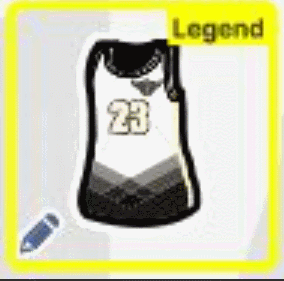
- You can obtain lettering outfits from the Tournament Shop - You can use the lettering function to write your own text and select colors! - When using the lettering function, You can make the first change for free. Afterward, lettering items will be required to make changes. - Lettering outfits are divided into tops and bottoms. - Outfits with a "Pencil" icon on the bottom left can be used as lettering outfits.
a) Top: Jersey
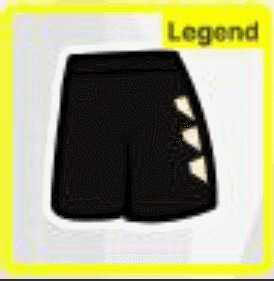
b) Bottom: Leggings Shorts, Regular Shorts
* Before using the lettering function, the basic settings are as follows: Text: FS2, Color: White, Stroke: Black * An error notice will pop up when clicking on the lettering function on unequippable outfits.
Lettering Items
- Use 1 Lettering Item to apply lettering one time. - Lettering Items are shared within the account, and you can have up to 999,999,999.
How to Apply Lettering
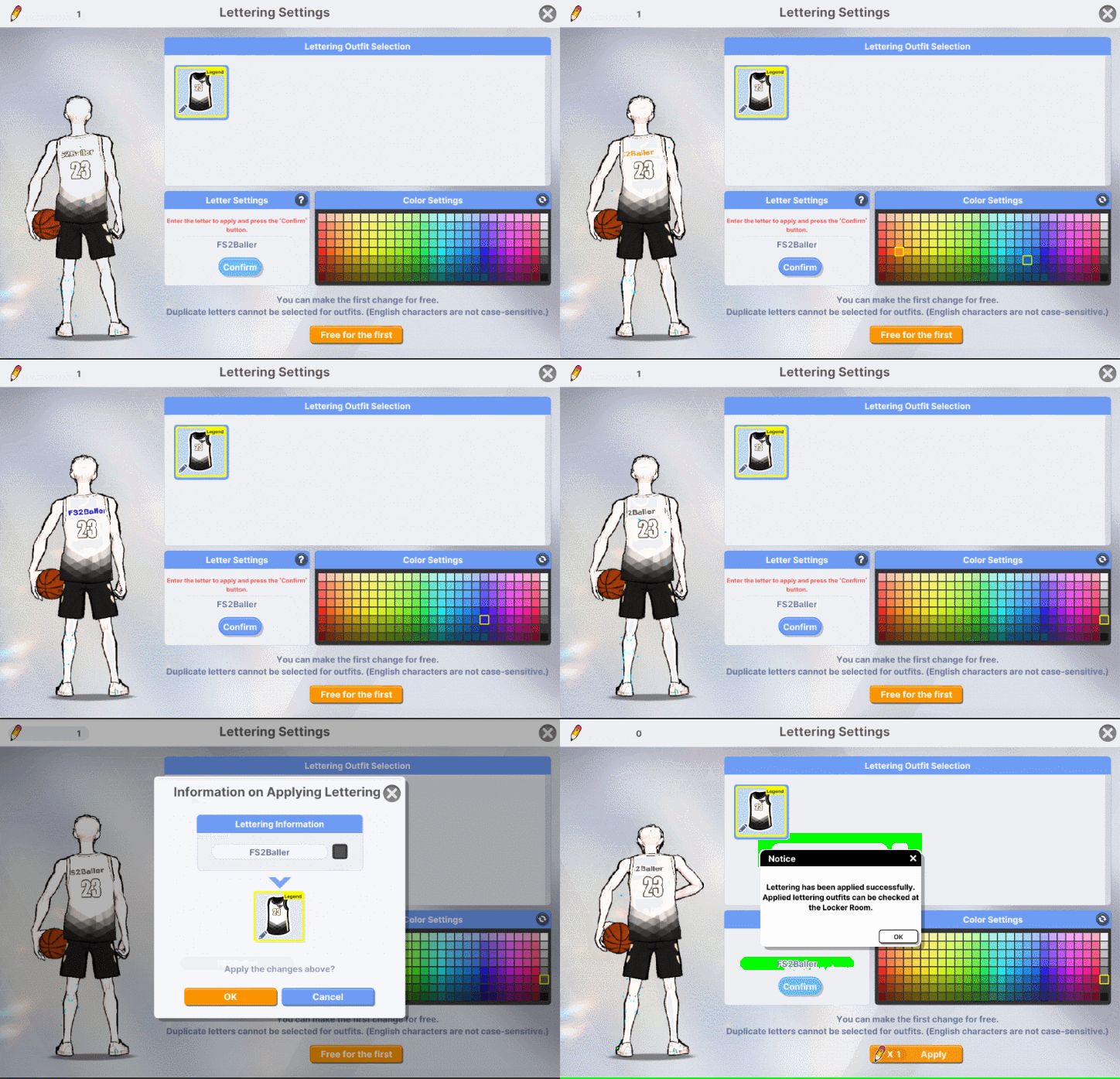
Step 1. Go to Locker and click on the lettering function of the Lettering Item. Step 2. Select a lettering outfit and change the lettering and color settings. Step 3. Click the “Apply” button to save settings. * An error notice will pop up when clicking on unequippable lettering outfits. * View options can be changed to show only the outfits without the character.
1. Lettering Settings - You can use English, Korean, and Chinese characters as well as numbers for lettering. - Special characters and spaces cannot be used. * You can enter up to 12 characters. * Banned words or names of the lettering outfits themselves cannot be used.
2. Color Settings - You can select one of the displayed colors.
3. Lettering Trial - Hover the mouse over a lettering outfit to see the lettering trial button. - Press the button to try the lettering function.
You got game? Step up your game and show them what you got!
Thrilling rewards are waiting for you and your team!
Event Period: 08/09 00:00 ~ 08/22 23:59 (PDT)
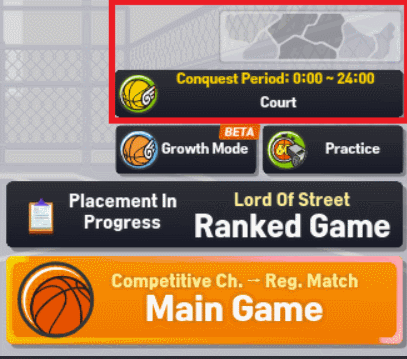
Event Mechanics: Basketball League section is located at the Lobby section of Regular Channel or via waiting room (Lobby Court)
*Not available in BZ Channel
Once accessed, the Basketball League interface will appear.
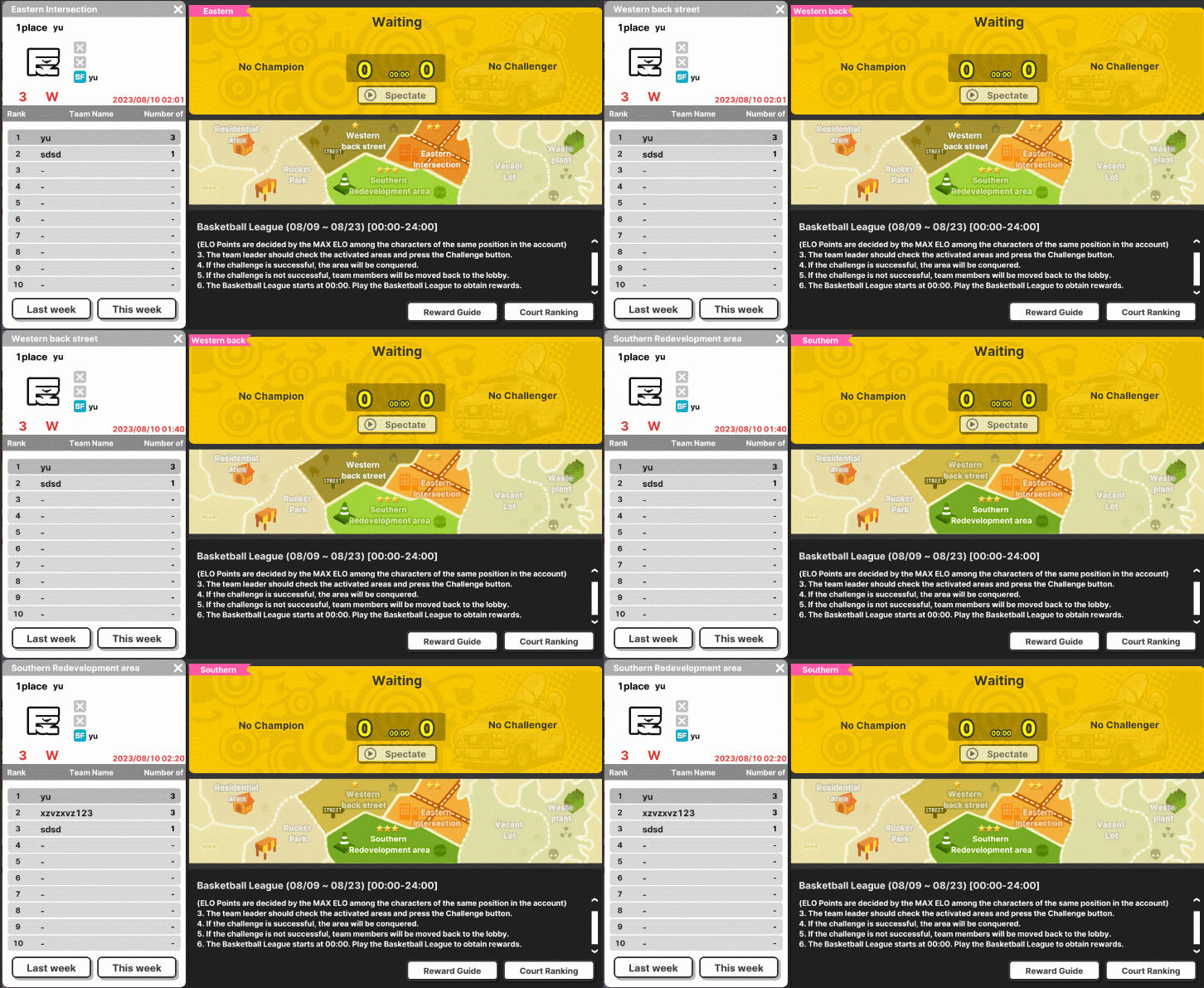
There are 2 Strategic Maps to choose from: - Eastern Intersection - Southern Redevelopment Area
*Based on the user's average ELO rating, the suggested Map may vary.
How to participate?
Simply for a team of 3 Users and wait for any available opponent teams to play with, then select "Challenge"
Event Information
Step 1. During the event period, participate in Basketball League every day. Step 2. You can exchange the acquired badge for various items.
- If you win once on the regular channel, you will be able to challenge the basketball league.
- The average ELO of the team members identifies the area that can be entered and the buttons on the non-entry areas are disabled.
(Each team member's ELO is calculated as the highest ELO score among the same position characters in the account.)
- Even if your ELO is changed, you can maintain a series of wins in the same area.
Match Rewards:
Users will receive 4 Badges per win Users will receive 3 Badges per match loss
*Accumulated Badges can be used to exchange various League rewards.
Updated Reward Preview:
Conquest Western Outfit (M/F)
Conquest Eastern Outfit (M/F)
Conquest Southern Outfit (M/F)
Conquest Outfit (M/F)
Lettering Outfit (M/F)
We would also like to add the following details about the Lettering Outfits.
- You can obtain lettering outfits from the Tournament Shop - You can use the lettering function to write your own text and select colors! - When using the lettering function, You can make the first change for free. Afterward, lettering items will be required to make changes. - Lettering outfits are divided into tops and bottoms. - Outfits with a "Pencil" icon on the bottom left can be used as lettering outfits.
a) Top: Jersey
b) Bottom: Leggings Shorts, Regular Shorts
* Before using the lettering function, the basic settings are as follows: Text: FS2, Color: White, Stroke: Black * An error notice will pop up when clicking on the lettering function on unequippable outfits.
Lettering Items
- Use 1 Lettering Item to apply lettering one time. - Lettering Items are shared within the account, and you can have up to 999,999,999.
How to Apply Lettering
Step 1. Go to Locker and click on the lettering function of the Lettering Item. Step 2. Select a lettering outfit and change the lettering and color settings. Step 3. Click the “Apply” button to save settings. * An error notice will pop up when clicking on unequippable lettering outfits. * View options can be changed to show only the outfits without the character.
1. Lettering Settings - You can use English, Korean, and Chinese characters as well as numbers for lettering. - Special characters and spaces cannot be used. * You can enter up to 12 characters. * Banned words or names of the lettering outfits themselves cannot be used.
2. Color Settings - You can select one of the displayed colors.
3. Lettering Trial - Hover the mouse over a lettering outfit to see the lettering trial button. - Press the button to try the lettering function.
Event Mechanics: - Log in during the event period and get "Parfait Ingredients" which can be exchanged at the "Parfait Shop".
- Exchange items can be found in your Giftbox and any remaining "Parfait Ingredients will be removed after the event ends.
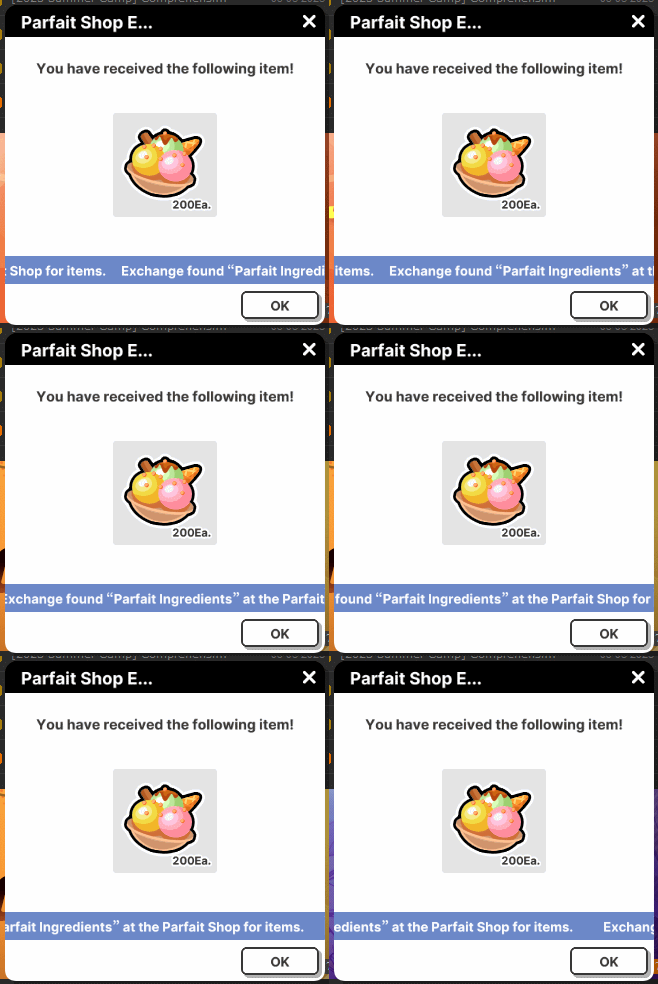
- Receive 200 "Parfait Ingredients" for the first login and 20 "Parfait Ingredients" per regular match (up to 10 times a day).
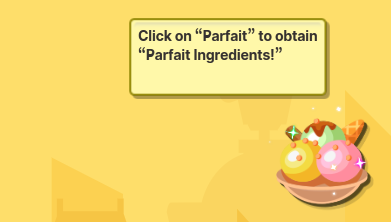
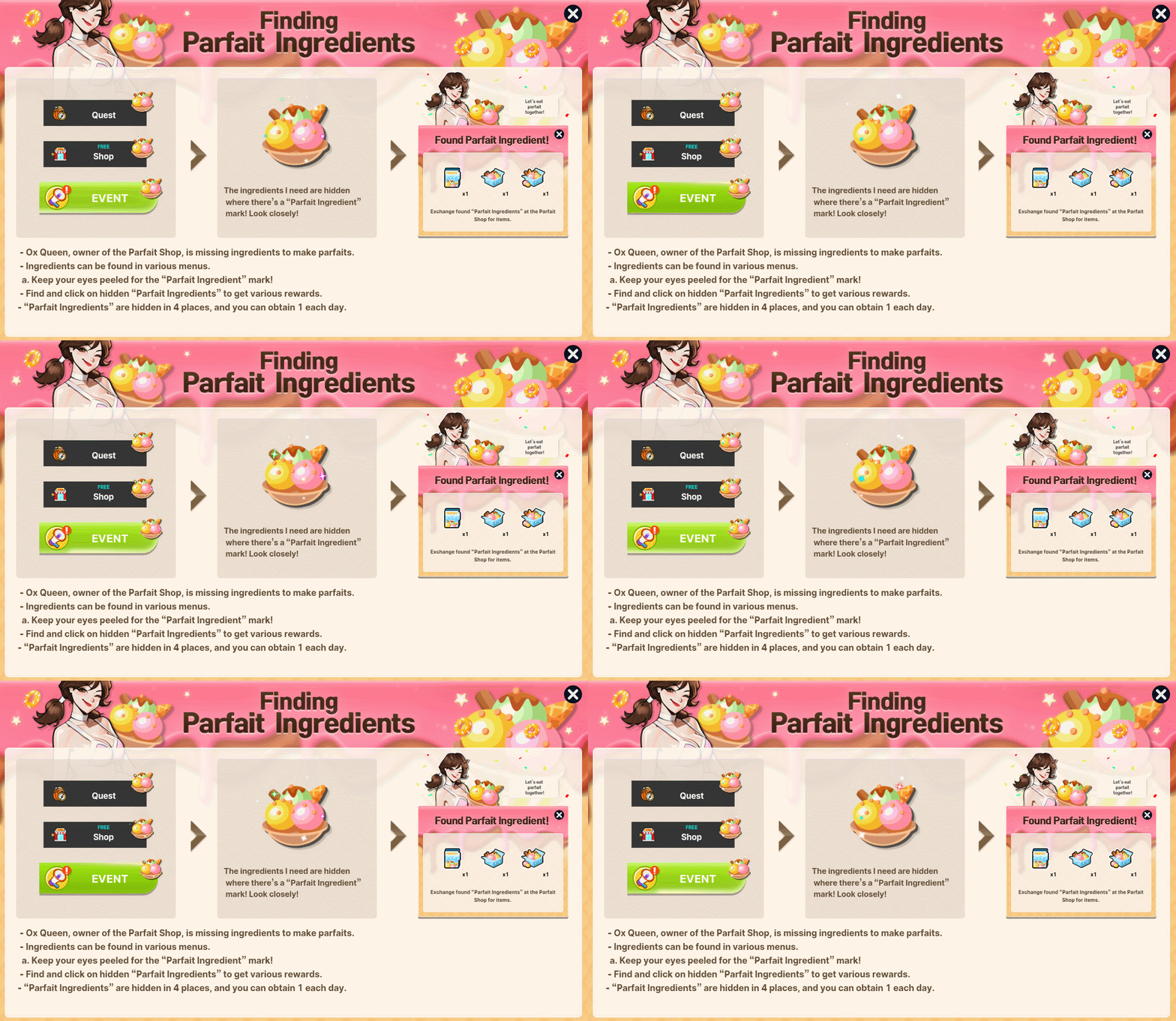
- Ox Queen, owner of the Parfait Shop, is missing ingredients to make parfaits. - Ingredients can be found in various menus. ** Keep your eyes peeled for the "Parfait Ingredient" Mark!
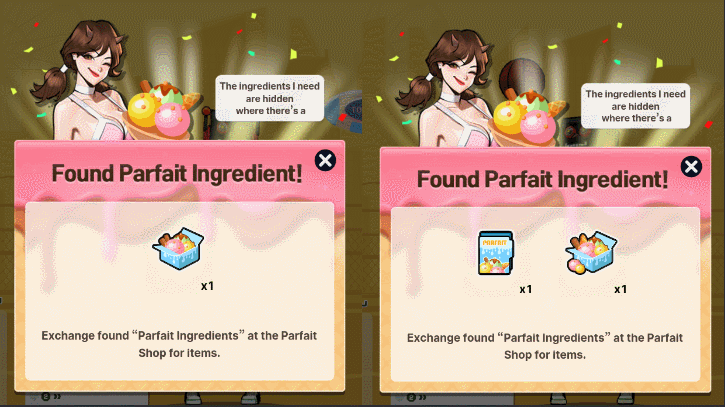
- Find and click on hidden "Parfait Ingredients" to get various rewards. - "Parfait Ingredients" are hidden in 4 places, and you can obtain 1 each day
Collect Parfait pieces by playing games and also by finding the ingredients inside the game.
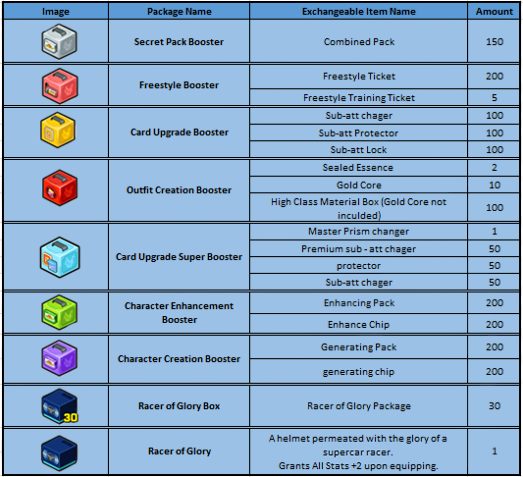
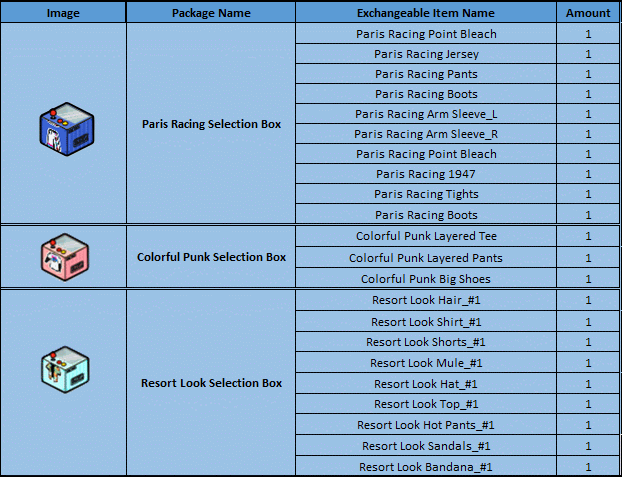
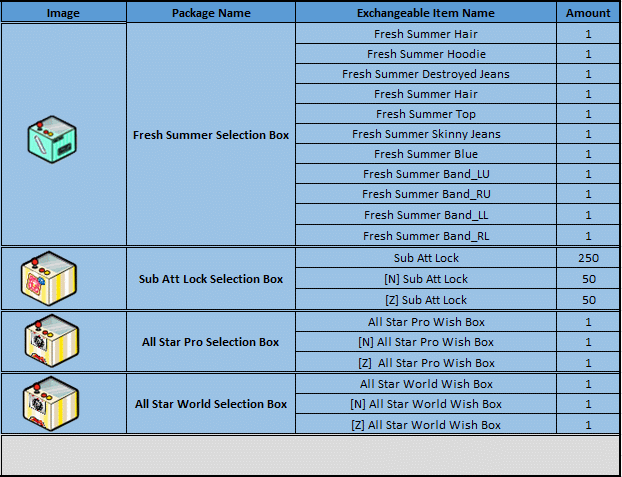
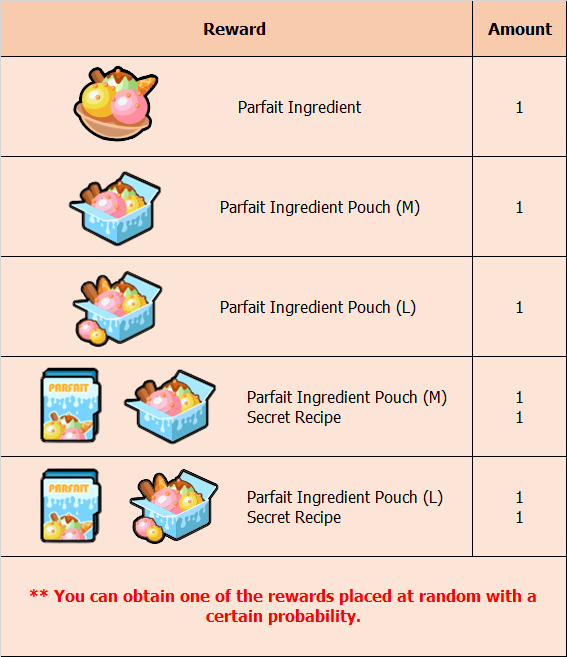
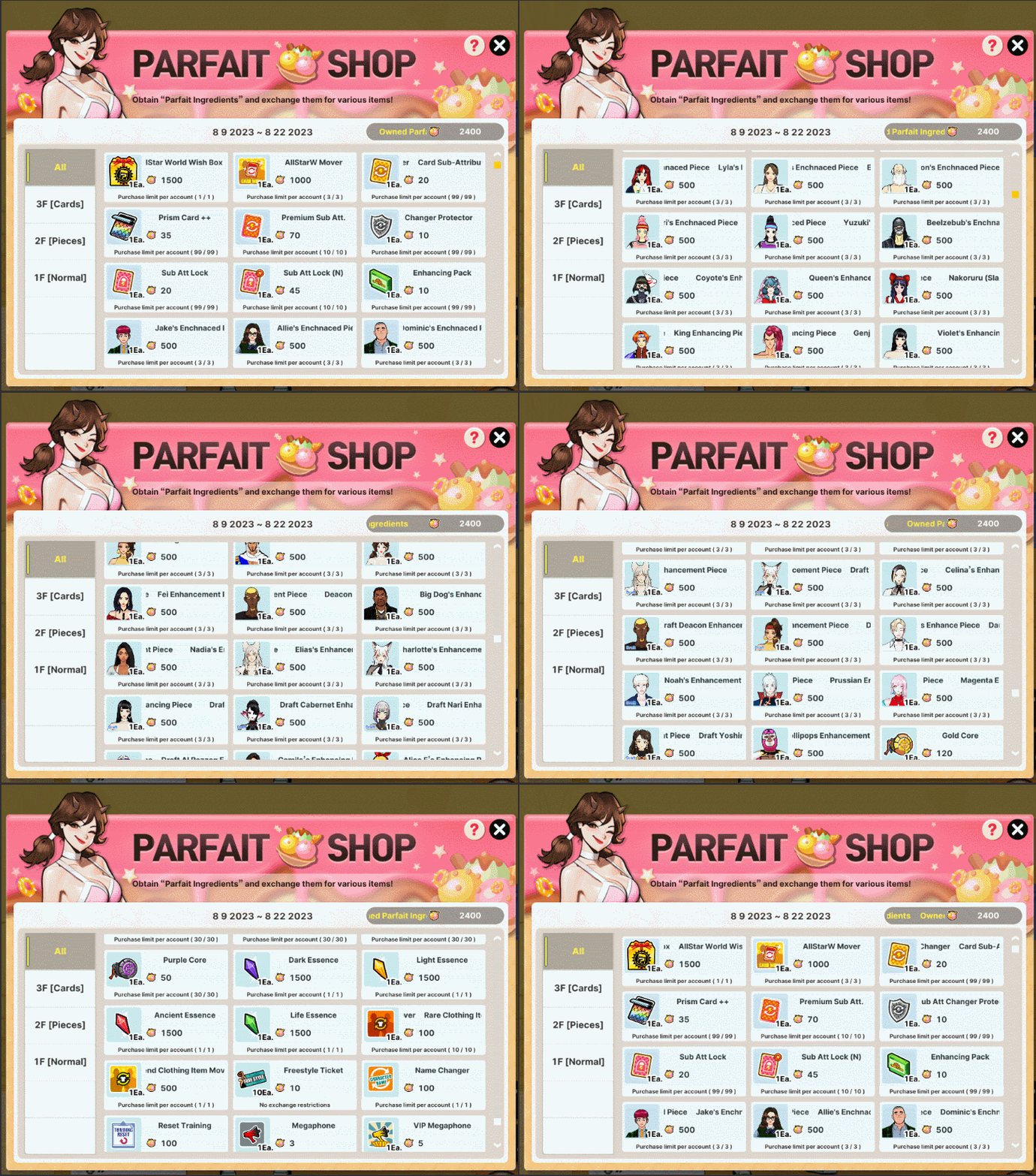
You may exchange the Parfait Ingredients for these various items:
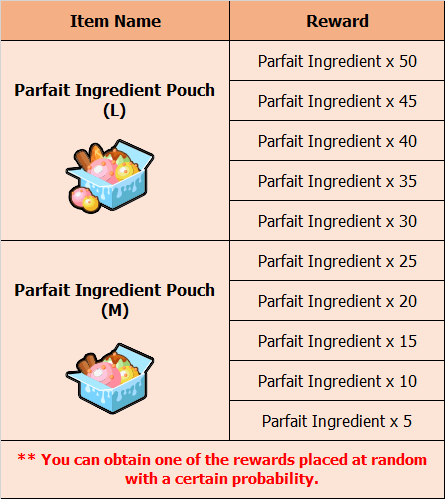
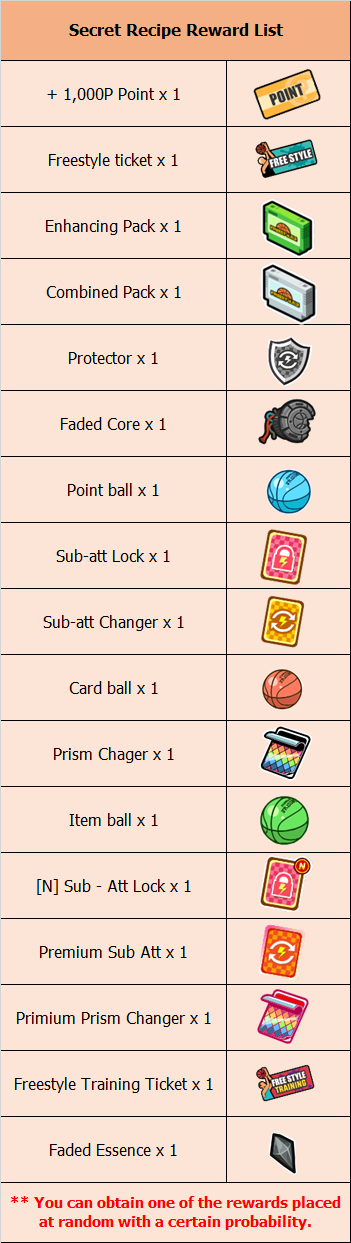
You may get various rewards when you open the Parfait Ingredients Pouch Medium, Large and Secret Recipe:
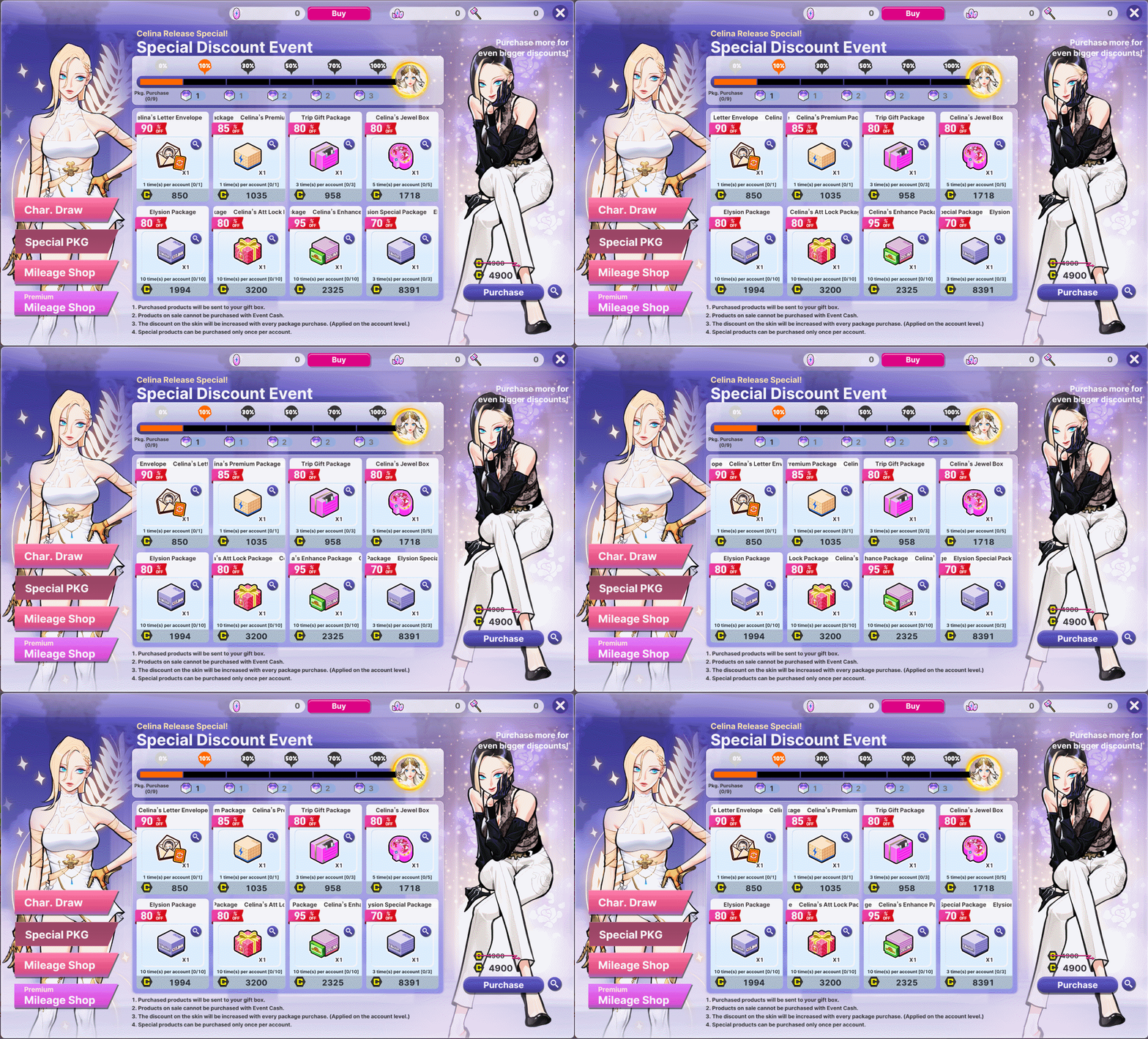
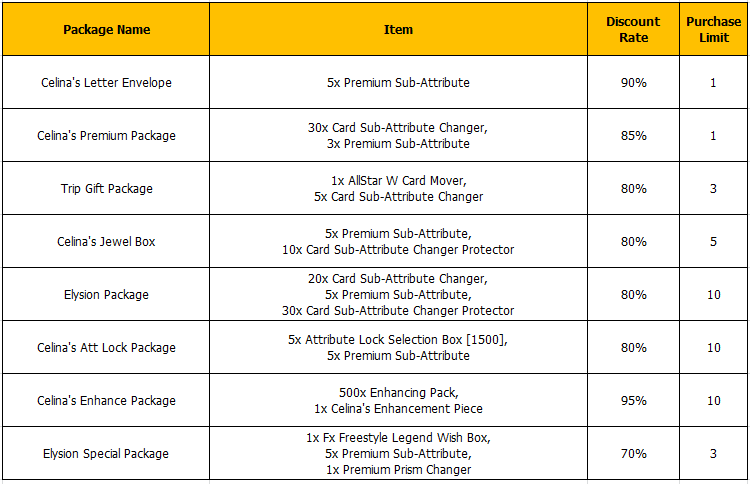
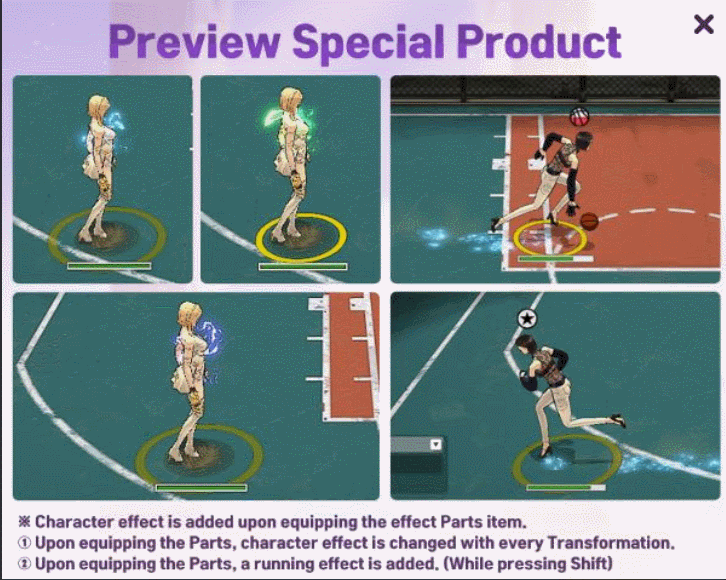
Get special discounts while upgrading your SPC Celina.
Event Period: 08/09 00:00 ~ 08/22 23:59 PDT
Event Mechanics:
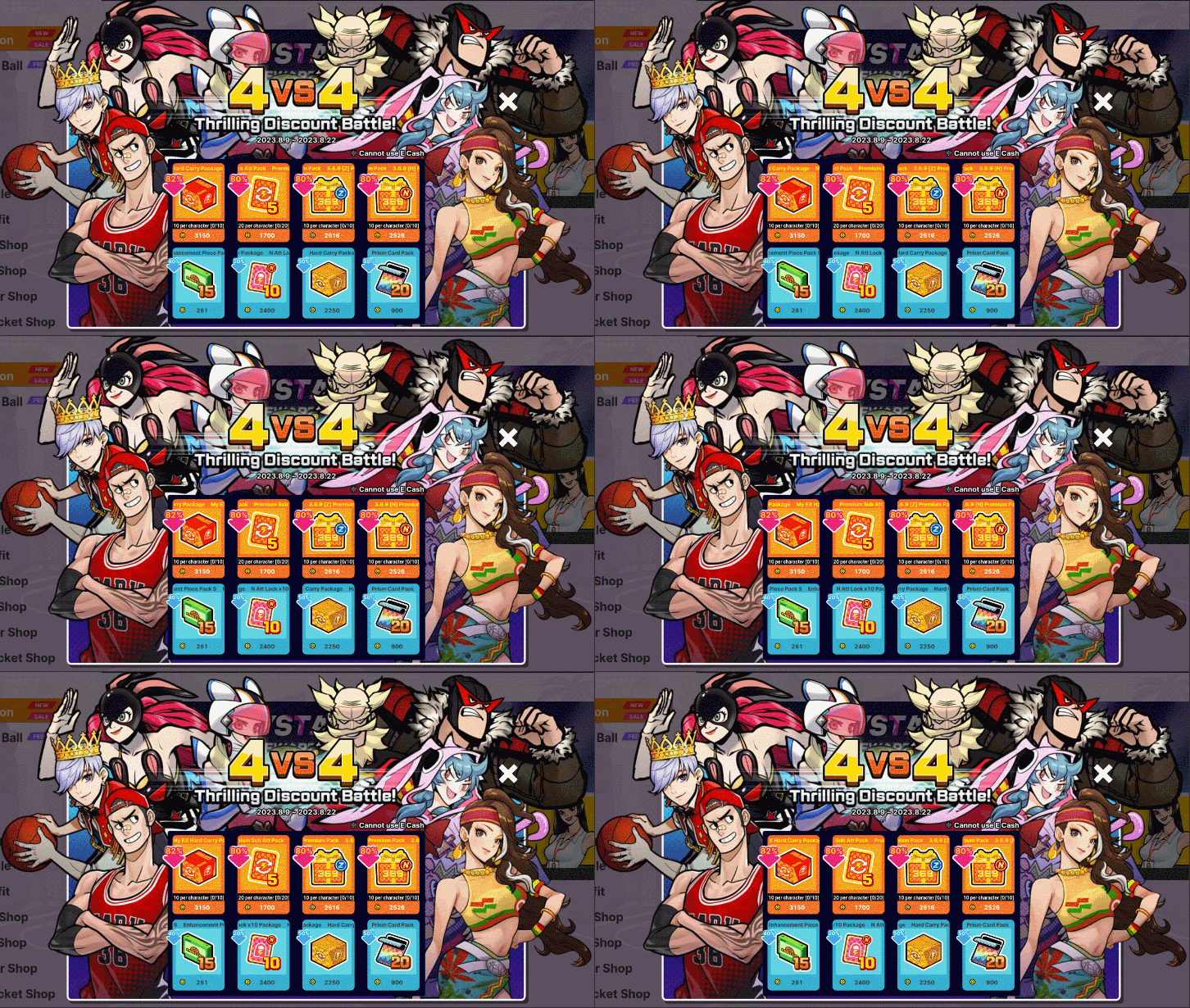
1. Purchased products will be sent to your Gift Box. 2. Products on sale cannot be purchased with Event Cash. 3. When purchasing a package, event currencies will be applied immediately. 4. The discount on the skin will be increased with every package purchase. (Applied on the account level.) 5. Character skin items can be purchased only once per account.