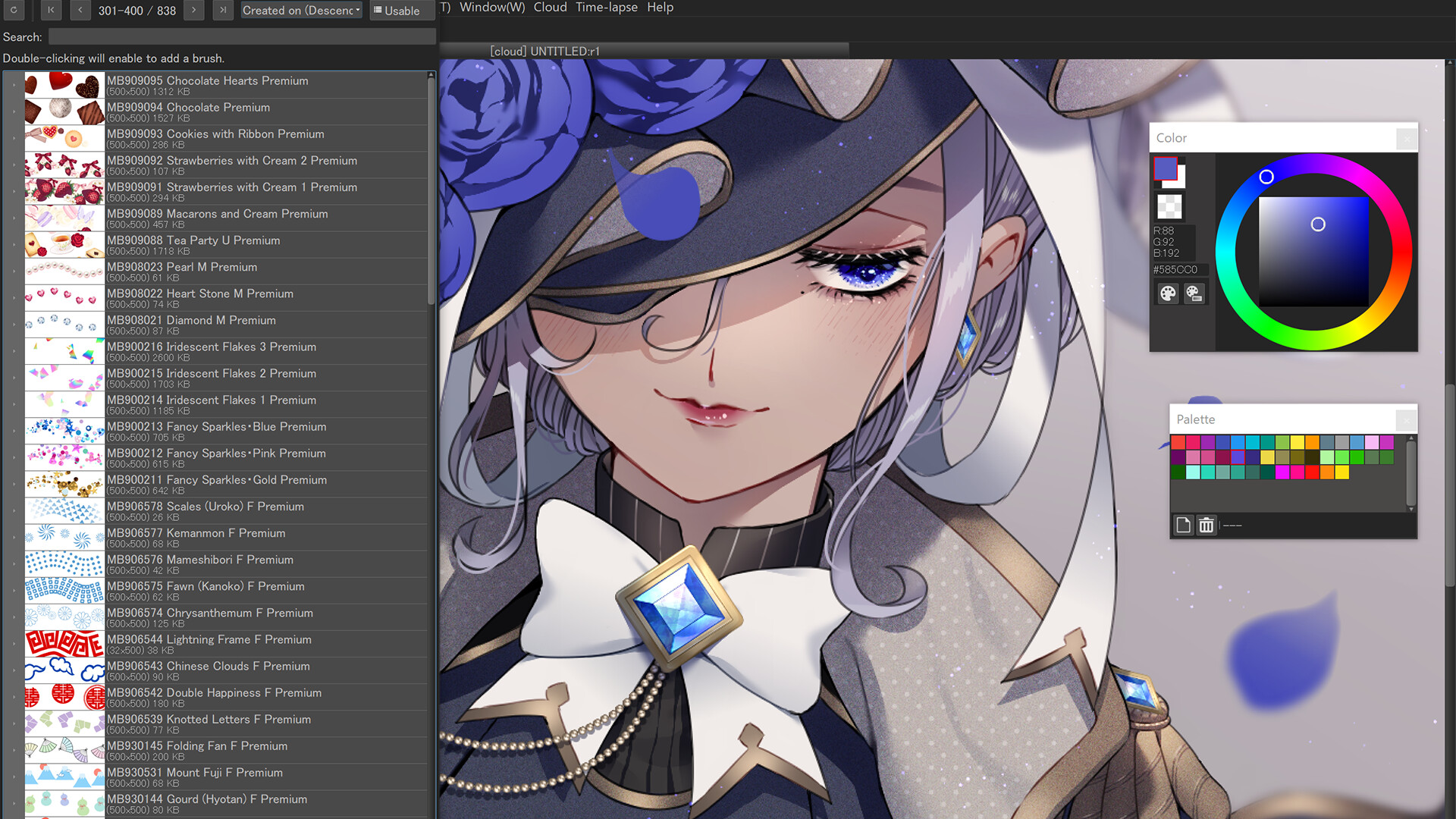
This is the perfect drawing app for those who draw illustrations and pictures. It features a paint and drawing function that can be used for doodling and drawing. It can also be used for sketching, coloring, and even creating digital art.

Đăng nhập để thêm sản phẩm này vào danh sách ước, theo dõi, hoặc đánh dấu nó thành "đã phớt lờ"

Không hỗ trợ ngôn ngữ Tiếng Việt

Sản phẩm này không hỗ trợ ngôn ngữ địa phương của bạn. Vui lòng xem lại danh sách ngôn ngữ được hỗ trợ dưới đây trước khi mua.

Mua MediBang Paint for Desktop


Về phần mềm này

MediBang Paint is the definitive illustration and painting app.

With over 100 million downloads worldwide, this drawing app is popular with beginners and professionals alike. Its intuitive controls make it easy for anyone to create illustrations and pictures. Enjoy more fun and freedom with this digital painting tool.

It offers a professional drawing environment. From sketching and line art to coloring and finishing, you can complete your work in one app. It also comes with a host of professional-grade features, including over 180 brushes, layers, tones, gradients, and fonts.

The UI is designed for beginners, making it ideal for those who want to get started with drawing or try out a drawing app.

Tutorials, templates, and coloring materials are also available to help even first-time artists feel at ease. The guided drawing process makes it perfect for practice.

Practice coloring with this simple coloring book.

Learn how to draw characters and backgrounds using templates.

Edit and recolor your drawings as many times as you like.

Even if you've always wanted to try drawing illustrations but thought it might be difficult, you can start having fun drawing right away.

With pressure sensitivity, you can create delicate strokes and nuanced lines with ease. The smooth movement of the pen and brush creates a natural drawing experience, just like drawing on paper. Use custom brushes to create your own unique style.

◆ Recommended for

People looking for an easy-to-use drawing app even for beginners

People who want to practice drawing illustrations and pictures using a painting app

People who enjoy coloring in a coloring book style

People who want to create professional line drawings and color illustrations

People who want to create manga or art books using a drawing app

◆New features available only in the Desktop version

◎Gradient Map

  • Change the color tone of your work using over 20 presets

  • Freely customize and create your own presets

  • Repaint monochrome works in full color

◎Onion Skin Mode

  • Convenient features for animation production

  • Display all frames at once to ensure proper animation continuity at any time

  • Select a frame rate and preview before exporting to MP4 format

  • Exporting PNG sequentially is recommended for GIF conversion

◆MediBang Key Features of Paint

◎ A high-performance painting tool for digital art

  • Over 180 brush types included (pencil, pen, brush, airbrush, watercolor, etc.)

  • From line art and rough sketches to coloring and painting, all in one app

  • Advanced features like layers, tones, and gradients are also included

◎Enjoy the same fun as a coloring book! Beginners are welcome

  • Includes guides and templates to make drawing easy, even for beginners

  • An intuitive UI makes painting easy.

  • Edit and recolor your drawings as many times as you like! No need to worry about mistakes!

◎High-quality drawing experience

  • Pressure sensitivity allows you to effortlessly express even delicate lines (when using a compatible pen)

  • Reproduce smooth, natural-feeling strokes

  • Freely customize pen and pencil tools

◎Abundant resources for creative use

  • Over 700 additional brushes (MediBang Premium)

  • Over 1,000 screen tones

  • Over 60 Japanese and English fonts

  • Abundant background materials and textures

◎Convenient cloud and sharing features

  • Sync your work across multiple devices (PC, smartphone, tablet) via the cloud

  • Supports posting to social media. Easily share your work on Instagram or X

  • Smooth integration with other apps

◎Supports real-time collaboration

  • Streamlines team illustration and manga creation

  • Collaborate with fellow artists on group projects

◎Record and share your creative process with time-lapse

  • Automatically record your drawing process and output it as a time-lapse video

  • Perfect for showcasing your work on YouTube and social media

◆Versatile use cases

  • Easy drawing and sketching

  • Practice line art and coloring

  • Illustration creation

  • Create original characters and picture books

  • Create manuscripts for manga and webcomics

  • Digital coloring art practice

  • Drawing and croquis sketches

  • Art book layout and design

◆Reliable features for beginners and professionals alike

  • No lag while painting. Enjoy smooth drawing experience

  • Easy-to-follow tutorials and support

  • Learn how to draw with our official YouTube channel and templates

  • Supports mdp, png, jpg, bmp, gif, psd, tif, and webp formats

◆Full support for commonly searched related keywords

"illustration", "picture", "drawing", "drawing app", "drawing", "drawing", "coloring book", "coloring book", "drawing app", "paint", "painting", "artist", "artist"

Whether you're a beginner illustrator or a professional creator, MediBang Paint is the tool for everyone who draws.

Yêu cầu hệ thống

Windows
macOS
    Tối thiểu:
    • Yêu cầu vi xử lý và hệ điều hành đều chạy 64-bit
    • HĐH: Windows 10 or Later
    • Bộ nhớ: 8 GB RAM
    • Lưu trữ: 150 MB chỗ trống khả dụng
    Khuyến nghị:
    • Yêu cầu vi xử lý và hệ điều hành đều chạy 64-bit
    Tối thiểu:
    • HĐH: Mac OS 11 or Later
    • Bộ nhớ: 8 GB RAM
    • Lưu trữ: 150 MB chỗ trống khả dụng
    Khuyến nghị:

    Đánh giá của khách hàng cho MediBang Paint for Desktop Giới thiệu về đánh giá người dùng Tùy chỉnh của bạn

    Đánh giá tổng thể:
    Trái chiều (160 đánh giá)


    Để xem các đánh giá trong một khoảng thời gian, vui lòng nhấp và kéo lựa chọn trên đồ thị hoặc nhấp vào một thanh cụ thể.


    Lọc theo thời gian chơi của người dùng khi đánh giá được viết:


    Không có tối thiểu đến Không có tối đa

    Hiện bài đánh giá theo thứ tự hiển thị đã chọn


    Tìm hiểu thêm
    Bộ lọc
    Loại trừ hoạt động đánh giá lạc đề
    Thời gian chơi:
    Chơi chủ yếu trên Steam Deck
    Không còn đánh giá nào khớp với bộ lọc trên.
    Chỉnh bộ lọc ở trên để xem thêm đánh giá khác
    Đang tải đánh giá...